Blog

  • Best AI for Art Students to Learn Digital Painting Techniques (Save 10+ Hours Every Week)

    Best AI for Art Students to Learn Digital Painting Techniques (Save 10+ Hours Every Week)

    Look, I get it, university life is stressful but trying to master digital painting on top of deadlines, critiques, and theory classes? That’s a lot. The good news is that 2026 has completely changed the game. AI is no longer just a “cool tool”—it’s becoming a serious learning assistant for art students.

    If you’re searching for the best AI for art students to learn digital painting techniques, this guide will walk you through the most powerful tools, how to use them effectively, and how to stay aligned with academic integrity while boosting your student productivity.

    Let’s break it down properly.

    Why AI is a Game-Changer for Digital Painting Students

    Digital painting used to require years of trial and error. Now, AI can compress that learning curve dramatically.

    Here’s what modern AI tools can do for you:

    • Analyze your brush strokes and suggest improvements
    • Generate reference images instantly
    • Teach lighting, anatomy, and color theory interactively
    • Help with concept ideation for assignments and thesis projects
    • Assist in building portfolios faster

    And yes—this matters not just for your art, but also for your literature review, presentations, and overall academic workflow.

    Best AI Tools for Learning Digital Painting Techniques in 2026

    1. Adobe Photoshop (with AI features like Firefly)

    Still the industry standard, but now powered by advanced AI.

    Key AI Features:

    • Generative Fill for instant composition ideas
    • AI-powered brush smoothing
    • Smart color matching and lighting suggestions

    Why it’s great for students:
    You’re not just painting—you’re learning why certain techniques work. Photoshop’s AI acts like a silent mentor correcting your workflow.

    Downside:
    Steep learning curve and subscription cost.

    2. Procreate + AI Plugins

    A favorite among iPad users, now enhanced with AI-driven tools.

    Key Features:

    • AI brush assistants
    • Gesture-based corrections
    • Style simulation tools

    Best for:
    Beginner to intermediate students who want a natural painting experience.

    3. Krita with AI Extensions

    A free and powerful option for students.

    Key Features:

    • AI-assisted stabilizers
    • Perspective and symmetry tools
    • Plugin ecosystem for machine learning features

    Why it stands out:
    Perfect for budget-conscious students who still want pro-level results.

    4. MidJourney

    This is where creativity explodes.

    Key Features:

    • Generate high-quality art references
    • Explore different art styles instantly
    • Concept art creation for assignments

    Real talk:
    MidJourney won’t teach brush technique directly—but it will massively improve your visual thinking.

    5. Runway ML

    A hybrid tool bridging art, video, and AI.

    Key Features:

    • Style transfer
    • Real-time painting assistance
    • AI video + concept blending

    Best for:
    Advanced students working on multimedia or thesis-level projects.

    AI Tool Comparison Table

    ToolBest ForSkill LevelPriceUnique Advantage
    PhotoshopProfessional workflowsIntermediate–AdvancedPaidIndustry standard + AI
    ProcreateTablet artistsBeginner–IntermediateLow costNatural painting feel
    KritaBudget learnersAll levelsFreeOpen-source flexibility
    MidJourneyConcept & referencesAll levelsPaidStunning visuals
    Runway MLExperimental artAdvancedPaidAI + video integration

    How to Use AI to Learn Digital Painting (Step-by-Step)

    Here is the proccess I recommend to my students:

    Step 1: Start with AI-Generated References

    Use MidJourney to create:

    • Lighting studies
    • Character poses
    • Environmental concepts

    This eliminates hours of searching for references.

    Step 2: Recreate in Your Painting Software

    Import the reference into:

    • Adobe Photoshop
    • Krita

    Focus on:

    • Brush control
    • Color blending
    • Texture application

    Step 3: Use AI Feedback Tools

    Modern AI tools can:

    • Detect proportion errors
    • Suggest better lighting
    • Improve perspective

    This is like having a tutor available 24/7.

    Step 4: Practice Style Variation

    Use Runway ML to:

    • Apply different artistic styles
    • Experiment with surreal or abstract ideas

    This is especially useful for portfolio development.

    Step 5: Reflect and Document (Important for Academic Work)

    Don’t skip this.

    • Write about your process
    • Compare AI vs manual techniques
    • Include insights in your assignments or even your thesis

    This is where academic integrity matters. You’re using AI as a tool—not submitting AI-generated art as your own without transformation.

    AI Tool Checklist for Art Students

    Before choosing your AI tool, ask yourself:

    • Do I need help with technique or ideas?
    • Am I working on assignments or personal art?
    • Is my focus speed or mastery?
    • Does my university allow AI-assisted work?

    If your goal is learning, prioritize tools that teach, not just generate.

    Academic Integrity: The Real Talk

    Here is the real talk about using AI for your assignments.

    AI is powerful—but misuse it, and you risk academic penalties.

    Follow these rules:

    • Always disclose AI usage if required
    • Use AI for learning, not copying
    • Transform outputs into original work
    • Cite AI tools in your process documentation

    This approach not only protects you but also strengthens your critical thinking, which is essential for your future career.

    Beyond Painting: AI for Complete Student Productivity

    The best art students in 2026 are not just creative—they’re efficient.

    Combine painting AI tools with:

    • Research tools for faster literature review
    • AI note-taking apps for lectures
    • Presentation AI for critiques and submissions

    This is exactly what we focus on at lrnai.xyz—helping students master AI across every part of academic life.

    Pros and Cons of Using AI for Digital Painting

    Pros

    • Faster skill development
    • Instant feedback
    • Endless creative inspiration
    • Improved student productivity

    Cons

    • Risk of over-reliance
    • Ethical concerns if misused
    • Learning fundamentals may feel “shortcut”

    Balance is key. AI should enhance your skills—not replace them.

    Final Thoughts: Should You Use AI as an Art Student?

    Absolutely—but use it wisely.

    AI is like a mentor who never gets tired, never judges, and is always available. But your creativity, your decisions, and your artistic voice still matter the most.

    If you integrate these tools correctly, you won’t just keep up with other students—you’ll stand out.

    And honestly? In 2026, not learning AI is like refusing to learn perspective drawing. It just doesn’t make sense anymore.

    Call to Action

    Now it’s your turn.

    Pick one tool from this list and try it today. Start small—maybe generate a reference or test an AI brush. Then build from there.

    Also, share your experience—what worked, what didn’t, and what you wish you knew earlier.

    For more practical guides like this, explore lrnai.xyz—your go-to resource to master AI, boost your student productivity, and stay ahead in the future of learning.


  • How to Use AI for Storytelling in Digital Media Assignments (Save 10+ Hours & Boost Creativity)

    How to Use AI for Storytelling in Digital Media Assignments (Save 10+ Hours & Boost Creativity)


    University assignments in digital media are no joke. You’re expected to ideate, script, design, edit, and present—all while juggling deadlines, exams, and your social life. Look, I get it, university life is stressful but here’s the good news: AI is no longer just a shortcut—it’s a powerful creative partner.

    In this guide, you’ll learn how to use AI for storytelling in digital media assignments in a way that enhances your creativity, protects academic integrity, and massively boosts student productivity.

    We’ll go beyond surface-level tips and show you exactly how to use modern AI tools in 2026 for brainstorming, scripting, visual creation, and even research.


    What Does AI Storytelling Mean for Students in 2026?

    AI storytelling is the process of using artificial intelligence tools to assist in crafting narratives—whether that’s for videos, animations, podcasts, or interactive media.

    Tools like ChatGPT, Midjourney, Runway ML, and Notion AI have evolved significantly by 2026. They don’t just generate content—they help structure ideas, analyze themes, and even simulate audience engagement.

    Here is the real talk about using AI for your assignments:
    AI won’t replace your creativity—but it will amplify it if used correctly.


    Why AI is a Game-Changer for Digital Media Assignments

    1. Faster Idea Generation

    Struggling with “what should my story be about?” AI can generate dozens of unique concepts in seconds.

    2. Structured Storytelling

    AI can help you apply narrative frameworks like:

    • Three-act structure
    • Hero’s journey
    • Non-linear storytelling

    3. Multimedia Integration

    From scripts to visuals to voiceovers, AI tools now handle full storytelling pipelines.

    4. Research & Contextual Depth

    AI tools assist in literature review, theme analysis, and even cultural context—making your story more academically sound.


    AI Tool Comparison for Storytelling Projects

    ToolBest ForKey FeatureLimitation
    ChatGPTScriptwriting, ideationContext-aware storytellingNeeds fact-checking
    MidjourneyVisual storytellingHigh-quality AI artLimited control over exact details
    Runway MLVideo productionAI-powered editing & effectsLearning curve
    Notion AIPlanning & notesSmart organizationLess creative depth
    DescriptAudio storytellingAI voice & editingPremium features costly

    Step-by-Step: How to Use AI for Storytelling in Digital Media Assignments

    Step 1: Define Your Assignment Goals

    Before touching AI, clarify:

    • What format? (video, animation, podcast)
    • What theme? (social issue, fiction, documentary)
    • What academic requirements?

    You can even prompt ChatGPT like:

    “Help me break down my digital media assignment into key storytelling components.”


    Step 2: Generate Story Ideas

    Use AI to brainstorm:

    Example prompt:

    “Give me 5 unique digital storytelling ideas about climate change for university students.”

    Refine ideas by asking:

    • “Make it more emotional”
    • “Add a plot twist”
    • “Simplify for a 3-minute video”

    This is where AI shines—you can iterate instantly.


    Step 3: Build a Narrative Structure

    Ask AI to structure your story:

    “Turn this idea into a three-act story with characters and conflict.”

    You’ll get:

    • Beginning (setup)
    • Middle (conflict)
    • End (resolution)

    But don’t blindly copy. Adjust it to match your voice—this is critical for academic integrity.


    Step 4: Scriptwriting with AI Assistance

    Now generate a script draft:

    “Write a 2-minute video script with dialogue and narration.”

    Then refine:

    • Add emotional depth
    • Improve pacing
    • Align with assignment rubric

    Pro tip: Combine AI with your own editing to avoid generic outputs. Otherwise, your proccess may feel robotic.


    Step 5: Visual Storytelling with AI Tools

    Use Midjourney to create:

    • Scene concepts
    • Character designs
    • Background visuals

    Prompt example:

    “Create a cinematic scene of a lonely student in a futuristic city, emotional tone.”

    For video projects, use Runway ML to:

    • Generate clips
    • Remove backgrounds
    • Add effects

    Step 6: Voice & Audio Enhancement

    AI tools like Descript allow you to:

    • Generate voiceovers
    • Edit audio seamlessly
    • Remove filler words

    This is perfect for podcast-style storytelling assignments.


    Step 7: Organize Your Workflow

    Use Notion AI for:

    • Story outlines
    • Research notes
    • Timeline planning

    This boosts student productivity and keeps your work structured.


    Step 8: Add Academic Depth

    This is where most students fail.

    Use AI for:

    • Literature review summaries
    • Thematic analysis
    • Cultural or historical context

    But always:

    • Verify sources
    • Cite properly
    • Avoid plagiarism

    AI should assist—not replace—your academic thinking.


    AI Storytelling Checklist for Students

    Before submitting your assignment, ask yourself:

    • Did I use AI to assist—not replace—my creativity?
    • Did I edit and personalize the AI output?
    • Are my sources properly cited?
    • Does my story meet academic requirements?
    • Is my narrative clear and engaging?

    If you can say yes to all, your on the right track.


    Pros and Cons of Using AI in Storytelling Assignments

    Pros

    • Saves time (10+ hours weekly)
    • Enhances creativity
    • Improves structure and clarity
    • Supports research and analysis

    Cons

    • Risk of over-reliance
    • Generic outputs if not edited
    • Academic integrity concerns
    • Requires learning curve

    Ethical Use of AI in Academic Work

    Let’s be clear: universities are increasingly strict about AI usage.

    To stay safe:

    • Disclose AI usage if required
    • Use AI for drafting—not final submission
    • Always revise content in your own voice

    Think of AI as a collaborator, not a ghostwriter.


    Advanced Tips for 2026 Students

    1. Combine Multiple AI Tools

    Don’t rely on just one platform. Combine writing, visuals, and editing tools for best results.

    2. Use AI for Feedback

    Ask AI:

    “Critique this story and suggest improvements.”

    3. Simulate Audience Reactions

    AI can predict how different audiences might respond to your story.


    How AI Supports Thesis & Research-Based Storytelling

    For advanced students, AI is incredibly useful in:

    • Structuring literature review sections
    • Identifying research gaps
    • Translating academic findings into compelling narratives

    This is especially useful in documentary-style assignments.


    Final Thoughts: The Smart Way to Use AI

    AI is not a shortcut—it’s a skill.

    Students who learn how to use AI for storytelling in digital media assignments effectively will stand out—not just academically, but professionally.

    And if you’re serious about mastering AI for your studies, lrnai.xyz is your go-to platform. It’s designed specifically for students who want to stay ahead in the future of learning.

    Call to Action

    Start experimenting with AI in your next assignment today. Try one tool, build one story, and improve with each project.

    Then head over to lrnai.xyz to explore more expert guides, tools, and strategies designed to boost your academic success.

    And hey—share your AI storytelling hacks with your classmates. Because the future of education isn’t just about working harder… it’s about working smarter.

  • How to Use AI for Debating and Argument Building (Save Hours of Research & Win Stronger Arguments)

    How to Use AI for Debating and Argument Building (Save Hours of Research & Win Stronger Arguments)

    Debating at university isn’t just about speaking confidently—it’s about thinking critically, structuring arguments logically, and backing everything with evidence. And honestly, that’s where many students struggle.

    Look, I get it, university life is stressful but here’s the shift happening in 2026: students are now using AI not just to study—but to think better.

    In this guide, you’ll learn how to use AI for debating and argument building in a smart, ethical, and academically sound way. Whether you’re preparing for a classroom debate, writing an argumentative essay, or working on a thesis, AI can significantly boost your student productivity.


    What Does AI-Powered Argument Building Mean?

    AI-powered argument building involves using tools like ChatGPT, Perplexity AI, Notion AI, and Elicit to:

    • Generate arguments and counterarguments
    • Analyze evidence and sources
    • Structure debates logically
    • Improve clarity and persuasion

    Here is the real talk about using AI for your assignments: AI won’t make you a great debater overnight—but it will sharpen your thinking if you use it correctly.


    Why AI is Transforming Student Debating Skills

    1. Instant Access to Multiple Perspectives

    AI can generate arguments from different viewpoints in seconds—something that traditionally takes hours of reading and note-taking.

    2. Improved Critical Thinking

    When AI challenges your ideas with counterarguments, it forces you to think deeper.

    3. Faster Research for Literature Review

    AI tools help summarize academic papers, identify key themes, and speed up your literature review process.

    4. Better Structure and Clarity

    AI can transform scattered thoughts into structured, logical arguments.


    AI Tools Comparison for Debating and Argument Building

    ToolBest Use CaseKey StrengthLimitation
    ChatGPTArgument draftingDeep reasoning & dialogueNeeds fact-checking
    Perplexity AIResearch & citationsReal-time web-backed answersLimited creativity
    ElicitAcademic researchPaper summaries & insightsNiche interface
    Notion AINote organizationStructured thinkingLess debate-focused
    SciteEvidence validationCitation analysisAdvanced features locked

    Step-by-Step: How to Use AI for Debating and Argument Building

    Step 1: Understand Your Debate Topic

    Start by clearly defining:

    • The motion (e.g., “AI should replace traditional education”)
    • Your stance (for or against)
    • Key requirements from your instructor

    Use ChatGPT:

    “Break down this debate topic into key issues and perspectives.”

    This gives you a strong foundation before you even begin arguing.


    Step 2: Generate Initial Arguments

    Prompt AI to create arguments:

    “Give me 5 strong arguments in favor of this motion with examples.”

    Then refine:

    • Ask for stronger evidence
    • Request real-world case studies
    • Simplify complex explanations

    This step saves hours of brainstorming and helps you avoid weak points early.


    Step 3: Build Counterarguments

    Great debaters don’t just argue—they anticipate.

    Ask AI:

    “What are the strongest counterarguments to these points?”

    Then go further:

    “How can I refute these counterarguments effectively?”

    This process strengthens your reasoning and prepares you for real debate scenarios.


    Step 4: Structure Your Argument Logically

    Use AI to organize your ideas into:

    • Claim
    • Evidence
    • Explanation
    • Impact

    Prompt example:

    “Turn these points into a structured argument with clear logic.”

    This ensures your argument isn’t just persuasive—but academically sound.


    Step 5: Use AI for Evidence and Research

    Tools like Perplexity AI and Elicit can:

    • Find credible sources
    • Summarize research papers
    • Help with your literature review

    But always double-check sources. AI can occasionally hallucinate—yes, even in 2026.


    Step 6: Practice Debating with AI

    This is where things get interesting.

    Ask AI to simulate a debate:

    “Act as an opponent and challenge my argument.”

    This helps you:

    • Improve confidence
    • Identify weaknesses
    • Practice real-time responses

    Honestly, this is one of the most underrated ways to use AI.


    Step 7: Refine Language and Delivery

    Use AI to improve:

    • Clarity
    • Tone
    • Persuasiveness

    Prompt:

    “Make this argument more persuasive but keep it academic.”

    Avoid over-polishing. Your voice still matters—otherwise your argument might feel unnatural.


    Step 8: Organize Notes for Maximum Productivity

    Use Notion AI to:

    • Store arguments
    • Track sources
    • Build debate outlines

    This improves student productivity and keeps everything in one place.


    AI Debate Checklist for Students

    Before your debate or submission, check:

    • Did I verify AI-generated facts?
    • Did I include credible sources?
    • Did I address counterarguments?
    • Is my argument logically structured?
    • Am I maintaining academic integrity?

    If yes, your ready.


    Pros and Cons of Using AI in Debating

    Pros

    • Saves time on research
    • Generates diverse perspectives
    • Improves argument clarity
    • Enhances critical thinking

    Cons

    • Risk of over-reliance
    • Potential inaccuracies
    • Can weaken original thinking if misused
    • Requires ethical awareness

    Academic Integrity and Ethical AI Use

    Universities are paying close attention to AI usage.

    To stay safe:

    • Use AI for support, not submission
    • Cite all sources properly
    • Don’t copy-paste AI outputs

    AI should help you learn, not replace your thinking.


    Advanced Strategies for 2026 Students

    1. Combine AI Tools for Maximum Impact

    Use:

    • ChatGPT for reasoning
    • Perplexity AI for research
    • Notion AI for organization

    2. Use AI for Thesis Argument Development

    AI can help:

    • Identify research gaps
    • Strengthen thesis statements
    • Improve argument flow

    This is especially useful in long-form academic writing.

    3. Ask AI to Critique Your Argument

    Prompt:

    “Evaluate this argument for logical fallacies and weak evidence.”

    This builds deeper analytical skills over time.


    How AI Improves Debate Performance in Real Life

    Students using AI effectively report:

    • Better confidence in debates
    • Stronger evidence-based arguments
    • Faster preparation times

    But remember: AI is a tool. Your thinking is still the engine.


    Final Thoughts: Learn Smarter, Not Harder

    Mastering how to use AI for debating and argument building is quickly becoming a must-have academic skill.

    And if your serious about staying ahead, platforms like lrnai.xyz are designed to help students like you master AI-powered learning, from debate prep to thesis research.

    The future belongs to students who know how to think critically and use AI effectively.


    Call to Action

    Try using AI in your next debate prep session. Start small—generate arguments, test counterpoints, refine your ideas.

    Then head over to lrnai.xyz to explore more expert guides, tools, and strategies built for modern students.

    And don’t keep your strategies to yourself—share your AI debate hacks with your friends. Because smarter learning is better when it’s shared.

  • How to Ethically Use AI for University Assignments Without Cheating (Save Time & Stay Academically Safe)

    How to Ethically Use AI for University Assignments Without Cheating (Save Time & Stay Academically Safe)


    Artificial Intelligence is everywhere in 2026—and yes, students are using it daily for assignments, research, and studying. But here’s the big question: where do you draw the line between smart use and cheating?

    Look, I get it, university life is stressful but deadlines don’t wait, and the pressure to perform is real. AI feels like a lifeline. Still, using it the wrong way can seriously damage your academic record.

    So in this guide, you’ll learn how to ethically use AI for university assignments without cheating, while improving your learning, protecting academic integrity, and maximizing student productivity.

    Here is the real talk about using AI for your assignments: AI should support your thinking, not replace it.


    What Does “Ethical AI Use” Actually Mean?

    Ethical AI use means using tools like ChatGPT, Grammarly, Notion AI, and Perplexity AI in ways that:

    • Respect academic integrity policies
    • Avoid plagiarism or misrepresentation
    • Enhance your understanding rather than replace it
    • Maintain transparency where required

    In simple terms: if you submit AI-generated work as your own without modification or acknowledgment, that’s cheating.


    Why Ethical AI Use Matters More Than Ever in 2026

    1. Universities Are Using AI Detection Tools

    Institutions are increasingly equipped to identify AI-generated content patterns.

    2. Academic Integrity Policies Are Evolving

    Many universities now explicitly define acceptable and unacceptable AI usage.

    3. Learning Outcomes Still Matter

    If AI does all the work, your skills won’t develop—and that will hurt you long-term.


    AI Tools Comparison for Ethical Academic Use

    ToolEthical Use CaseKey BenefitRisk if Misused
    ChatGPTIdea generation, draftsSaves timeCopy-paste plagiarism
    GrammarlyEditing & clarityImproves writingOver-reliance
    Notion AINote-taking & summariesBetter organizationSurface-level learning
    Perplexity AIResearch & sourcesQuick referencesInaccurate citations
    ZoteroCitation managementAcademic complianceMinimal

    Step-by-Step: How to Ethically Use AI for University Assignments Without Cheating

    Step 1: Understand Your University’s AI Policy

    Before using any AI tool:

    • Check your course guidelines
    • Ask your professor if unsure
    • Look for rules on AI-generated content

    Some universities allow AI for brainstorming but not for writing final drafts.


    Step 2: Use AI for Brainstorming, Not Submission

    Start your assignment with AI:

    “Give me 5 ideas for an essay on climate change and economic policy.”

    This helps you overcome writer’s block—but the final idea should be your own interpretation.


    Step 3: Build Your Own Argument

    Use AI to explore perspectives:

    “What are the main arguments for and against this topic?”

    Then:

    • Combine ideas
    • Add your own analysis
    • Develop original insights

    This is where real learning happens.


    Step 4: Use AI for Literature Review Support

    AI tools like Perplexity AI can help:

    • Summarize research papers
    • Identify key themes
    • Suggest relevant sources

    But always:

    • Read original papers
    • Verify accuracy
    • Cite properly

    Never rely on AI summaries alone for your literature review.


    Step 5: Draft in Your Own Voice

    You can ask AI:

    “Help me outline this essay.”

    But when writing:

    • Use your own words
    • Add personal understanding
    • Include critical thinking

    Otherwise, your writing may sound generic and lack depth.


    Step 6: Edit and Improve with AI

    Now bring in tools like Grammarly:

    • Fix grammar
    • Improve clarity
    • Enhance readability

    This is one of the safest and most accepted uses of AI.


    Step 7: Cite Sources and Acknowledge AI If Required

    Some universities require disclosure of AI use.

    Example:

    • “AI tools were used for brainstorming and outlining.”

    Transparency helps maintain academic integrity and avoids penalties.


    Step 8: Review for Originality

    Before submitting:

    • Run plagiarism checks
    • Ensure originality
    • Confirm all sources are cited

    If something feels off, rewrite it. Don’t take risks—you might regret it later.


    AI Ethics Checklist for Students

    Before submitting your assignment, ask yourself:

    • Did I use AI as a tool, not a shortcut?
    • Is the final work written in my own voice?
    • Have I verified all information?
    • Did I properly cite sources?
    • Am I following my university’s AI policy?

    If yes, your on safe ground.


    Pros and Cons of Using AI Ethically

    Pros

    • Saves time on research and planning
    • Improves writing clarity
    • Enhances understanding
    • Boosts student productivity

    Cons

    • Requires discipline
    • Easy to misuse
    • Can reduce deep thinking if overused
    • Policies may vary between institutions

    Common Mistakes Students Make (And How to Avoid Them)

    Mistake 1: Copy-Pasting AI Content

    Solution: Always rewrite and personalize.

    Mistake 2: Trusting AI Without Verification

    Solution: Cross-check facts with academic sources.

    Mistake 3: Over-Reliance on AI Tools

    Solution: Use AI to assist, not replace your thinking proccess.


    Advanced Tips for Ethical AI Use in 2026

    1. Use AI for Smart Note-Taking

    Tools like Notion AI help:

    • Summarize lectures
    • Organize notes
    • Track ideas

    This improves long-term learning.


    2. Combine AI with Traditional Research

    AI is fast—but academic databases are accurate.

    Use both for:

    • Better literature review
    • Stronger arguments
    • Deeper understanding

    3. Ask AI to Challenge Your Work

    Prompt:

    “Critique this essay and highlight weak arguments.”

    This improves critical thinking and strengthens your work.


    4. Use AI for Time Management

    AI can help you:

    • Break assignments into tasks
    • Create study schedules
    • Track deadlines

    This significantly improves student productivity.


    The Future of Ethical AI in Education

    AI is not going away—it’s becoming a core part of education.

    Students who learn how to ethically use AI for university assignments without cheating will have a major advantage. Not because they rely on AI—but because they use it wisely.

    And that’s exactly what platforms like lrnai.xyz are built for: helping students master AI without compromising their academic values.


    Final Thoughts: Be Smart, Be Ethical

    AI can either be your biggest academic advantage—or your biggest mistake.

    The difference lies in how you use it.

    If you focus on learning, thinking, and growing, AI becomes a powerful ally. But if you misuse it, the consequences can be serious.

    So be intentional. Be responsible. And most importantly—keep your work authentic.


    Call to Action

    Start using AI ethically in your next assignment. Try brainstorming, structuring, and editing—but keep the final work yours.

    Then explore more expert guides, tools, and strategies on lrnai.xyz to stay ahead in the future of learning.
    And don’t forget—share your AI study hacks with your friends. Because smarter learning isn’t just about tools… it’s about mindset.

  • How to Bypass AI Detection in Essays: An Educational Perspective (Write Authentically & Stay Academically Safe)

    How to Bypass AI Detection in Essays: An Educational Perspective (Write Authentically & Stay Academically Safe)

    Let’s address this head-on: trying to “bypass AI detection” by tricking systems is not a smart long-term strategy—and in most universities, it can get you into serious trouble.

    But here’s the nuance students actually need.

    Look, I get it, university life is stressful but AI tools are everywhere now. You’re expected to be efficient, produce high-quality work, and somehow avoid crossing invisible lines around academic integrity.

    So instead of focusing on shortcuts, this guide gives you an educational perspective on how to bypass AI detection in essays the right way: by writing authentically, using AI responsibly, and ensuring your work is genuinely yours.

    Here is the real talk about using AI for your assignments: the goal is not to “beat detection tools”—it’s to produce work that doesn’t raise concerns in the first place because it reflects your thinking.


    Understanding AI Detection Tools in 2026

    AI detection systems analyze patterns like:

    • Predictability of language
    • Sentence uniformity
    • Lack of personal voice
    • Repetitive phrasing

    Tools such as Turnitin and GPTZero are commonly used in universities.

    But here’s something many students don’t realize: these tools are not 100% accurate. False positives happen, and over-reliance on them is widely debated in academic circles.

    Still, that doesn’t mean you should try to game the system.


    The Educational Perspective: What You Should Focus On

    Instead of asking “how do I bypass detection?”, ask:

    • How can I make my writing more original?
    • How can AI support my learning without replacing it?
    • How do I maintain academic integrity?

    Because when your work is authentic, detection becomes irrelevant.


    AI Tools Comparison for Ethical Essay Writing

    ToolBest Use CaseEthical UseRisk if Misused
    ChatGPTDrafting & brainstormingIdea generationCopy-paste misuse
    GrammarlyEditing & clarityProofreadingOver-editing tone
    Notion AINotes & outlinesOrganizationShallow learning
    Perplexity AIResearchSource discoveryIncorrect citations
    ZoteroReferencesCitation managementMinimal

    Step-by-Step: How to Use AI Without Triggering Detection Concerns

    Step 1: Start With Your Own Understanding

    Before using AI, write:

    • What you already know
    • Your initial argument
    • Questions you want to explore

    This ensures your essay begins with your thinking—not AI’s.


    Step 2: Use AI for Brainstorming Only

    Use ChatGPT like this:

    “Give me different perspectives on this essay topic.”

    Then:

    • Select ideas you agree with
    • Combine them with your own thoughts

    Avoid copying responses directly—this is where most students go wrong.


    Step 3: Build Your Argument Independently

    AI can suggest structures, but you should:

    • Develop your own thesis
    • Add personal interpretation
    • Connect ideas logically

    This is especially important in essays involving literature review and critical analysis.


    Step 4: Research With Verification

    Use tools like Perplexity AI to find sources.

    Then:

    • Read the original papers
    • Take notes in your own words
    • Cite correctly

    Never rely solely on AI summaries—you might recieve incorrect or incomplete information.


    Step 5: Write the First Draft Yourself

    This is key.

    Write your essay:

    • In your natural tone
    • With your sentence structure
    • Using your understanding

    AI can assist—but it shouldn’t replace this step.


    Step 6: Use AI for Editing, Not Writing

    Now use Grammarly or AI prompts like:

    “Improve clarity and fix grammar in this paragraph.”

    This is safe, ethical, and widely accepted.


    Step 7: Add Personalization and Depth

    To make your essay truly yours:

    • Include examples from lectures
    • Add personal insights
    • Connect theory to real-world cases

    This reduces the “AI-like” feel of your writing.


    Step 8: Final Review for Authenticity

    Ask yourself:

    • Does this sound like me?
    • Can I explain every part of this essay?
    • Did I maintain academic integrity?

    If yes, your good to go.


    AI Authenticity Checklist for Students

    Before submitting your essay:

    • Did I write the main content myself?
    • Did I use AI only for support?
    • Are all sources verified and cited?
    • Does my writing reflect my voice?
    • Am I following university policies?

    If you can confidently say yes, you’re on safe ground.


    Pros and Cons of AI in Essay Writing

    Pros

    • Saves time on brainstorming
    • Improves grammar and clarity
    • Helps structure ideas
    • Boosts student productivity

    Cons

    • Risk of over-reliance
    • Can produce generic content
    • May raise academic integrity concerns
    • Requires careful verification

    Common Misconceptions About “Bypassing AI Detection”

    Myth 1: Rewriting AI Content Is Enough

    Reality: Simple paraphrasing still carries AI patterns.

    Myth 2: AI Detectors Are Always Accurate

    Reality: False positives happen—but that doesn’t justify misuse.

    Myth 3: Everyone Is Doing It

    Reality: Many students get penalized for unethical use.


    Advanced Strategies for 2026 Students

    1. Combine AI With Critical Thinking

    Use AI to:

    • Explore ideas
    • Challenge assumptions
    • Refine arguments

    But always apply your own reasoning.


    2. Use AI for Smart Note-Taking

    Tools like Notion AI help:

    • Organize lecture notes
    • Summarize readings
    • Track assignment progress

    This improves long-term learning and retention.


    3. Practice Explaining Your Work

    If you can’t explain your essay, you didn’t truly write it.

    Try:

    • Explaining it out loud
    • Teaching it to a friend
    • Summarizing it without notes

    This builds confidence and ensures authenticity.


    4. Focus on Learning, Not Just Grades

    AI is a tool for growth—not just output.

    Students who use AI ethically:

    • Develop stronger thinking skills
    • Perform better in exams
    • Build real-world competencies

    The Future of AI Detection and Education

    By 2026, the conversation is shifting.

    Educators are moving from:

    • “Did you use AI?”
      to
    • “How did you use AI?”

    This is why learning how to ethically use AI for university assignments without cheating is more important than ever.

    Platforms like lrnai.xyz are helping students navigate this shift—teaching not just tools, but strategies for responsible, effective learning.


    Final Thoughts: Write Smarter, Not Riskier

    Trying to bypass AI detection is a short-term mindset.

    What actually works is:

    • Writing authentically
    • Using AI responsibly
    • Focusing on learning

    Because at the end of the day, your education is yours. Don’t outsource it.


    Call to Action

    Start applying these strategies in your next essay. Use AI to support your ideas—but make sure the final work reflects you.

    Then explore more expert guides, tools, and strategies on lrnai.xyz to master AI-driven learning the right way.

    And if you’ve discovered a smart, ethical way to use AI—share it. Because the future of education isn’t about avoiding detection… it’s about building real skills that last.

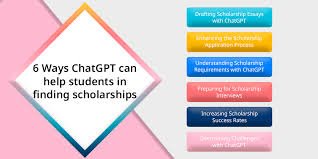
  • How to Secure a Scholarship Using AI to Find Opportunities (Save 20+ Hours & Maximize Your Chances)

    How to Secure a Scholarship Using AI to Find Opportunities (Save 20+ Hours & Maximize Your Chances)

    Finding scholarships used to mean endless Google searches, outdated lists, and missed deadlines. In 2026, that approach is simply inefficient.

    Look, I get it, university life is stressful but tuition fees, living costs, and academic pressure make scholarships more important than ever. The good news? AI has completely transformed how students discover and apply for funding opportunities.

    In this guide, you’ll learn how to secure a scholarship using AI to find opportunities, streamline your application process, and increase your chances—without compromising academic integrity.

    Here is the real talk about using AI for your assignments and applications: AI won’t win the scholarship for you—but it will give you a serious competitive edge if used strategically.


    What Does Using AI for Scholarships Mean in 2026?

    AI-powered tools like ChatGPT, Perplexity AI, Grammarly, and Notion AI now help students:

    • Discover personalized scholarship opportunities
    • Track deadlines automatically
    • Generate application ideas and drafts
    • Improve essays and personal statements
    • Organize research and documents

    Instead of searching randomly, AI allows you to build a targeted, efficient scholarship strategy.


    Why AI is a Game-Changer for Scholarship Hunting

    1. Personalized Opportunity Matching

    AI tools can analyze your:

    • Academic background
    • Skills
    • Interests

    …and suggest scholarships you actually qualify for.

    2. Faster Research & Literature Review Support

    For research-based scholarships, AI helps with literature review, summarizing academic topics, and identifying trends.

    3. Better Application Quality

    AI improves:

    • Essay clarity
    • Structure
    • Grammar

    4. Improved Student Productivity

    Instead of spending 10 hours searching, you can narrow down relevant opportunities in minutes.


    AI Tools Comparison for Scholarship Success

    ToolBest Use CaseKey FeatureLimitation
    ChatGPTEssay draftingIdea generationNeeds personalization
    Perplexity AIScholarship searchReal-time infoNeeds verification
    Notion AITracking & planningWorkflow organizationSetup time
    GrammarlyEditing essaysClarity & grammarOver-editing risk
    LinkedInNetworkingScholarship alertsRequires active use

    Step-by-Step: How to Secure a Scholarship Using AI to Find Opportunities

    Step 1: Define Your Scholarship Profile

    Before using AI, identify:

    • Your academic level
    • Field of study
    • Preferred countries
    • Achievements

    Then prompt ChatGPT:

    “Suggest scholarships for a student studying [your field] with [your achievements].”

    This creates a focused starting point.


    Step 2: Use AI to Find Relevant Scholarships

    Use Perplexity AI:

    “Find fully funded scholarships in 2026 for international students in computer science.”

    AI will:

    • Provide updated lists
    • Include deadlines
    • Suggest official links

    But always verify from official websites—AI isn’t perfect.


    Step 3: Build a Scholarship Tracking System

    Use Notion AI to create a dashboard:

    Include:

    • Scholarship name
    • Deadline
    • Requirements
    • Status (applied/not applied)

    This improves organization and prevents missed opportunities.


    Step 4: Analyze Requirements with AI

    Upload scholarship details and ask:

    “Break down the key requirements and selection criteria.”

    This helps you:

    • Understand expectations
    • Tailor your application
    • Avoid generic submissions

    Step 5: Generate Essay Ideas (Not Final Answers)

    Ask AI:

    “Give me ideas for a personal statement about leadership and community impact.”

    Then:

    • Choose relevant ideas
    • Add your real experiences
    • Build your narrative

    Never submit AI-generated essays directly. That can harm both your chances and academic integrity.


    Step 6: Write and Refine Your Essay

    Write your first draft yourself.

    Then use Grammarly to:

    • Fix grammar
    • Improve clarity
    • Enhance tone

    You can also ask AI:

    “Suggest improvements for clarity and structure.”

    But keep your voice authentic—this matters more than perfection.


    Step 7: Use AI for Recommendation Strategy

    AI can help you plan:

    “How should I request a strong recommendation letter from my professor?”

    This ensures:

    • Professional communication
    • Better endorsements

    Step 8: Prepare for Interviews with AI

    Use AI to simulate interviews:

    “Act as a scholarship interviewer and ask me questions.”

    This builds:

    • Confidence
    • Clarity
    • Strong responses

    Honestly, this is one of the most powerful uses of AI.


    AI Scholarship Checklist for Students

    Before applying, ask:

    • Did I verify scholarship details from official sources?
    • Did I personalize my essay?
    • Is my application aligned with requirements?
    • Did I maintain academic integrity?
    • Have I tracked deadlines properly?

    If yes, your on the right path.


    Pros and Cons of Using AI for Scholarships

    Pros

    • Saves time
    • Finds hidden opportunities
    • Improves application quality
    • Boosts student productivity

    Cons

    • Risk of generic applications
    • Requires verification
    • Over-reliance can reduce authenticity
    • Learning curve for tools

    Common Mistakes Students Make

    Mistake 1: Applying to Too Many Scholarships

    Solution: Focus on quality, not quantity.

    Mistake 2: Copying AI-Generated Essays

    Solution: Always personalize your content.

    Mistake 3: Ignoring Deadlines

    Solution: Use AI tracking systems.

    Mistake 4: Weak Research

    Solution: Use AI-assisted literature review for deeper understanding.


    Advanced Strategies for 2026 Students

    1. Combine AI with Networking

    Use platforms like LinkedIn to:

    • Connect with past scholars
    • Learn application tips
    • Discover hidden opportunities

    2. Use AI for Skill Gap Analysis

    Ask AI:

    “What skills do I need to improve for competitive scholarships?”

    Then work on:

    • Leadership
    • Research experience
    • Community involvement

    3. Automate Your Workflow

    Use AI tools to:

    • Set reminders
    • Track applications
    • Organize documents

    This improves efficiency and reduces stress.


    4. Strengthen Academic Profile

    AI can help with:

    • Thesis research
    • Literature review
    • Academic writing

    A strong academic record increases your chances significantly.


    The Future of Scholarships and AI

    Scholarship selection is becoming more competitive—but also more data-driven.

    Students who understand how to secure a scholarship using AI to find opportunities will:

    • Apply smarter
    • Prepare better
    • Stand out more

    And platforms like lrnai.xyz are built to help students master this exact process—combining AI tools with real academic strategies.


    Final Thoughts: Work Smart, Win Big

    Scholarships are not just about grades—they’re about strategy, storytelling, and preparation.

    AI gives you:

    • Speed
    • Insight
    • Organization

    But your effort, authenticity, and consistency still matter most.

    Don’t just search for scholarships—build a system to win them.


    Call to Action

    Start using AI today to find and apply for scholarships. Build your system, refine your strategy, and take control of your future.

    Then explore more powerful AI guides on lrnai.xyz—your ultimate resource to master learning, productivity, and academic success in 2026.

    And if you discover a smart scholarship hack, share it. Because opportunities grow when knowledge is shared.

  • How to Manage Student Debt Using AI Finance Planners (Save Money & Reduce Stress Fast)

    How to Manage Student Debt Using AI Finance Planners (Save Money & Reduce Stress Fast)

    Meta Description: Learn how to manage student debt using AI finance planners, reduce interest, and build a smarter financial future in 2026.


    Student debt can feel overwhelming—especially when you’re balancing studies, part-time work, and planning your future. The numbers don’t lie, and for many students, repayment feels confusing and stressful.

    Look, I get it, university life is stressful but managing finances on top of everything else can feel like too much. The good news is that in 2026, AI is not just helping with assignments—it’s transforming personal finance for students.

    In this guide, you’ll learn how to manage student debt using AI finance planners, reduce financial anxiety, and take control of your future with smarter, data-driven decisions.

    Here is the real talk about using AI for your assignments and finances: AI won’t magically erase your debt—but it will help you manage it far more effectively than traditional methods.


    What Are AI Finance Planners?

    AI finance planners are smart tools that analyze your income, expenses, and debt to provide personalized financial advice.

    Popular tools include Mint, YNAB, Cleo, and ChatGPT.

    These tools can:

    • Track spending automatically
    • Suggest repayment strategies
    • Predict future financial scenarios
    • Optimize your monthly budget

    Why AI is a Game-Changer for Student Debt Management

    1. Personalized Financial Insights

    AI adapts to your:

    • Income level
    • Spending habits
    • Loan type

    2. Smarter Budgeting

    AI identifies unnecessary expenses and suggests ways to save.

    3. Debt Repayment Optimization

    AI can recommend strategies like:

    • Snowball method
    • Avalanche method

    4. Improved Student Productivity

    Instead of manually tracking finances, AI automates the proccess.


    AI Finance Tools Comparison for Students

    ToolBest Use CaseKey FeatureLimitation
    MintBudget trackingAuto expense categorizationAds
    YNABBudget controlZero-based budgetingLearning curve
    CleoAI assistantChat-based insightsLimited free features
    ChatGPTFinancial planning ideasCustom adviceNeeds accurate input
    PocketGuardExpense trackingSpending limitsLimited customization

    Step-by-Step: How to Manage Student Debt Using AI Finance Planners

    Step 1: Understand Your Debt Situation

    Start by listing:

    • Total loan amount
    • Interest rates
    • Monthly payments

    Then use ChatGPT:

    “Help me analyze my student debt and suggest repayment strategies.”

    This gives you a clear overview.


    Step 2: Track Your Income and Expenses

    Use Mint or YNAB to:

    • Monitor spending
    • Identify patterns
    • Detect unnecessary expenses

    AI will automatically categorize transactions and highlight trends.


    Step 3: Create a Smart Budget

    Ask AI:

    “Create a monthly budget based on my income and expenses.”

    Focus on:

    • Essentials (rent, food)
    • Savings
    • Debt repayment

    A structured budget is key to financial stability.


    Step 4: Choose the Right Repayment Strategy

    AI can recommend:

    Snowball Method

    • Pay off smallest debts first
    • Builds motivation

    Avalanche Method

    • Pay off highest interest first
    • Saves money long-term

    Use AI to simulate both and choose what works best.


    Step 5: Automate Payments and Savings

    AI tools can:

    • Set reminders
    • Automate payments
    • Allocate funds efficiently

    This reduces missed payments and penalties.


    Step 6: Optimize Spending Habits

    Use Cleo to:

    • Get spending alerts
    • Receive saving tips
    • Track daily habits

    Small changes can make a big difference over time.


    Step 7: Plan for Future Financial Goals

    AI helps you:

    • Set savings targets
    • Plan investments
    • Prepare for emergencies

    This ensures you’re not just managing debt—but building wealth.


    Step 8: Review and Adjust Regularly

    Financial situations change.

    Use AI weekly or monthly to:

    • Review progress
    • Adjust budgets
    • Update goals

    Consistency is key.


    AI Finance Checklist for Students

    Before finalizing your financial plan:

    • Do I understand my total debt?
    • Am I tracking all expenses?
    • Do I have a clear budget?
    • Am I following a repayment strategy?
    • Am I using AI tools effectively?

    If yes, your on the right path.


    Pros and Cons of AI Finance Planners

    Pros

    • Saves time
    • Provides personalized insights
    • Improves financial discipline
    • Enhances decision-making

    Cons

    • Requires accurate data input
    • Privacy concerns
    • Learning curve for some tools
    • Over-reliance on automation

    Common Mistakes Students Make

    Mistake 1: Ignoring Small Expenses

    Solution: Track everything—small costs add up.

    Mistake 2: Not Updating Financial Data

    Solution: Keep your inputs accurate.

    Mistake 3: Over-Reliance on AI

    Solution: Use AI as a guide, not a replacement for judgment.

    Mistake 4: Lack of Financial Goals

    Solution: Set clear, realistic targets.


    Advanced Strategies for 2026 Students

    1. Combine AI with Financial Education

    Learn basic finance concepts alongside using AI tools.


    2. Use AI for Income Growth Ideas

    Ask:

    “How can I increase my income as a student?”

    AI can suggest:

    • Freelancing
    • Part-time jobs
    • Online opportunities

    3. Balance Finances with Academic Life

    AI can also help with:

    • Study schedules
    • Literature review organization
    • Time management

    This improves both finances and academic performance.


    4. Monitor Financial Health Like a Dashboard

    Treat your finances like a project:

    • Track progress
    • Analyze trends
    • Adjust strategies

    Ethical and Responsible Use of AI in Finance

    Using AI for finance requires responsibility:

    • Protect your personal data
    • Verify financial advice
    • Avoid risky decisions

    This aligns with the broader concept of academic integrity and responsible AI use in all areas of life.


    The Future of AI in Student Finance

    AI finance planners are becoming smarter, more predictive, and more personalized.

    Students who understand how to manage student debt using AI finance planners will:

    • Reduce stress
    • Save money
    • Build better financial habits

    And platforms like lrnai.xyz are designed to help students master these skills—combining AI knowledge with real-world application.


    Final Thoughts: Take Control of Your Financial Future

    Student debt doesn’t have to control your life.

    With the right strategy and AI tools, you can:

    • Manage repayments
    • Build savings
    • Reduce financial stress

    But remember—AI is a tool. Your discipline and consistency make the real difference.


    Call to Action

    Start using AI finance planners today. Track your expenses, build a budget, and take your first step toward financial freedom.

    Then explore more expert guides on lrnai.xyz—your ultimate platform for mastering AI, productivity, and student success in 2026.

    And don’t forget—share your financial strategies with others. Because smart money habits are better when they’re shared.

  • AI Trends in Education That Every Student Must Know in 2026 (Stay Ahead & Study Smarter)

    AI Trends in Education That Every Student Must Know in 2026 (Stay Ahead & Study Smarter)

    Meta Description: Discover the top AI trends in education that every student must know in 2026 to boost productivity, research smarter, and stay ahead.


    Artificial Intelligence is no longer just a “nice-to-have” tool for students—it’s becoming the backbone of modern education. From personalized learning to AI-powered research assistants, the way you study, write, and think is rapidly evolving.

    Look, I get it, university life is stressful but trying to keep up with both coursework and emerging tech trends can feel overwhelming. The truth is, students who understand AI today are the ones who will dominate academically and professionally tomorrow.

    In this guide, you’ll explore the most important AI trends in education that every student must know in 2026, along with practical ways to use them for better learning, improved academic integrity, and higher student productivity.

    Here is the real talk about using AI for your assignments: it’s not about using every tool—it’s about using the right tools in the right way.


    Why AI Trends Matter for Students in 2026

    AI is reshaping:

    • How you research
    • How you write
    • How you prepare for exams
    • How you manage time

    Ignoring these trends means falling behind. Understanding them means working smarter, not harder.


    Top AI Trends in Education That Every Student Must Know in 2026

    1. AI-Powered Personalized Learning

    Tools like Khanmigo and Duolingo Max now adapt lessons based on your:

    • Learning pace
    • Strengths
    • Weaknesses

    This means no more one-size-fits-all education.


    2. Smart Note-Taking and Knowledge Management

    Apps like Notion AI and Mem:

    • Automatically summarize lectures
    • Organize ideas
    • Link concepts intelligently

    This dramatically improves student productivity.


    3. AI for Thesis Research and Literature Review

    AI tools such as Elicit and Perplexity AI help with:

    • Finding academic papers
    • Summarizing research
    • Identifying trends

    This makes the literature review process faster and more efficient.


    4. Multimodal Learning (Text, Audio, Video)

    AI now supports:

    • Text-to-speech
    • Video explanations
    • Interactive simulations

    This is especially helpful for diverse learners, including those with dyslexia.


    5. AI Writing Assistants with Context Awareness

    Tools like ChatGPT and Grammarly now:

    • Understand context
    • Suggest improvements
    • Adapt tone

    But remember—use them ethically to maintain academic integrity.


    6. AI-Powered Assessment and Feedback

    AI can now:

    • Grade assignments
    • Provide instant feedback
    • Suggest improvements

    This helps students improve faster.


    7. Career-Focused AI Tools

    AI is helping students:

    • Prepare for interviews
    • Build resumes
    • Identify skill gaps

    Platforms like LinkedIn integrate AI for career growth.


    8. Ethical AI and Academic Integrity Awareness

    Universities are focusing more on:

    • Ethical AI usage
    • Transparency
    • Responsible learning

    Students must understand not just how to use AI—but how to use it responsibly.


    AI Tools Comparison for Students in 2026

    ToolMain UseKey BenefitLimitation
    ChatGPTWriting & researchVersatileNeeds verification
    Notion AINotes & planningOrganizationSetup required
    Perplexity AIResearchReal-time answersAccuracy varies
    GrammarlyWriting improvementClarityLimited depth
    ElicitAcademic researchLiterature reviewNiche use

    Step-by-Step: How to Use AI Trends in Your Daily Study Routine

    Step 1: Start with Smart Planning

    Use Notion AI:

    “Create a weekly study plan based on my subjects.”

    This helps you stay organized and focused.


    Step 2: Use AI for Learning New Concepts

    Ask ChatGPT:

    “Explain this concept in simple terms.”

    This saves time and improves understanding.


    Step 3: Enhance Your Literature Review

    Use Elicit:

    • Find relevant papers
    • Summarize findings
    • Identify research gaps

    Step 4: Take Smarter Notes

    Use AI tools to:

    • Summarize lectures
    • Highlight key points
    • Organize information

    Step 5: Practice and Test Yourself

    Ask AI:

    “Create quiz questions based on this topic.”

    Active recall improves retention.


    Step 6: Improve Assignments Ethically

    Use AI for:

    • Editing
    • Structuring
    • Feedback

    But always write in your own voice.


    Step 7: Prepare for Future Careers

    Use AI to:

    • Analyze job roles
    • Practice interviews
    • Identify skill gaps

    AI Student Checklist for 2026

    Before adopting any AI trend:

    • Am I using this tool to learn or just to finish work?
    • Am I maintaining academic integrity?
    • Is this improving my student productivity?
    • Do I understand the output?
    • Am I verifying information?

    If yes, your on the right track.


    Pros and Cons of AI Trends in Education

    Pros

    • Saves time
    • Enhances learning
    • Improves research efficiency
    • Supports personalized education

    Cons

    • Risk of over-reliance
    • Accuracy concerns
    • Ethical challenges
    • Learning curve

    Common Mistakes Students Make

    Mistake 1: Using AI Without Understanding

    Solution: Always learn, don’t just copy.

    Mistake 2: Ignoring Academic Integrity

    Solution: Follow university guidelines.

    Mistake 3: Overloading with Tools

    Solution: Focus on a few effective tools.

    Mistake 4: Not Verifying Information

    Solution: Cross-check sources.


    Advanced Strategies for Students

    1. Build an AI Learning System

    Combine tools for:

    • Research
    • Writing
    • Organization

    2. Stay Updated with Trends

    AI evolves fast. Keep learning.


    3. Balance AI and Human Thinking

    AI supports—but your thinking matters most.


    4. Use AI Across All Subjects

    From science to humanities, AI can enhance learning everywhere.


    The Future of AI in Education

    Education is becoming:

    • More personalized
    • More efficient
    • More accessible

    Students who understand AI trends in education that every student must know in 2026 will:

    • Learn faster
    • Perform better
    • Build future-ready skills

    And platforms like lrnai.xyz are designed to guide students through this transformation—helping you master AI tools while maintaining academic excellence.


    Final Thoughts: Adapt or Fall Behind

    AI is not the future—it’s the present.

    The question isn’t whether you should use AI. It’s whether you’ll use it effectively.

    Students who adapt will thrive. Those who ignore it may struggle to keep up.

    So start small, stay consistent, and focus on learning—not shortcuts.


    Call to Action

    Start exploring these AI trends today. Pick one tool, apply it to your studies, and build from there.

    Then visit lrnai.xyz to discover more powerful guides, tools, and strategies designed to help you succeed in the AI-driven world.

    And don’t forget—share what you learn. Because the future of education is better when we grow together.

  • How to Use AI for Job Interview Prep for Fresh Graduates (Save Hours & Boost Confidence Fast)

    How to Use AI for Job Interview Prep for Fresh Graduates (Save Hours & Boost Confidence Fast)

    Meta Description: Learn how to use AI for job interview prep for fresh graduates, improve answers, and land your first job faster in 2026.


    Landing your first job after graduation can feel overwhelming. You’ve got the degree, maybe some internships—but interviews? That’s where things get real.

    Look, I get it, university life is stressful but transitioning into the job market is a whole new challenge. The good news is that in 2026, AI has completely changed how fresh graduates prepare for interviews.

    In this guide, you’ll learn how to use AI for job interview prep for fresh graduates to practice smarter, improve your answers, and stand out confidently—without sounding robotic or over-rehearsed.

    Here is the real talk about using AI for your assignments and career prep: AI won’t get you the job—but it can absolutely help you perform at your best.


    What Does AI-Powered Interview Preparation Mean?

    AI-powered interview prep uses tools like ChatGPT, LinkedIn, Grammarly, and Notion AI to:

    • Simulate real interview questions
    • Analyze your answers
    • Improve communication skills
    • Organize preparation materials
    • Research companies and roles

    Instead of guessing what might be asked, AI helps you prepare strategically.


    Why AI is a Game-Changer for Fresh Graduates

    1. Realistic Mock Interviews

    AI can simulate interviewers and ask role-specific questions.

    2. Instant Feedback

    You get immediate suggestions on improving clarity, tone, and confidence.

    3. Personalized Preparation

    AI adapts to your:

    • Degree
    • Skills
    • Job role

    4. Improved Student Productivity

    AI reduces preparation time while increasing effectiveness.


    AI Tools Comparison for Interview Prep

    ToolBest Use CaseKey FeatureLimitation
    ChatGPTMock interviewsReal-time Q&ANeeds guidance
    LinkedInJob researchCompany insightsRequires profile
    GrammarlyAnswer polishingClarity & grammarLimited depth
    Notion AIPrep organizationNotes & trackingSetup required
    Interview Warmup (Google)Practice sessionsGuided questionsLimited customization

    Step-by-Step: How to Use AI for Job Interview Prep for Fresh Graduates

    Step 1: Understand the Job Role

    Before using AI, analyze:

    • Job description
    • Required skills
    • Company expectations

    Then ask ChatGPT:

    “What are the key skills and interview questions for this role?”

    This gives you a focused preparation plan.


    Step 2: Generate Common Interview Questions

    Prompt AI:

    “Give me the most common interview questions for fresh graduates in [your field].”

    You’ll get:

    • Behavioral questions
    • Technical questions
    • Situational scenarios

    This helps you prepare ahead instead of being caught off guard.


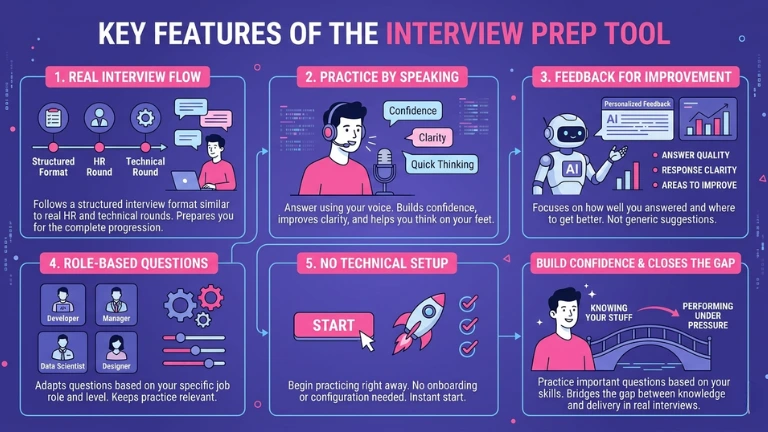
    Step 3: Practice with AI Mock Interviews

    This is where AI becomes powerful.

    Ask:

    “Act as an interviewer and ask me questions one by one.”

    Respond naturally, then request feedback:

    “Evaluate my answer and suggest improvements.”

    This builds confidence and improves your communication.


    Step 4: Structure Your Answers Professionally

    Use frameworks like:

    • STAR (Situation, Task, Action, Result)

    Ask AI:

    “Convert my answer into a strong STAR response.”

    This ensures your answers are clear and impactful.


    Step 5: Improve Language and Clarity

    Use Grammarly to:

    • Fix grammar
    • Improve readability
    • Enhance tone

    But don’t over-polish—your answers should still sound like you.


    Step 6: Research Companies with AI

    Use LinkedIn and AI prompts:

    “Summarize this company’s mission, culture, and recent achievements.”

    This helps you:

    • Answer “Why do you want to work here?”
    • Show genuine interest

    Step 7: Prepare for Behavioral Questions

    AI can help you reflect:

    “Give me examples of teamwork experiences I can use in interviews.”

    Then personalize:

    • Use real experiences
    • Add specific details

    Avoid generic answers—interviewers notice quickly.


    Step 8: Organize Your Preparation

    Use Notion AI to:

    • Track questions
    • Store answers
    • Monitor progress

    This improves consistency and student productivity.


    AI Interview Prep Checklist

    Before your interview, ask:

    • Have I practiced common questions?
    • Did I personalize my answers?
    • Can I explain my experiences clearly?
    • Did I research the company?
    • Am I confident and natural?

    If yes, your ready.


    Pros and Cons of Using AI for Interview Prep

    Pros

    • Saves time
    • Provides structured answers
    • Boosts confidence
    • Offers personalized feedback

    Cons

    • Risk of sounding robotic
    • Over-reliance on AI
    • Requires active practice
    • Not a substitute for real experience

    Common Mistakes Fresh Graduates Make

    Mistake 1: Memorizing AI Answers

    Solution: Understand, don’t memorize.

    Mistake 2: Ignoring Personal Experience

    Solution: Always include your real examples.

    Mistake 3: Overusing AI Language

    Solution: Keep your natural voice.

    Mistake 4: Lack of Research

    Solution: Use AI for company insights.


    Advanced Strategies for 2026 Graduates

    1. Simulate High-Pressure Interviews

    Ask AI:

    “Conduct a fast-paced technical interview.”

    This prepares you for real-world pressure.


    2. Use AI for Skill Gap Analysis

    Prompt:

    “What skills am I missing for this job role?”

    Then work on improving them.


    3. Combine AI with Academic Knowledge

    Use your:

    • Thesis research
    • Literature review
    • Projects

    AI helps you present them effectively.


    4. Practice Communication Daily

    Consistency matters more than perfection.

    Even 10 minutes of AI practice daily can significantly improve performance.


    Ethical Use of AI in Career Preparation

    Using AI for interview prep is completely acceptable—as long as:

    • You don’t misrepresent your skills
    • You stay honest in responses
    • You maintain authenticity

    This aligns with academic integrity and professional ethics.


    The Future of AI in Job Preparation

    AI is becoming a core part of hiring preparation.

    Graduates who master how to use AI for job interview prep for fresh graduates will:

    • Prepare faster
    • Perform better
    • Stand out more

    And platforms like lrnai.xyz are designed to help students transition from academic success to career success using AI.


    Final Thoughts: Confidence Comes from Preparation

    Interviews aren’t about being perfect—they’re about being prepared and authentic.

    AI gives you:

    • Practice
    • Feedback
    • Structure

    But your effort, personality, and honesty make the real difference.

    Don’t just prepare harder—prepare smarter.


    Call to Action

    Start using AI today to practice your interview skills. Run mock interviews, refine your answers, and build confidence step by step.

    Then explore more expert AI guides on lrnai.xyz—your ultimate resource for mastering learning, productivity, and career success in 2026.

    And remember: share your interview prep strategies with others. Because success grows when knowledge is shared.

  • Best Free AI for Ph.D. Thesis Literature Review 2026: Save 10+ Hours Every Week

    Best Free AI for Ph.D. Thesis Literature Review 2026: Save 10+ Hours Every Week

    Look, I get it, university life is stressful but doing a Ph.D. takes that stress to a whole different level. Between endless papers, confusing theories, and tight deadlines, the literature review alone can feel like a full-time job. The good news? In 2026, AI tools have evolved into powerful academic assistants that can dramatically improve your research workflow—if you use them the right way.

    This guide breaks down the best free AI for Ph.D. thesis literature review 2026, how they actually help, and how you can use them ethically to boost your academic performance without risking your integrity.

    Why AI is a Game-Changer for Literature Reviews in 2026

    A literature review is not just about summarizing papers. It’s about identifying gaps, synthesizing knowledge, and building a strong academic argument. Traditionally, this process takes weeks—sometimes months.

    AI tools in 2026 can now:

    • Scan thousands of research papers in seconds
    • Summarize complex studies into digestible insights
    • Identify research trends and gaps
    • Help organize citations and notes
    • Improve your writing clarity

    Here is the real talk about using AI for your assignments: AI won’t replace your thinking—but it will supercharge your proccess.

    Top Free AI Tools for Ph.D. Literature Review (2026)

    1. AI Research Assistants (Semantic Search Tools)

    These tools go beyond basic keyword searches. They understand the meaning behind your query.

    Key Features:

    • Context-based paper recommendations
    • Citation mapping
    • Research trend visualization

    Best For: Finding relevant academic sources quickly

    2. AI Summarization Tools

    Instead of reading 30-page papers, AI can condense them into key insights.

    Key Features:

    • Abstract-level summaries
    • Key findings extraction
    • Methodology breakdown

    Best For: Quickly understanding whether a paper is worth reading

    3. Smart Note-Taking AI

    These tools help you organize ideas, highlight important sections, and link concepts.

    Key Features:

    • Auto-generated notes
    • Concept linking
    • Tagging and organization

    Best For: Keeping your literature review structured

    4. AI Writing Assistants (Academic Mode)

    These are not for writing your thesis—but for refining it.

    Key Features:

    • Grammar correction
    • Academic tone suggestions
    • Clarity improvements

    Best For: Editing and polishing your literature review

    Comparison Table: Best Free AI for Ph.D. Thesis Literature Review 2026

    FeatureTool Type ATool Type BTool Type CTool Type D
    Free Plan AvailableYesYesYesYes
    Paper DiscoveryExcellentGoodModerateLimited
    Summarization QualityHighExcellentGoodModerate
    Note OrganizationModerateGoodExcellentHigh
    Academic Writing SupportLowModerateGoodExcellent
    Ease of UseEasyEasyModerateEasy

    How to Use AI for Literature Review (Step-by-Step Guide)

    Step 1: Start with a Clear Research Question

    Before using any AI tool, define your topic clearly. AI works best when your input is specific.

    Example:
    Instead of: “climate change”
    Use: “impact of climate change on agricultural productivity in South Asia”

    Step 2: Use AI to Discover Relevant Papers

    Input your research question into an AI research assistant.

    What it will do:

    • Suggest top papers
    • Show citation relationships
    • Highlight influential authors

    This step alone can save you 5–6 hours per week.

    Step 3: Summarize Papers Efficiently

    Upload PDFs or paste abstracts into summarization tools.

    Focus on:

    • Key findings
    • Research methods
    • Limitations

    This helps you quickly decide whether to include the paper in your review.

    Step 4: Take Smart Notes

    Use AI-powered note tools to:

    • Highlight important sections
    • Add your own comments
    • Link ideas across papers

    Trust me, this step is where most students struggle. Without proper notes, your literature review becomes messy.

    Step 5: Identify Research Gaps

    Ask AI tools questions like:

    • “What are the limitations in these studies?”
    • “What areas need further research?”

    AI can reveal patterns you might miss.

    Step 6: Draft and Refine Your Literature Review

    Use writing assistants to:

    • Improve clarity
    • Fix grammar
    • Maintain academic tone

    But do not blindly copy AI output. Your university expects your thinking, not AI-generated content.

    AI Tool Checklist for Students

    Before choosing any AI tool, ask yourself:

    • Does it support academic sources (Google Scholar-level)?
    • Can it summarize research papers accurately?
    • Does it help with citations and notes?
    • Is it compliant with academic integrity guidelines?
    • Is it actually free or just a trial?

    If a tool fails 2–3 of these checks, skip it.

    Academic Integrity: The Right Way to Use AI

    This is important.

    Using AI incorrectly can lead to plagiarism or even academic penalties.

    Here’s how to stay safe:

    What You SHOULD Do:

    • Use AI for research and understanding
    • Generate summaries for personal learning
    • Improve your writing clarity

    What You SHOULD NOT Do:

    • Submit AI-generated text as your own
    • Copy summaries without verification
    • Ignore citation requirements

    Think of AI as a research assistant—not a ghostwriter.

    Common Mistakes Ph.D. Students Make with AI

    1. Over-Reliance on AI

    AI is helpful, but it can make mistakes. Always verify sources.

    2. Skipping Deep Reading

    Summaries are great, but you still need to read key papers fully.

    3. Ignoring Context

    AI might miss cultural or regional nuances in research.

    4. Poor Prompting

    If your input is vague, your output will be useless.

    Example:
    Bad prompt: “summarize this”
    Better prompt: “summarize key findings, methodology, and limitations”

    Future of AI in Academic Research (2026 and Beyond)

    AI is evolving fast. In 2026, we are already seeing:

    • AI that can generate structured literature reviews (with citations)
    • Real-time collaboration between students and AI
    • Personalized research recommendations

    But here’s the reality: universities are also getting stricter about AI misuse. So your success depends on how responsibly you use these tools.

    Why Students Trust lrnai.xyz

    If your serious about mastering AI for academic success, lrnai.xyz is built exactly for you.

    It provides:

    • Practical AI guides for students
    • Ethical usage frameworks
    • Step-by-step tutorials
    • Updated tools for 2026

    Instead of wasting time testing random tools, you get a clear roadmap to improve your student productivity.

    Final Thoughts

    The best free AI for Ph.D. thesis literature review 2026 is not just one tool—it’s a smart combination of research assistants, summarizers, and writing aids.

    Used correctly, AI can:

    • Save you 10+ hours every week
    • Improve the quality of your literature review
    • Reduce stress and overwhelm

    But remember, AI is only as good as the student using it.

    So take control of your research proccess, stay ethical, and use AI as a tool—not a shortcut.

    Now it’s your turn.

    Start experimenting with these AI tools today, refine your workflow, and see what works best for your thesis. And if you want more practical, student-focused AI strategies, explore the latest guides on lrnai.xyz.

    Also, share your favorite AI study hacks—because honestly, every Ph.D. student could use a little extra help.