
Look, I get it, university life is stressful but note-taking is one of those hidden struggles that quietly drains your time.
You attend lectures, read research papers, highlight PDFs… and somehow still feel like your notes are messy, incomplete, or just not helpful.
That’s exactly why AI note-taking tools have exploded in 2026.
Two tools stand out right now: NotebookLM and Claude.
But the real question is:
NotebookLM vs Claude: Which is better for university notes?
In this detailed guide, you’ll get a clear comparison, real student workflows, and practical strategies to improve your academic productivity while maintaining academic integrity.
And yes—if you want to truly master AI learning, lrnai.xyz is quickly becoming the go-to platform for students worldwide.
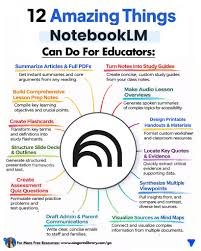
Why AI Note-Taking Matters in 2026
Before comparing tools, let’s understand why this matters.
Modern students deal with:
- Long lecture recordings
- Dense research papers
- Multiple subjects at once
- Tight deadlines
Traditional note-taking is simply too slow.
AI tools now help you:
- Summarize lectures instantly
- Organize notes automatically
- Connect ideas across subjects
- Improve literature review workflows
Here is the real talk about using AI for your assignments: it’s not about replacing effort—it’s about eliminating inefficiency.
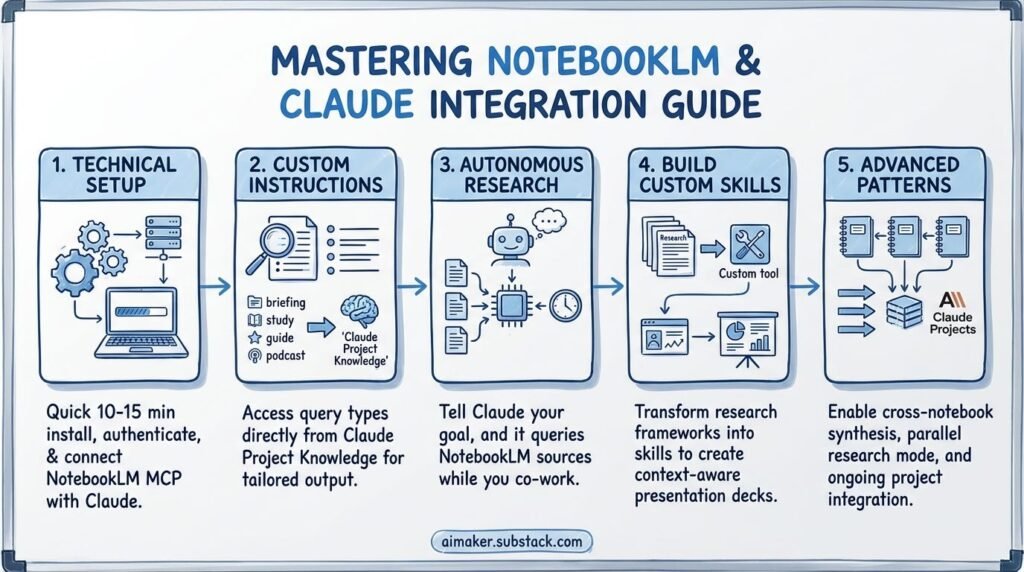
NotebookLM vs Claude: Quick Comparison Table
| Feature | NotebookLM | Claude |
|---|---|---|
| Document Upload | Excellent | Excellent |
| Source-Based Answers | Very Strong | Strong |
| Note Organization | Excellent | Moderate |
| Explanation Depth | Moderate | Excellent |
| Research Support | High | Very High |
| Best For | Structured notes | Deep understanding |
What Is NotebookLM?
NotebookLM is designed specifically for students and researchers.
It allows you to:
- Upload PDFs, lecture notes, and documents
- Ask questions based only on your sources
- Generate summaries from your materials
- Organize notes into structured formats
Key Strength
NotebookLM works like a “smart notebook” that only uses your uploaded content.
This makes it extremely useful for:
- Literature review
- Exam preparation
- Source-based study
What Is Claude?
Claude is a general-purpose AI with powerful reasoning capabilities.
It helps you:
- Explain complex topics
- Summarize large documents
- Generate structured notes
- Answer deep conceptual questions
Key Strength
Claude excels at thinking and explaining, not just organizing.
It’s perfect for:
- Understanding difficult subjects
- Breaking down theories
- Writing assignments
NotebookLM vs Claude: Feature Breakdown
1. Note Organization
- NotebookLM: Highly structured and source-based
- Claude: Flexible but less organized
If you want clean, exam-ready notes → NotebookLM wins.
2. Understanding Concepts
- NotebookLM: Limited to your materials
- Claude: Explains beyond your sources
If you’re struggling with concepts → Claude wins.
3. Literature Review Support
- NotebookLM: Excellent for managing sources
- Claude: Better for synthesis and explanation
Best combo? Use both.
4. Accuracy & Academic Integrity
- NotebookLM: Safer (source-based answers)
- Claude: Requires verification
For academic integrity, NotebookLM has an edge.
AI Tool Checklist for University Notes
Before choosing a tool, ensure it can:
- Summarize lecture content
- Organize notes clearly
- Support literature review
- Explain difficult topics
- Improve student productivity
Both tools meet these—but in different ways.
Step-by-Step: How to Use NotebookLM for University Notes
Let’s start with NotebookLM.
Step 1: Upload Study Material
Upload:
- Lecture slides
- PDFs
- Research papers
Step 2: Ask Source-Based Questions
Example:
“Summarize key points from this lecture”
Step 3: Generate Structured Notes
Ask:
“Convert this into bullet-point notes”
Step 4: Create Study Guides
Ask:
“Generate exam revision notes”
Step 5: Connect Ideas
Ask:
“How are these two topics related?”
This creates deeper understanding.
Step-by-Step: How to Use Claude for University Notes
Now let’s look at Claude.
Step 1: Paste Content or Upload File
Include:
- Lecture transcript
- Article
- Notes
Step 2: Simplify Content
Ask:
“Explain this like I’m a beginner”
Step 3: Break Down Concepts
Concept→Explanation→Example
This helps structure your thinking.
Step 4: Generate Smart Notes
Ask:
“Create structured notes with headings and examples”
Step 5: Deepen Understanding
Ask:
- “Why is this concept important?”
- “Give real-world examples”
This is where Claude shines.
Pros and Cons of NotebookLM
Advantages
- Source-based accuracy
- Excellent note organization
- Great for literature review
- Supports academic integrity
Limitations
- Limited outside your documents
- Less explanation depth
- Not ideal for conceptual learning
Pros and Cons of Claude
Advantages
- Deep explanations
- Strong reasoning ability
- Flexible note generation
- Excellent for learning
Limitations
- Not source-restricted
- Requires fact-checking
- Less structured organization
Which One Should You Choose?
Here’s the honest answer.
Choose NotebookLM if:
- You want structured notes
- You’re doing literature review
- You care about academic integrity
- You rely on course materials
Choose Claude if:
- You want deep understanding
- You struggle with concepts
- You need explanation support
- You want flexible note creation
Best Strategy (Recommended)
Use both together:
- NotebookLM → organize your notes
- Claude → understand your notes
That’s the smartest workflow in 2026.
Advanced Workflow for Students
Here’s a powerful hybrid method.
Step 1: Upload material to NotebookLM
Step 2: Generate structured notes
Step 3: Copy difficult sections
Step 4: Paste into Claude
Step 5: Ask for deeper explanation
This combination dramatically improves learning speed.
Ethical Use and Academic Integrity
Let’s be honest—this matters more than ever.
Using AI tools is acceptable if:
- You understand the content
- You don’t copy blindly
- You verify information
- You use AI as a learning tool
If you rely entirely on AI, your learning suffers.
Common Mistakes Students Make
Avoid these:
- Using only one tool
- Copying notes without understanding
- Ignoring source verification
- Not organizing notes properly
- Over-relying on AI
If you avoid these mistakes, your learning improves massively.
The Future of AI Note-Taking in Education
By 2026, AI note-taking is becoming standard.
Students who learn how to:
- Combine tools effectively
- Maintain academic integrity
- Optimize study workflows
…will always stay ahead.
Platforms like lrnai.xyz are helping students master these strategies with practical, real-world guides.
And honestly, this is just the beginning of smarter education.
Final Thoughts: Don’t Just Take Notes—Understand Them
So, NotebookLM vs Claude: Which is better for university notes?
Here’s the final answer:
- NotebookLM = Best for organization
- Claude = Best for understanding
But the real power comes from using both.
Because in university, success isn’t about writing more notes—it’s about understanding them deeply.
If you use these tools wisely, your not just taking notes—you’re building knowledge.
Call to Action
Ready to upgrade your study system?
Start using NotebookLM and Claude today to transform how you take and understand university notes. Then explore more powerful AI learning guides on lrnai.xyz to boost your student productivity and master the future of learning.
And if you’ve found a better note-taking workflow, share it—because the smartest students don’t just study harder, they study smarter.
Leave a Reply