Author: mumariqbal191@gmail.com

  • How to Use Perplexity AI for Medical Student Research (Save 10+ Hours Every Week)

    How to Use Perplexity AI for Medical Student Research (Save 10+ Hours Every Week)

    Medical school is demanding—there’s no way around it. Between lectures, clinical rotations, and endless readings, research can feel overwhelming. But here’s the good news: tools like Perplexity AI are changing how medical students approach research in 2026.

    Look, I get it, university life is stressful but the right AI strategy can literally save you hours every week while improving the quality of your work.

    In this guide, you’ll learn exactly how to use Perplexity AI for medical student research—from literature reviews to smart note-taking—while staying aligned with academic integrity.
    What is Perplexity AI and Why Medical Students Should Care

    Perplexity AI is an AI-powered research assistant that combines search engine functionality with real-time citations. Unlike traditional AI chatbots, it provides sources alongside answers, which is critical for medical research.

    Key Benefits for Medical Students

    • Real-time access to credible academic sources
    • Built-in citations (perfect for research papers)
    • Simplified complex medical topics
    • Faster literature review proccess
    • Improved student productivity

    Here is the real talk about using AI for your assignments: it’s not about replacing your thinking—it’s about enhancing it.
    Core Features of Perplexity AI for Research

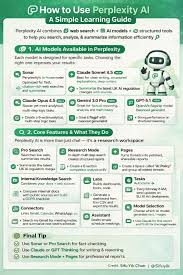
    1. Evidence-Based Answers with Citations

    Perplexity pulls information from trusted databases and provides references instantly, helping you avoid unreliable sources.

    2. Focus Mode for Academic Research

    You can filter results specifically for:

    • Academic papers
    • Medical journals
    • Peer-reviewed sources

    3. Conversational Research Flow

    Instead of searching again and again, you can ask follow-up questions—perfect for deep medical topics like pathophysiology or pharmacology.

    4. File Upload and Analysis (2026 Update)

    You can now upload PDFs (research papers, clinical guidelines) and ask questions directly—saving time on reading.

    Step-by-Step: How to Use Perplexity AI for Medical Student Research

    Step 1: Start with a Clear Research Question

    Before opening Perplexity, define your goal.

    Example:

    • “What are the latest treatments for Type 2 Diabetes in 2026?”
    • “Compare ACE inhibitors vs ARBs in hypertension management”

    A focused query gives better results—this is where most students go wrong.

    Step 2: Use Academic Focus Mode

    Switch to academic or “focus” mode inside Perplexity.

    This ensures:

    • Peer-reviewed articles
    • Clinical studies
    • Evidence-based sources

    Step 3: Analyze the Sources Provided

    Don’t just copy answers. Click on the citations and review:

    • Journal name
    • Publication year
    • Study type (RCT, meta-analysis, etc.)

    This step is crucial for academic integrity.

    Step 4: Ask Follow-Up Questions

    Refine your research by asking:

    • “Summarize this study in simple terms”
    • “What are the limitations of this research?”
    • “How does this compare with WHO guidelines?”

    This creates a deeper understanding rather than surface-level learning.

    Step 5: Build Your Literature Review

    Use Perplexity to:

    • Identify key papers
    • Extract main arguments
    • Compare findings

    Then write the review in your own words. Never paste directly—that’s where students risk plagiarism.

    Step 6: Use It for Smart Note-Taking

    Turn complex articles into structured notes:

    • Key findings
    • Clinical relevance
    • Limitations
    • Future research directions

    This is especially helpful before exams.

    Step 7: Cross-Verify Information

    Even though Perplexity is powerful, always verify critical medical facts using:

    • Textbooks
    • Clinical guidelines
    • Professors

    AI is a tool, not the final authority.

    Perplexity AI vs Other Research Tools

    FeaturePerplexity AIGoogle ScholarChatGPT
    Real-time citationsYesYesLimited
    Conversational researchYesNoYes
    Academic filteringYesYesPartial
    Ease of useVery easyModerateEasy
    Literature review supportStrongModerateStrong

    Perplexity stands out because it combines search + explanation + citations in one place.

    AI Tool Checklist for Medical Research (2026)

    Before you rely on any AI tool, including Perplexity, check:

    • Does it provide credible sources?
    • Can you verify the references?
    • Are you using it to learn, not just copy?
    • Does your university allow AI-assisted research?
    • Are you maintaining academic integrity?

    If the answer is yes to all, your on the right track.

    Pros and Cons of Using Perplexity AI

    Pros

    • Saves significant research time
    • Improves understanding of complex topics
    • Provides structured and cited answers
    • Great for literature reviews

    Cons

    • Not all sources are perfect
    • Requires verification
    • Risk of over-reliance
    • May miss very latest niche studies

    Ethical Use: What Medical Students Must Know

    Academic integrity is non-negotiable—especially in medicine.

    Best Practices

    • Use AI for assistance, not substitution
    • Always cite original sources
    • Paraphrase in your own words
    • Avoid copy-paste submissions

    What to Avoid

    • Submitting AI-generated content as your own
    • Ignoring citations
    • Using outdated or unverified data

    Remember: your future patients depend on your knowledge, not AI outputs.

    How Perplexity AI Improves Student Productivity

    In 2026, AI is less about shortcuts and more about efficiency.

    With Perplexity, you can:

    • Reduce research time by 50%
    • Quickly understand complex studies
    • Organize notes faster
    • Prepare better assignments

    This gives you more time for:

    • Clinical practice
    • Revision
    • Personal well-being

    And honestly, that balance matters more than anything.

    Why lrnai.xyz is Your Go-To AI Learning Hub

    If you’re serious about mastering AI in academics, lrnai.xyz is built for you.

    From:

    • AI tools for thesis writing
    • Research automation strategies
    • Ethical AI usage guides

    …it’s your one-stop platform for future-ready learning.

    Final Thoughts: Should You Use Perplexity AI?

    Absolutely—but use it wisely.

    Perplexity AI is one of the most powerful tools available for medical student research in 2026. When used correctly, it can transform how you approach literature reviews, assignments, and exam preparation.

    But the key is balance.

    Use AI to enhance your thinking, not replace it.

    Now it’s your turn. Try Perplexity AI today, test it on your next research topic, and see how much time you save. Then share your study hacks and explore more expert AI guides on lrnai.xyz—because the future of learning isn’t coming… it’s already here.

  • How to Use AI to Automate Bibliography Management (Save 10+ Hours Every Week)

    How to Use AI to Automate Bibliography Management (Save 10+ Hours Every Week)

    Look, I get it, university life is stressful but managing your bibliography might be one of the most frustrating parts of academic writing.

    You spend hours collecting sources, formatting citations, organizing references—and somehow things still get messy. Duplicate entries, missing authors, wrong formats… it’s a nightmare.

    But here’s the shift: in 2026, AI-powered tools can automate bibliography management almost completely.

    That means less time formatting and more time actually thinking.

    In this guide, you’ll learn exactly how to use AI to automate bibliography management, improve your literature review workflow, and boost your overall student productivity.

    And if you’re serious about mastering AI in education, lrnai.xyz is quickly becoming the go-to resource for future-ready learners.

    Why Bibliography Management Is So Time-Consuming

    Before we talk solutions, let’s understand the problem.

    1. Manual Data Entry

    Typing author names, titles, and journal details takes time—and errors are common.

    2. Multiple Citation Styles

    Switching between APA, MLA, Harvard, etc. can be confusing.

    3. Disorganized Sources

    Without proper systems, your references become chaotic quickly.

    4. Academic Integrity Risks

    Incorrect citations can lead to plagiarism concerns or lost marks.

    This is where AI becomes a game changer.

    What Does AI-Powered Bibliography Management Mean?

    AI tools automate the entire process by:

    • Extracting metadata from PDFs and URLs
    • Generating citations instantly
    • Organizing references automatically
    • Syncing with writing tools
    • Updating citation styles in real-time

    In 2026, these tools are not just managers—they are intelligent research assistants.

    Here is the real talk about using AI for your assignments: it’s not about doing less work—it’s about doing the right work faster.

    Best AI Tools to Automate Bibliography Management

    Let’s compare the top tools students are using today.

    AI Bibliography Tool Comparison Table

    FeatureZoteroMendeleyEndNote
    Auto Metadata ExtractionExcellentExcellentVery High
    AI OrganizationStrongStrongVery Strong
    Citation Styles9,000+7,000+6,000+
    Cloud SyncYesYesYes
    Best ForStudentsResearchersAdvanced users

    Recommended Tools

    • Zotero
    • Mendeley
    • EndNote

    Each tool offers powerful automation features, but choosing the right one depends on your workflow.

    AI Tool Checklist for Bibliography Automation

    Before selecting a tool, make sure it can:

    • Automatically extract citation data
    • Organize references into folders or tags
    • Generate in-text citations
    • Sync with Word or Google Docs
    • Support multiple citation styles

    If your tool lacks these, it’s not worth your time.

    Step-by-Step: How to Use AI to Automate Bibliography Management

    Let’s break this into a simple, practical proccess you can follow.

    Step 1: Install a Reference Manager

    Start by setting up a tool like Zotero or Mendeley.

    Install:

    • Desktop app
    • Browser extension

    This allows one-click saving of sources.

    Step 2: Collect Sources Automatically

    As you browse:

    • Click the extension
    • Save journal articles instantly
    • Import PDFs directly

    AI will extract metadata like:

    • Author
    • Title
    • Year
    • Journal

    No manual typing needed.

    Step 3: Organize Your Library

    Create folders based on:

    • Topics
    • Chapters
    • Research questions

    Use tags to label:

    • Important papers
    • Key themes
    • Methodologies

    This makes your literature review much easier.

    Step 4: Generate Citations Instantly

    When writing:

    • Insert citations with one click
    • Choose APA, MLA, or other styles

    AI ensures correct formatting automatically.

    Step 5: Auto-Generate Bibliography

    At the end of your document:

    • Click “Insert Bibliography”
    • AI compiles all references instantly

    No manual formatting required.

    Step 6: Sync Across Devices

    Your library updates automatically across:

    • Laptop
    • Mobile
    • Cloud

    This keeps everything accessible and organized.

    Advanced Strategies for Smart Bibliography Management

    Once you understand the basics, try these techniques.

    1. AI-Powered Tagging

    Some tools suggest tags automatically based on content.

    This improves organization.

    2. Duplicate Detection

    AI can identify and remove duplicate entries.

    Very useful for large research projects.

    3. Smart Recommendations

    Tools may suggest related papers based on your library.

    Great for expanding your research.

    4. Integration with AI Writing Tools

    Combine reference managers with AI assistants to:

    • Summarize papers
    • Generate citations
    • Improve writing

    This creates a seamless academic workflow.

    Pros and Cons of AI Bibliography Automation

    Advantages

    • Saves hours of manual work
    • Improves accuracy
    • Enhances organization
    • Boosts student productivity
    • Supports literature review writing

    Limitations

    • Requires initial setup
    • Occasional metadata errors
    • Learning curve for beginners
    • Over-reliance risk

    So yeah, AI makes things easier—but you still need to stay in control.

    Ethical Use and Academic Integrity

    Let’s talk about something important.

    Using AI for bibliography management is completely acceptable—but only if used correctly.

    Ethical use means:

    • Verifying citation accuracy
    • Using real sources
    • Avoiding fabricated references
    • Understanding your materials

    If you blindly trust AI without checking, your work may suffer.

    And honestly, professors notice these mistakes.

    How AI Transforms Literature Reviews

    Bibliography management is a core part of literature review writing.

    AI helps you:

    • Organize dozens of sources
    • Maintain consistent citations
    • Track references easily
    • Focus on analysis instead of formatting

    This is a massive productivity boost for Master’s and PhD students.

    Smart Note-Taking + Bibliography Integration

    Modern AI tools combine:

    • Note-taking
    • Citation management
    • Research organization

    You can:

    • Attach notes to each paper
    • Highlight key sections
    • Store insights alongside citations

    This creates a powerful research system.

    Common Mistakes Students Make

    Let me be honest—many students misuse these tools.

    Avoid these mistakes:

    • Not organizing sources early
    • Ignoring metadata errors
    • Using wrong citation style
    • Overloading with unnecessary papers
    • Skipping manual verification

    If your references are messy, your whole paper looks weak.

    The Future of AI in Academic Workflows

    By 2026, AI is fully integrated into research and writing.

    Students who learn how to:

    • Automate bibliography management
    • Organize research efficiently
    • Maintain academic integrity

    …will always stay ahead.

    Platforms like lrnai.xyz are helping students adapt with practical guides and real-world strategies.

    And honestly, this is just the beginning.

    Final Thoughts: Organize Smarter, Not Harder

    Managing your bibliography doesn’t have to be painful.

    With AI, you can:

    • Automate citations
    • Stay organized
    • Save time
    • Focus on meaningful work

    But remember:

    AI is a tool—not a replacement for understanding.

    If you use it wisely, your not just saving time—you’re building a smarter academic workflow.

    Call to Action

    Ready to take control of your research?

    Start using AI to automate bibliography management today and experience the difference. Then explore more powerful AI strategies on lrnai.xyz to boost your student productivity, strengthen your academic integrity, and master the future of learning.

    And if you’ve discovered a better way to manage your references, share it—because the best students don’t just follow systems, they improve them.

  • How to Translate Research Papers Accurately Using AI (Save 10+ Hours Every Week)

    How to Translate Research Papers Accurately Using AI (Save 10+ Hours Every Week)

    Look, I get it, university life is stressful but nothing slows you down more than finding the perfect research paper… only to realize it’s in a language you don’t understand.

    Whether it’s a German study, a Chinese journal, or a French thesis, language barriers can seriously limit your research potential.

    Here’s the good news: in 2026, AI translation tools have become incredibly accurate—especially for academic content.

    In this guide, you’ll learn exactly how to translate research papers accurately using AI, without losing meaning, context, or academic quality.

    And if you’re serious about mastering AI for academic success, lrnai.xyz is your ultimate destination.

    Why Translating Research Papers Is Challenging

    Before we dive into solutions, let’s understand the problem.

    1. Complex Academic Language

    Research papers include:

    • Technical terminology
    • Discipline-specific jargon
    • Formal writing styles

    Basic translators often fail here.

    2. Context Loss

    Literal translation can distort meaning—especially in methodology and results sections.

    3. Time-Consuming

    Manual translation or dictionary-based reading can take hours per paper.

    4. Risk to Academic Integrity

    Misinterpretation can lead to incorrect citations or flawed arguments.

    This is where AI-powered translation tools come in.

    What Does AI Research Paper Translation Mean?

    AI translation tools in 2026 use advanced models to:

    • Understand context, not just words
    • Translate technical terminology accurately
    • Preserve academic tone
    • Adapt to subject-specific language

    This means you can now read global research without language barriers.

    Here is the real talk about using AI for your assignments: it’s not about replacing effort—it’s about unlocking access to knowledge.

    Best AI Tools for Translating Research Papers

    Let’s compare the top tools students are using today.

    AI Translation Tool Comparison Table

    FeatureDeepLGoogle TranslateChatGPT
    AccuracyVery HighHighVery High
    Academic Language HandlingExcellentModerateExcellent
    Context AwarenessStrongMediumVery Strong
    File UploadYesLimitedYes
    Best ForPrecision translationQuick useDeep understanding

    Recommended Tools

    • DeepL
    • Google Translate
    • ChatGPT

    Using multiple tools together often gives the best results.

    AI Tool Checklist for Accurate Translation

    Before choosing a tool, make sure it can:

    • Handle full research papers (PDFs)
    • Translate technical terms correctly
    • Maintain sentence structure and meaning
    • Allow follow-up explanations
    • Support multiple languages

    If your tool can’t do these, your translation quality will suffer.

    Step-by-Step: How to Translate Research Papers Accurately Using AI

    Let’s break this into a simple, actionable proccess you can follow.

    Step 1: Choose the Right Tool

    Use:

    • DeepL for precise translation
    • ChatGPT for explanation and simplification

    Combining tools gives better accuracy.

    Step 2: Upload or Paste the Text

    You can:

    • Upload the full PDF
    • Paste sections (abstract, methods, results)
    • Use OCR for scanned documents

    Start with key sections if the paper is long.

    Step 3: Translate in Sections

    Avoid translating the entire 50-page paper at once.

    Instead:

    • Translate 2–5 pages at a time
    • Focus on important sections first

    This improves accuracy.

    Step 4: Ask AI to Simplify

    After translation, ask:

    • “Explain this in simple terms”
    • “Summarize this section”

    This helps you understand the content better.

    Step 5: Verify Technical Terms

    Cross-check:

    • Key terminology
    • Scientific terms
    • Methodology descriptions

    AI is good—but not perfect.

    Step 6: Convert into Notes

    Turn translated content into:

    • Bullet points
    • Summaries
    • Study notes

    This improves retention and student productivity.

    Advanced Techniques for Better Translation

    Once you understand the basics, try these.

    1. Dual Translation Method

    Translate using two tools and compare results.

    This reduces errors.

    2. Context Reinforcement

    Ask AI:
    “Translate this with academic tone and preserve technical meaning”

    3. Terminology Glossary

    Create a list of key terms and ensure consistency across translations.

    4. Back Translation

    Translate back into the original language to check accuracy.

    This is a pro-level technique.

    Pros and Cons of AI Translation for Research

    Advantages

    • Saves hours of manual work
    • Expands access to global research
    • Improves literature review quality
    • Enhances student productivity
    • Simplifies complex content

    Limitations

    • Occasional mistranslations
    • Requires verification
    • Context may still vary
    • Over-reliance risk

    So yeah, AI is powerful—but you still need to think critically.

    Ethical Use and Academic Integrity

    Let’s address an important issue.

    Using AI to translate research papers is completely acceptable.

    But misuse happens when students:

    • Misinterpret translated content
    • Fail to verify meaning
    • Cite incorrectly

    Ethical use means:

    • Understanding what you translate
    • Verifying accuracy
    • Citing original sources properly

    If you don’t do this, your research quality can drop—even if your using advanced tools.

    How AI Improves Literature Reviews

    Translation plays a huge role in literature reviews.

    AI helps you:

    • Access international studies
    • Compare global findings
    • Identify research gaps
    • Build stronger arguments

    This gives you a competitive advantage in your thesis.

    Smart Note-Taking with AI Translation

    Modern AI tools allow you to:

    • Translate and summarize simultaneously
    • Highlight key insights
    • Organize notes by topic

    This creates a streamlined workflow.

    Imagine translating a paper and instantly having structured notes ready.

    That’s the future of learning.

    Common Mistakes Students Make

    Let me be honest—many students misuse AI translation tools.

    Avoid these mistakes:

    • Translating everything at once
    • Ignoring technical terms
    • Blindly trusting output
    • Skipping verification
    • Not reading original context

    If you rely only on translation without understanding, your research will suffer.

    The Future of AI in Academic Research

    By 2026, language is no longer a barrier.

    Students who learn how to:

    • Translate research accurately
    • Analyze global studies
    • Maintain academic integrity

    …will always stay ahead.

    Platforms like lrnai.xyz are helping students build these skills with practical, real-world guidance.

    And honestly, this is just the beginning.

    Final Thoughts: Learn Beyond Language Barriers

    Translating research papers used to be slow and frustrating.

    Now, with AI, it’s fast, efficient, and accurate.

    But remember:

    AI doesn’t replace understanding—it enhances it.

    If you use it wisely, your not just translating—you’re expanding your knowledge.

    Call to Action

    Ready to unlock global research?

    Start using AI to translate research papers accurately today and take your academic work to the next level. Then explore more powerful AI strategies on lrnai.xyz to boost your student productivity and master the future of learning.

    And if you’ve discovered a smarter way to translate research, share it—because the best students don’t just consume knowledge, they expand it.

  • Best AI for Law Students to Summarize Legal Textbooks (Save 10+ Hours Every Week)

    Best AI for Law Students to Summarize Legal Textbooks (Save 10+ Hours Every Week)

    Look, I get it, university life is stressful but law school? That’s a different level.

    You’re expected to read hundreds of pages of legal textbooks, case laws, and statutes every week—and not just read them, but understand and remember everything. That’s where most students struggle.

    Here’s the shift: in 2026, AI tools are transforming how law students handle dense legal content. You can now summarize entire legal textbooks in minutes while preserving key arguments, case references, and legal reasoning.

    In this guide, you’ll discover the best AI for law students to summarize legal textbooks, how to use these tools effectively, and how to stay aligned with academic integrity.

    If you’re serious about mastering AI for legal studies, lrnai.xyz is quickly becoming the go-to platform for modern learners.

    Why Legal Textbooks Are So Hard to Summarize

    Before jumping into AI tools, let’s understand the challenge.

    1. Complex Legal Language

    Legal texts are filled with:

    • Latin terms
    • Formal phrasing
    • Long, dense sentences

    2. Case-Based Reasoning

    Understanding law requires:

    • Identifying key judgments
    • Analyzing arguments
    • Interpreting precedents

    3. Volume of Content

    Law students often deal with:

    • 50+ pages per reading
    • Multiple subjects simultaneously

    4. Risk to Academic Integrity

    Misunderstanding a case or statute can lead to incorrect arguments.

    This is exactly where AI summarization tools can help.

    What Makes AI Effective for Legal Summarization?

    Modern AI tools in 2026 are designed to:

    • Break down complex legal language
    • Extract key arguments and rulings
    • Highlight important case laws
    • Maintain context and accuracy

    This means you can focus more on understanding and less on struggling through dense text.

    Here is the real talk about using AI for your assignments: it’s not about avoiding reading—it’s about reading smarter.

    Best AI for Law Students to Summarize Legal Textbooks

    Let’s explore the top tools law students are using today.

    AI Tool Comparison Table

    FeatureChatGPTPerplexity AIScholar AI Tools
    Legal Text UnderstandingVery HighHighVery High
    Summarization QualityExcellentVery GoodExcellent
    Case Law AnalysisStrongModerateStrong
    Ease of UseVery EasyEasyModerate
    Best ForDeep summariesQuick insightsAcademic research

    Recommended Tools

    • ChatGPT
    • Perplexity AI
    • Scholar AI

    Using a combination of these tools can give you both speed and depth.

    AI Tool Checklist for Legal Summarization

    Before choosing a tool, make sure it can:

    • Handle long legal texts
    • Identify key case laws
    • Summarize arguments clearly
    • Maintain legal context
    • Allow follow-up questions

    If your tool doesn’t meet these criteria, it won’t be effective.

    Step-by-Step: How to Summarize Legal Textbooks Using AI

    Let’s break this into a practical proccess you can follow.

    Step 1: Upload or Paste Legal Text

    You can:

    • Upload textbook PDFs
    • Paste specific chapters
    • Input case law excerpts

    Start with smaller sections for better accuracy.

    Step 2: Use a Structured Prompt

    Instead of saying:
    “Summarize this”

    Try:
    “Summarize this legal text by identifying key arguments, case laws, legal principles, and conclusions.”

    Better prompts = better summaries.

    Step 3: Generate Structured Output

    AI will typically provide:

    • Key legal principles
    • Case summaries
    • Important rulings
    • Core arguments

    Review the output carefully.

    Step 4: Ask for Simplification

    Legal language can still be tough.

    Ask:
    “Explain this in simple terms”

    This helps you actually understand the content.

    Step 5: Create Study Notes

    Convert summaries into:

    • Bullet points
    • Case briefs
    • Flashcards

    This improves retention and exam preparation.

    Step 6: Verify for Accuracy

    Always:

    • Cross-check case names
    • Verify legal principles
    • Review original text when needed

    AI is helpful—but not flawless.

    Advanced Strategies for Law Students

    Once you master the basics, try these.

    1. Case Brief Generation

    Ask AI:
    “Create a case brief with facts, issue, judgment, and reasoning”

    Perfect for exam prep.

    2. Comparative Analysis

    Ask:
    “Compare these two legal cases”

    This builds critical thinking.

    3. Argument Extraction

    Ask:
    “What are the strongest arguments in this case?”

    Useful for essay writing.

    4. Legal Simplification Mode

    Ask:
    “Explain this like I’m a beginner law student”

    Great for complex topics.

    Pros and Cons of AI for Legal Studies

    Advantages

    • Saves hours of reading time
    • Improves understanding
    • Enhances student productivity
    • Simplifies complex legal concepts
    • Helps with literature review

    Limitations

    • May oversimplify legal nuances
    • Requires verification
    • Risk of missing context
    • Over-reliance risk

    So yeah, AI is powerful—but it’s not a replacement for deep reading.

    Ethical Use and Academic Integrity

    Let’s address something important.

    Using AI to summarize legal textbooks is acceptable—but only if used correctly.

    Ethical use means:

    • Understanding the material
    • Verifying summaries
    • Not submitting AI output directly
    • Citing sources properly

    If you rely only on AI, your not developing legal reasoning skills—and that’s a problem.

    How AI Helps with Legal Research and Literature Review

    AI tools are not just for summarizing.

    They help you:

    • Analyze case law
    • Identify legal trends
    • Compare judicial decisions
    • Organize research

    This is especially useful for dissertations and thesis work.

    Smart Note-Taking for Law Students

    Modern AI tools allow you to:

    • Store summaries
    • Tag case laws
    • Organize by subject

    This creates a powerful study system.

    Imagine having all your legal notes structured and searchable—that’s a huge advantage.

    Common Mistakes Students Make

    Let me be honest—many law students misuse AI tools.

    Avoid these:

    • Using vague prompts
    • Blindly trusting summaries
    • Ignoring original texts
    • Not verifying legal details
    • Over-relying on AI

    If you skip deep reading, your legal understanding will suffer.

    The Future of AI in Legal Education

    By 2026, AI is becoming essential for law students.

    Those who learn how to:

    • Use AI effectively
    • Maintain academic integrity
    • Combine AI with critical thinking

    …will always stay ahead.

    Platforms like lrnai.xyz are helping students adapt with practical, real-world strategies.

    And honestly, this is just the beginning.

    Final Thoughts: Study Smarter, Not Harder

    Legal textbooks don’t have to feel overwhelming anymore.

    With the best AI tools, you can:

    • Summarize faster
    • Understand better
    • Reduce stress
    • Improve performance

    But remember:

    AI is your assistant—not your replacement.

    If you use it wisely, your not just saving time—you’re becoming a better law student.

    Call to Action

    Ready to transform your legal studies?

    Start using AI tools to summarize legal textbooks today and experience the difference. Then explore more powerful AI strategies on lrnai.xyz to boost your student productivity and master the future of learning.

    And if you’ve found a smarter way to study law, share it—because the best students don’t just learn, they innovate.

  • Best AI Coding Assistants for Computer Science Beginners (Learn Faster & Code Smarter in 2026)

    Best AI Coding Assistants for Computer Science Beginners (Learn Faster & Code Smarter in 2026)

    Look, I get it, university life is stressful but if you’re a computer science beginner, coding can feel like learning a new language while solving puzzles at the same time.

    You write code… it breaks. You fix it… it breaks again. And sometimes you don’t even know why it broke.

    Here’s the shift: in 2026, AI coding assistants are completely transforming how beginners learn programming. They don’t just write code—they explain it, debug it, and teach you how to think like a developer.

    In this guide, you’ll learn the best AI coding assistants for computer science beginners, how to use them effectively, and how to build real programming skills without losing academic integrity.

    If you’re serious about mastering AI in education and coding, lrnai.xyz is becoming the ultimate resource for modern learners.

    Why Coding Is So Hard for Beginners

    Before jumping into tools, let’s be real about the struggle.

    1. Syntax Overload

    Every language has strict rules:

    • Python indentation
    • Java semicolons
    • C++ memory logic

    One small mistake breaks everything.

    2. Debugging Confusion

    Errors often look like:

    • Cryptic messages
    • Missing line numbers
    • Hidden logic issues

    3. Lack of Guidance

    Most beginners don’t know:

    • Why code fails
    • How to structure programs
    • Best practices

    4. Slow Learning Curve

    You spend more time fixing than building.

    This is exactly where AI coding assistants change everything.

    What Are AI Coding Assistants?

    AI coding assistants are tools that help you:

    • Write code faster
    • Debug errors instantly
    • Explain programming concepts
    • Suggest improvements
    • Generate project structures

    Here is the real talk about using AI for your assignments: it’s not about replacing learning—it’s about accelerating it.

    Best AI Coding Assistants for Computer Science Beginners

    Let’s compare the top tools in 2026.

    AI Coding Tool Comparison Table

    FeatureGitHub CopilotChatGPTReplit AI
    Code GenerationExcellentExcellentHigh
    Debugging HelpStrongVery StrongStrong
    Learning SupportModerateExcellentHigh
    Real-Time CodingVery HighModerateVery High
    Best ForProfessional codingLearning + explanationBeginner practice

    Recommended Tools

    • GitHub Copilot
    • ChatGPT
    • Replit AI

    Each tool supports beginners in different ways.

    AI Coding Assistant Checklist for Beginners

    Before choosing a tool, make sure it can:

    • Explain code line-by-line
    • Help debug errors
    • Generate sample programs
    • Suggest improvements
    • Support multiple programming languages

    If a tool can’t do these, it’s not ideal for beginners.

    Step-by-Step: How to Use AI Coding Assistants Effectively

    Let’s break this into a practical proccess you can follow.

    Step 1: Start with a Simple Problem

    Example:

    f(x)=x2+2x+1f(x) = x^2 + 2x + 1f(x)=x2+2x+1

    Or a simple Python task:

    “Write a program to add two numbers.”

    Step 2: Ask AI to Generate Code

    Instead of just copying, ask:

    • “Write Python code and explain each line”
    • “Show beginner-friendly version of this program”

    This helps you actually learn.

    Step 3: Understand the Code

    Focus on:

    • Variables
    • Logic flow
    • Functions

    Don’t rush to next problem.

    Step 4: Break the Code Intentionally

    Change something and observe errors.

    Then ask AI:

    • “Why is this error happening?”
    • “How do I fix it step-by-step?”

    This builds debugging skills.

    Step 5: Ask for Alternatives

    Example:

    • “Show another way to solve this problem”
    • “Optimize this code for performance”

    This improves problem-solving flexibility.

    Step 6: Build Small Projects

    Start with:

    • Calculator
    • To-do list
    • Simple game

    AI can guide structure and logic.

    Advanced Strategies for Coding Beginners

    Once you get comfortable, level up with these strategies.

    1. AI Debugging Mode

    Paste error and ask:
    “Explain this error like I’m a beginner”

    2. Code Explanation Mode

    Ask:
    “Explain this code step-by-step in simple terms”

    3. Project Structuring

    Ask:
    “How should I structure a beginner Python project?”

    4. Interview Practice Mode

    Ask:
    “Give me coding interview questions for beginners”

    Pros and Cons of AI Coding Assistants

    Advantages

    • Speeds up learning process
    • Reduces frustration
    • Improves debugging skills
    • Provides instant feedback
    • Enhances student productivity

    Limitations

    • Risk of over-dependence
    • May reduce deep thinking if misused
    • Sometimes generates incorrect logic
    • Requires active learning mindset

    So yeah, AI is powerful—but you still need to code yourself.

    Ethical Use and Academic Integrity

    Let’s be honest—this matters.

    Using AI coding assistants is acceptable if used correctly.

    Ethical use means:

    • Understanding generated code
    • Writing your own assignments
    • Not copying blindly
    • Learning from AI suggestions

    If you don’t understand your code, you’re not learning—you’re just pasting.

    How AI Improves Programming Learning

    AI helps beginners:

    • Understand syntax faster
    • Learn logic building
    • Debug efficiently
    • Explore multiple solutions

    This is especially useful in:

    • Python programming
    • Java development
    • Web development
    • Data structures and algorithms

    Smart Note-Taking for Programming Students

    Modern AI tools allow you to:

    • Save code snippets
    • Organize debugging solutions
    • Store explanations

    This becomes your personal coding knowledge base.

    Imagine revising programming concepts in minutes instead of hours.

    Common Mistakes Students Make

    Let me be honest—most beginners misuse AI tools.

    Avoid these mistakes:

    • Copying code without understanding
    • Not practicing manually
    • Ignoring error messages
    • Over-relying on AI explanations
    • Skipping fundamentals

    If you skip practice, you won’t improve—simple as that.

    The Future of AI in Computer Science Education

    By 2026, AI coding assistants are becoming standard in education.

    Students who learn how to:

    • Use AI responsibly
    • Understand code deeply
    • Build real projects

    …will always stay ahead.

    Platforms like lrnai.xyz are helping students build these skills with structured AI learning guides.

    And honestly, this is just the beginning of a new era in programming education.

    Final Thoughts: Don’t Just Code—Understand

    Coding isn’t about memorizing syntax—it’s about thinking logically.

    With the best AI coding assistants for computer science beginners, you can:

    • Learn faster
    • Debug smarter
    • Build real projects
    • Reduce frustration

    But remember:

    AI is your tutor—not your replacement.

    If you use it wisely, your not just learning to code—you’re learning to think like a developer.

    Call to Action

    Ready to level up your programming skills?

    Start using AI coding assistants today and transform how you learn computer science. Then explore more powerful AI learning guides on lrnai.xyz to boost your student productivity and master the future of learning.

    And if you’ve discovered a smarter way to learn coding, share it—because the best programmers don’t just write code, they understand it deeply.

  • Best AI Tools for Psychology Students for Data Analysis (Simplify Research & Save 10+ Hours Weekly)

    Best AI Tools for Psychology Students for Data Analysis (Simplify Research & Save 10+ Hours Weekly)

    Look, I get it, university life is stressful but psychology students have a unique challenge that most people underestimate.

    You’re not just studying human behavior—you’re analyzing datasets, running statistical tests, interpreting experiments, and writing research-heavy reports that demand precision.

    And here’s the truth: data analysis is where most psychology students struggle the most.

    But in 2026, AI tools for psychology students for data analysis are completely transforming how research, statistics, and thesis work are done.

    In this guide, you’ll learn the best AI tools, how to use them step-by-step, and how to improve your academic performance while maintaining academic integrity.

    And if you’re serious about mastering AI in education and research, lrnai.xyz is becoming the ultimate resource for modern students.

    Why Psychology Data Analysis Is So Challenging

    Before we dive into tools, let’s understand the real struggle.

    1. Statistical Complexity

    Psychology research involves:

    • Regression analysis
    • ANOVA tests
    • Correlation studies
    • Hypothesis testing

    2. Software Learning Curve

    Tools like SPSS or R are not beginner-friendly.

    3. Data Interpretation Issues

    Even if results are correct, understanding them is difficult.

    4. Time-Consuming Research Process

    Cleaning data and running tests takes hours.

    This is exactly where AI becomes a game-changer.

    What AI Tools Do for Psychology Data Analysis

    AI tools help psychology students by:

    • Running statistical analysis automatically
    • Explaining results in simple language
    • Visualizing data trends
    • Assisting with thesis interpretation
    • Supporting literature review synthesis

    Here is the real talk about using AI for your assignments: it’s not about replacing research—it’s about accelerating understanding.

    Best AI Tools for Psychology Students for Data Analysis

    Let’s compare the most effective tools in 2026.

    AI Tool Comparison Table

    FeatureChatGPTJASP AISPSS + AI Plugins
    Statistical AnalysisStrongVery StrongExcellent
    Data InterpretationExcellentHighStrong
    Ease of UseVery EasyModerateDifficult
    VisualizationHighHighVery High
    Best ForLearning + explanationAcademic researchAdvanced analysis

    Recommended Tools

    • ChatGPT
    • JASP
    • IBM SPSS

    Each tool plays a different role in psychology research.

    AI Tool Checklist for Psychology Data Analysis

    Before selecting a tool, ensure it can:

    • Perform statistical tests (t-test, ANOVA, regression)
    • Interpret results in plain language
    • Generate graphs and charts
    • Support hypothesis testing
    • Assist in research writing

    If a tool cannot do these, it won’t be reliable for academic psychology work.

    Step-by-Step: How to Use AI for Psychology Data Analysis

    Let’s break this into a practical proccess you can follow.

    Step 1: Prepare Your Dataset

    You can use:

    • Survey data
    • Experimental results
    • Behavioral observations

    Make sure data is clean and structured.

    Step 2: Upload or Input Data into AI Tool

    You can:

    • Upload Excel sheets
    • Paste raw data
    • Describe dataset structure

    Example:

    “Participants, Age, Stress Score, Sleep Hours”

    Step 3: Define Your Research Question

    Ask clearly:

    • “Does stress affect sleep quality?”
    • “Is there a correlation between anxiety and performance?”

    Clear questions = better analysis.

    Step 4: Run Statistical Analysis

    Ask AI:

    • “Perform correlation analysis”
    • “Run ANOVA test on this dataset”
    • “Test hypothesis H0 vs H1”

    H0:μ1=μ2vsH1:μ1μ2H_0: \mu_1 = \mu_2 \quad \text{vs} \quad H_1: \mu_1 \ne \mu_2H0​:μ1​=μ2​vsH1​:μ1​=μ2​

    Step 5: Interpret Results

    Ask AI:

    • “Explain this p-value in simple terms”
    • “What does this regression result mean?”

    This is where AI becomes extremely helpful.

    Step 6: Visualize Data

    Ask:

    • “Generate a bar chart for this dataset”
    • “Plot correlation graph between variables”

    Visuals improve thesis quality.

    Step 7: Write Research Summary

    Ask AI:

    • “Summarize findings for academic paper”
    • “Write discussion section based on results”

    This speeds up thesis writing significantly.

    Advanced Strategies for Psychology Students

    Once you understand basics, level up with these strategies.

    1. Hypothesis Testing Assistant

    Ask:
    “Suggest appropriate statistical test for this hypothesis”

    2. Research Pattern Detection

    Ask:
    “Identify patterns in this behavioral dataset”

    3. Literature Review Integration

    Ask:
    “Compare this dataset with existing research findings”

    4. Thesis Writing Support

    Ask:
    “Write interpretation section based on these results”

    Pros and Cons of AI in Psychology Data Analysis

    Advantages

    • Speeds up statistical analysis
    • Improves understanding of results
    • Reduces dependency on complex software
    • Enhances student productivity
    • Helps with thesis writing

    Limitations

    • Risk of misinterpretation if not verified
    • Over-reliance can reduce statistical learning
    • Requires correct data input
    • Not a replacement for statistical knowledge

    So yeah, AI is powerful—but psychology still requires human interpretation.

    Ethical Use and Academic Integrity

    Let’s be honest—this is important in psychology research.

    Using AI is acceptable if used correctly.

    Ethical use means:

    • Understanding statistical results
    • Not copying interpretations blindly
    • Verifying data outputs
    • Properly citing tools used

    If you don’t understand your analysis, you’re not doing real research.

    How AI Improves Psychology Research and Thesis Writing

    AI tools help students:

    • Analyze behavioral patterns
    • Understand experimental results
    • Speed up literature review
    • Improve thesis quality

    This is especially useful in:

    • Clinical psychology
    • Cognitive psychology
    • Social psychology
    • Educational psychology

    Smart Note-Taking for Psychology Students

    Modern AI tools allow you to:

    • Store datasets
    • Organize statistical results
    • Track hypotheses and findings

    This makes research management much easier.

    Common Mistakes Students Make

    Let me be honest—many psychology students misuse AI tools.

    Avoid these mistakes:

    • Blindly trusting statistical outputs
    • Not understanding p-values
    • Skipping manual verification
    • Ignoring research design
    • Over-relying on AI interpretation

    If you skip understanding, your research loses credibility.

    The Future of AI in Psychology Education

    By 2026, AI is becoming a core part of psychological research.

    Students who learn how to:

    • Use AI for statistical analysis
    • Interpret data critically
    • Combine AI with academic reasoning

    …will always stay ahead.

    Platforms like lrnai.xyz are helping students adapt through practical AI learning strategies designed for real academic success.

    And honestly, this transformation is just beginning.

    Final Thoughts: Analyze Smarter, Not Just Faster

    Psychology is not just about collecting data—it’s about understanding human behavior.

    With the best AI tools for psychology students for data analysis, you can:

    • Analyze faster
    • Interpret better
    • Write stronger theses
    • Improve academic performance

    But remember:

    AI is your assistant—not your researcher.

    If you use it wisely, your not just analyzing data—you’re building real psychological insight.

    Call to Action

    Ready to upgrade your psychology research skills?

    Start using AI tools for data analysis today and transform how you handle statistics and thesis writing. Then explore more advanced AI learning guides on lrnai.xyz to boost your student productivity and master the future of learning.

    And if you’ve discovered a smarter way to analyze psychological data, share it—because the best researchers don’t just run statistics, they understand meaning behind them.

  • Best AI for Accounting Students to Solve Balance Sheets (Faster, Smarter & Error-Free in 2026)

    Best AI for Accounting Students to Solve Balance Sheets (Faster, Smarter & Error-Free in 2026)

    Look, I get it, university life is stressful but accounting students deal with a very specific kind of pressure.

    One small mistake in a balance sheet and suddenly your entire financial statement is wrong. Assets don’t match liabilities, numbers don’t balance, and you’re stuck rechecking everything for hours.

    That’s exhausting.

    Here’s the shift: in 2026, AI tools for accounting students are completely transforming how balance sheets, financial statements, and bookkeeping problems are solved.

    In this guide, you’ll learn the best AI for accounting students to solve balance sheets, how to use them step-by-step, and how to improve accuracy while staying aligned with academic integrity.

    And if you’re serious about mastering AI in education and finance, lrnai.xyz is becoming the ultimate learning hub for students worldwide.

    Why Balance Sheets Are So Difficult for Students

    Before jumping into tools, let’s be real about the struggle.

    1. Strict Mathematical Structure

    A balance sheet must always satisfy:

    • Assets = Liabilities + Equity

    One mismatch breaks everything.

    2. Multi-Step Calculations

    You must calculate:

    • Depreciation
    • Adjustments
    • Accruals
    • Inventory valuation

    3. Human Error Risk

    Even a small typo can completely distort results.

    4. Time Pressure in Exams

    You don’t have hours—you have minutes.

    This is exactly where AI becomes a powerful academic assistant.

    What AI Does for Accounting Students

    AI tools help students:

    • Automatically balance financial statements
    • Detect calculation errors
    • Explain accounting logic
    • Generate structured financial reports
    • Improve bookkeeping accuracy

    Here is the real talk about using AI for your assignments: it’s not about replacing accounting knowledge—it’s about reducing manual errors and improving understanding.

    Best AI for Accounting Students to Solve Balance Sheets

    Let’s compare the most powerful tools in 2026.

    AI Tool Comparison Table

    FeatureExcel AI CopilotChatGPTQuickBooks AI
    Balance Sheet AutomationExcellentStrongExcellent
    Error DetectionVery HighHighVery High
    Financial ExplanationModerateExcellentModerate
    Learning SupportModerateExcellentLow
    Best ForProfessionalsStudentsBusiness accounting

    Recommended Tools

    • Microsoft Excel Copilot
    • ChatGPT
    • QuickBooks

    Each tool supports a different stage of accounting work.

    AI Tool Checklist for Accounting Students

    Before choosing a tool, make sure it can:

    • Solve balance sheets automatically
    • Detect accounting errors
    • Explain financial entries
    • Support debit and credit logic
    • Generate financial summaries

    If a tool cannot do these, it is not suitable for serious accounting study.

    Step-by-Step: How to Use AI to Solve Balance Sheets

    Let’s break this into a practical proccess you can follow.

    Step 1: Input Financial Data

    Start with basic structure:

    • Assets
    • Liabilities
    • Equity

    Example:

    • Cash: 50,000
    • Equipment: 100,000
    • Loan: 30,000

    Step 2: Ask AI to Structure the Balance Sheet

    Prompt example:

    “Organize this data into a proper balance sheet format.”

    Step 3: Apply Accounting Equation

    AI will ensure:

    Assets=Liabilities+EquityAssets = Liabilities + EquityAssets=Liabilities+Equity

    This is the foundation of all balance sheets.

    Step 4: Identify Missing Values

    Ask:

    • “What is missing in this balance sheet?”
    • “Check if both sides are balanced”

    AI will highlight inconsistencies.

    Step 5: Run Error Detection

    Ask AI:

    • “Find errors in this financial statement”
    • “Why does my balance sheet not balance?”

    This is where AI saves a lot of time.

    Step 6: Generate Final Balance Sheet

    Ask:

    • “Format this into a professional balance sheet report”

    AI will structure it cleanly.

    Step 7: Understand the Logic

    Don’t just accept output—ask:

    • “Explain each entry in simple terms”

    This builds real accounting understanding.

    Advanced Strategies for Accounting Students

    Once you master basics, level up with these techniques.

    1. Financial Scenario Simulation

    Ask:
    “What happens if liabilities increase by 10%?”

    2. Profit Analysis Mode

    Ask:
    “Calculate net profit based on this data”

    3. Ratio Analysis

    Ask:
    “Compute liquidity ratios and explain results”

    4. Audit Simulation

    Ask:
    “Check this balance sheet like an auditor”

    Pros and Cons of AI in Accounting Education

    Advantages

    • Reduces calculation errors
    • Speeds up financial analysis
    • Improves understanding of accounting logic
    • Helps with exam preparation
    • Enhances student productivity

    Limitations

    • Over-reliance risk
    • May hide learning gaps
    • Requires proper data input
    • Needs conceptual understanding

    So yeah, AI is powerful—but accounting fundamentals still matter.

    Ethical Use and Academic Integrity

    Let’s be honest—this is very important in accounting.

    Using AI is acceptable if used responsibly.

    Ethical use means:

    • Understanding financial logic
    • Not copying answers blindly
    • Verifying calculations manually
    • Learning accounting principles

    If you don’t understand your balance sheet, you’re not learning accounting—you’re just generating numbers.

    How AI Improves Accounting Learning

    AI tools help students:

    • Understand debit/credit logic
    • Learn financial statement structure
    • Improve accuracy in calculations
    • Speed up practice problems

    This is especially useful in:

    • Financial accounting
    • Cost accounting
    • Management accounting
    • Auditing

    Smart Note-Taking for Accounting Students

    Modern AI tools allow you to:

    • Save balance sheet formats
    • Store accounting formulas
    • Track financial adjustments

    This helps during revision and exams.

    Common Mistakes Students Make

    Let me be honest—many students misuse AI tools.

    Avoid these mistakes:

    • Copying without understanding
    • Ignoring accounting principles
    • Skipping manual practice
    • Trusting AI blindly
    • Not checking final balance

    If you skip fundamentals, you will struggle in real exams.

    The Future of AI in Accounting Education

    By 2026, AI is becoming essential in accounting education.

    Students who learn how to:

    • Use AI for financial analysis
    • Understand accounting principles deeply
    • Combine automation with manual skills

    …will always stay ahead.

    Platforms like lrnai.xyz are helping students build these skills with practical AI learning strategies designed for real academic success.

    And honestly, this is just the beginning of a major shift in finance education.

    Final Thoughts: Balance Smarter, Not Harder

    Accounting is not just about numbers—it’s about accuracy and logic.

    With the best AI for accounting students to solve balance sheets, you can:

    • Reduce errors
    • Save time
    • Improve accuracy
    • Learn faster

    But remember:

    AI is your assistant—not your accountant.

    If you use it wisely, your not just solving balance sheets—you’re building real financial understanding.

    Call to Action

    Ready to improve your accounting skills?

    Start using AI tools for balance sheets today and transform how you handle financial statements. Then explore more powerful AI learning guides on lrnai.xyz to boost your student productivity and master the future of learning.

    And if you’ve discovered a smarter way to solve accounting problems, share it—because the best accountants don’t just balance numbers, they understand them.

  • Best AI Tools for Nursing Students for Clinical Case Studies (Smarter Clinical Learning in 2026)

    Best AI Tools for Nursing Students for Clinical Case Studies (Smarter Clinical Learning in 2026)

    Look, I get it, university life is stressful but nursing students carry one of the heaviest academic and emotional workloads in healthcare education.

    You’re not just studying theory—you’re analyzing clinical case studies, interpreting patient symptoms, building care plans, and making decisions that mirror real hospital environments.

    And the pressure? It’s intense.

    Here’s the shift: in 2026, AI tools for nursing students for clinical case studies are transforming how future nurses learn diagnosis reasoning, patient care planning, and clinical decision-making.

    In this guide, you’ll learn the best AI tools, how to use them step-by-step, and how to strengthen your clinical understanding while maintaining academic integrity.

    If you’re serious about mastering AI in healthcare education, lrnai.xyz is becoming the ultimate resource for modern student learning.

    Why Clinical Case Studies Are Difficult for Nursing Students

    Before we explore tools, let’s understand the real struggle.

    1. Complex Patient Data

    Clinical cases include:

    • Symptoms
    • Vital signs
    • Medical history
    • Lab results

    2. Critical Thinking Pressure

    You must:

    • Identify diagnoses
    • Prioritize care
    • Justify decisions

    3. Time Constraints

    Case studies must be completed quickly during coursework.

    4. Risk of Misinterpretation

    One wrong assumption can lead to incorrect clinical reasoning.

    This is exactly where AI becomes a powerful learning assistant.

    What AI Does for Nursing Clinical Case Studies

    AI tools help nursing students by:

    • Summarizing patient cases
    • Identifying possible diagnoses
    • Suggesting nursing care plans
    • Explaining medical terminology
    • Supporting clinical reasoning

    Here is the real talk about using AI for your assignments: it’s not about replacing clinical judgment—it’s about improving understanding and decision-making speed.

    Best AI Tools for Nursing Students for Clinical Case Studies

    Let’s compare the most effective tools in 2026.

    AI Tool Comparison Table

    FeatureChatGPTIsabel AIClinicalKey AI
    Case Study AnalysisExcellentVery StrongStrong
    Diagnosis SupportStrongExcellentVery Strong
    Nursing Care PlansExcellentModerateHigh
    Medical ExplanationVery HighHighHigh
    Best ForLearning + explanationClinical diagnosis supportMedical research

    Recommended Tools

    • ChatGPT
    • Isabel Healthcare
    • ClinicalKey

    Each tool supports different stages of clinical learning.

    AI Tool Checklist for Nursing Students

    Before choosing a tool, ensure it can:

    • Analyze patient symptoms
    • Suggest possible diagnoses
    • Explain medical terminology
    • Support nursing care planning
    • Help interpret lab results

    If a tool cannot do these, it’s not reliable for clinical case studies.

    Step-by-Step: How to Use AI for Clinical Case Studies

    Let’s break this into a practical proccess you can follow.

    Step 1: Input Patient Case Information

    Example:

    • Age: 65
    • Symptoms: Chest pain, shortness of breath
    • History: Hypertension

    Step 2: Ask AI to Summarize the Case

    Prompt example:

    “Summarize this clinical case and highlight key symptoms and concerns.”

    Step 3: Request Possible Diagnoses

    Ask:

    • “What are possible diagnoses based on these symptoms?”
    • “What conditions should be considered?”

    AI helps generate clinical hypotheses.

    Step 4: Analyze Pathophysiology

    Ask:

    • “Explain the underlying cause of these symptoms”
    • “How does this disease develop in the body?”

    This strengthens medical understanding.

    Step 5: Generate Nursing Care Plan

    Ask AI:

    • “Create a nursing care plan for this patient”
    • “List interventions and monitoring steps”

    This helps in practical clinical assignments.

    Step 6: Prioritize Patient Care

    Ask:

    • “What is the priority nursing action?”
    • “Which symptoms are most critical?”

    This builds clinical decision-making skills.

    Step 7: Verify with Medical Sources

    Always cross-check:

    • Textbooks
    • Clinical guidelines
    • Instructor notes

    AI supports learning—but clinical accuracy is essential.

    Advanced Strategies for Nursing Students

    Once you master basics, level up with these strategies.

    1. Differential Diagnosis Mode

    Ask:
    “List possible differential diagnoses for this case”

    2. Emergency Scenario Simulation

    Ask:
    “What if the patient condition worsens suddenly?”

    3. Care Plan Optimization

    Ask:
    “Improve this nursing care plan for better outcomes”

    4. Medical Terminology Breakdown

    Ask:
    “Explain this medical term in simple language”

    Pros and Cons of AI in Nursing Case Studies

    Advantages

    • Improves clinical reasoning
    • Speeds up case study analysis
    • Enhances understanding of diseases
    • Supports care plan development
    • Boosts student productivity

    Limitations

    • Risk of incorrect suggestions
    • Requires verification from medical sources
    • May oversimplify clinical complexity
    • Over-reliance risk

    So yeah, AI is powerful—but it must support, not replace, clinical judgment.

    Ethical Use and Academic Integrity

    Let’s be honest—this is critical in nursing education.

    Using AI is acceptable when used correctly.

    Ethical use means:

    • Understanding clinical reasoning
    • Not copying care plans blindly
    • Verifying medical accuracy
    • Applying knowledge in real practice

    If you don’t understand the case, you’re not preparing for real patients—you’re just completing assignments.

    How AI Improves Nursing Education

    AI tools help students:

    • Understand disease mechanisms
    • Practice clinical decision-making
    • Improve care planning skills
    • Learn faster through case simulations

    This is especially useful in:

    • Medical-surgical nursing
    • Pediatric nursing
    • Emergency care
    • Community health nursing

    Smart Note-Taking for Nursing Students

    Modern AI tools allow you to:

    • Save case summaries
    • Organize diagnoses
    • Track care plans

    This makes revision and exam preparation much easier.

    Common Mistakes Students Make

    Let me be honest—many nursing students misuse AI tools.

    Avoid these mistakes:

    • Copying care plans without understanding
    • Ignoring patient context
    • Not verifying diagnoses
    • Over-relying on AI outputs
    • Skipping clinical guidelines

    If you skip understanding, your clinical readiness will suffer.

    The Future of AI in Nursing Education

    By 2026, AI is becoming essential in healthcare education.

    Students who learn how to:

    • Use AI for case study analysis
    • Combine clinical knowledge with AI insights
    • Maintain academic integrity

    …will always stay ahead in healthcare training.

    Platforms like lrnai.xyz are helping students adapt with structured AI learning strategies designed for real-world medical education.

    And honestly, this transformation is just beginning.

    Final Thoughts: Think Like a Nurse, Learn Like a Future Clinician

    Nursing is not just about memorizing symptoms—it’s about making life-saving decisions.

    With the best AI tools for nursing students for clinical case studies, you can:

    • Analyze faster
    • Understand deeper
    • Build better care plans
    • Improve clinical confidence

    But remember:

    AI is your assistant—not your clinician.

    If you use it wisely, your not just completing case studies—you’re preparing for real patient care.

    Call to Action

    Ready to improve your clinical skills?

    Start using AI tools for nursing case studies today and transform how you learn patient care. Then explore more advanced AI learning guides on lrnai.xyz to boost your student productivity and master the future of learning.

    And if you’ve discovered a smarter way to analyze clinical cases, share it—because the best nurses don’t just follow procedures, they understand patients deeply.

  • Best AI for Political Science Students for News Analysis (Decode Politics Faster & Smarter in 2026)

    Best AI for Political Science Students for News Analysis (Decode Politics Faster & Smarter in 2026)

    Look, I get it, university life is stressful but political science students have a unique challenge that goes beyond most disciplines.

    You’re not just reading textbooks—you’re analyzing breaking news, tracking global conflicts, interpreting government policies, and making sense of biased media narratives all at once.

    And honestly? That’s overwhelming.

    Here’s the shift: in 2026, AI tools for political science students for news analysis are transforming how students understand global affairs, policy decisions, and political behavior.

    In this guide, you’ll learn the best AI tools, how to use them step-by-step, and how to improve your academic analysis while maintaining academic integrity.

    If you’re serious about mastering AI in education and political analysis, lrnai.xyz is becoming the ultimate resource for modern students.

    Why News Analysis Is Difficult for Political Science Students

    Before we explore tools, let’s understand the real struggle.

    1. Information Overload

    Every day includes:

    • Global news updates
    • Policy changes
    • Political speeches
    • International conflicts

    2. Bias in Media Sources

    Different outlets present different narratives.

    3. Time Sensitivity

    News becomes outdated quickly.

    4. Complex Political Contexts

    You must understand:

    • Historical background
    • Geopolitical relations
    • Economic impact

    This is exactly where AI becomes a powerful academic assistant.

    What AI Does for Political Science News Analysis

    AI tools help students by:

    • Summarizing news articles
    • Detecting bias in reporting
    • Comparing multiple sources
    • Extracting key political insights
    • Tracking policy trends over time

    Here is the real talk about using AI for your assignments: it’s not about replacing political thinking—it’s about improving clarity and analytical speed.

    Best AI for Political Science Students for News Analysis

    Let’s compare the most effective tools in 2026.

    AI Tool Comparison Table

    FeaturePerplexity AIChatGPTGoogle Gemini
    News SummarizationExcellentVery StrongExcellent
    Bias DetectionStrongModerateStrong
    Multi-source ComparisonExcellentHighHigh
    Political Insight AnalysisHighExcellentHigh
    Best ForReal-time news researchDeep explanationGlobal news tracking

    Recommended Tools

    • Perplexity AI
    • ChatGPT
    • Google Gemini

    Each tool supports a different aspect of political science learning.

    AI Tool Checklist for Political Science News Analysis

    Before selecting a tool, ensure it can:

    • Summarize political news accurately
    • Compare multiple news sources
    • Detect bias or framing differences
    • Provide historical context
    • Track policy changes over time

    If a tool cannot do these, it’s not reliable for academic political analysis.

    Step-by-Step: How to Use AI for Political Science News Analysis

    Let’s break this into a practical proccess you can follow.

    Step 1: Select a News Topic

    Examples:

    • Elections in the US
    • Middle East conflicts
    • Climate policy negotiations
    • Economic reforms

    Step 2: Gather Multiple Sources

    Ask AI:

    • “Summarize latest news on this topic”
    • “Compare different news sources reporting this event”

    Step 3: Identify Key Political Actors

    Ask:

    • “Who are the main stakeholders involved?”
    • “What are their political interests?”

    Step 4: Analyze Bias in Reporting

    Ask AI:

    • “Is this article biased?”
    • “How does different media outlets frame this issue?”

    This helps develop critical thinking skills.

    Step 5: Extract Key Policy Implications

    Ask:

    • “What are the policy consequences of this event?”
    • “How might this affect international relations?”

    Step 6: Build Academic Notes

    Organize insights into:

    • Summary notes
    • Argument points
    • Supporting evidence

    This helps in essays and research papers.

    Step 7: Connect to Academic Theory

    Ask:

    • “Which political theory explains this situation?”
    • “How does realism/liberalism apply here?”

    Advanced Strategies for Political Science Students

    Once you understand basics, level up with these strategies.

    1. Geopolitical Trend Tracking

    Ask:
    “Track long-term trends in US-China relations”

    2. Policy Comparison Mode

    Ask:
    “Compare immigration policies across EU countries”

    3. Speech Analysis Mode

    Ask:
    “Analyze tone and framing of this political speech”

    4. Election Forecast Insights

    Ask:
    “What factors influence this election outcome?”

    Pros and Cons of AI in Political Science Learning

    Advantages

    • Speeds up news analysis
    • Helps compare global perspectives
    • Improves critical thinking
    • Enhances research productivity
    • Supports thesis writing

    Limitations

    • Risk of oversimplification
    • May miss cultural nuance
    • Requires fact-checking
    • Can reflect AI training bias

    So yeah, AI is powerful—but political analysis still requires human interpretation.

    Ethical Use and Academic Integrity

    Let’s be honest—this matters a lot in political science.

    Using AI is acceptable if used responsibly.

    Ethical use means:

    • Verifying news sources
    • Understanding context before conclusions
    • Not copying AI summaries blindly
    • Cross-checking political claims

    If you don’t critically evaluate information, you’re not doing real political science.

    How AI Improves Political Science Learning

    AI tools help students:

    • Understand global events faster
    • Analyze political systems deeply
    • Compare international policies
    • Build stronger arguments in essays

    This is especially useful in:

    • International relations
    • Comparative politics
    • Public policy analysis
    • Political theory

    Smart Note-Taking for Political Science Students

    Modern AI tools allow you to:

    • Save structured news summaries
    • Organize political arguments
    • Track global events chronologically

    This makes revision and essay writing much easier.

    Common Mistakes Students Make

    Let me be honest—many students misuse AI tools.

    Avoid these mistakes:

    • Trusting AI summaries without verification
    • Ignoring political context
    • Not checking multiple sources
    • Over-relying on one narrative
    • Skipping theoretical frameworks

    If you skip analysis, you lose academic depth.

    The Future of AI in Political Science Education

    By 2026, AI is becoming essential in political science education.

    Students who learn how to:

    • Use AI for news analysis
    • Evaluate bias critically
    • Combine theory with real-world events

    …will always stay ahead.

    Platforms like lrnai.xyz are helping students adapt with structured AI learning strategies designed for real academic success.

    And honestly, this shift is only accelerating.

    Final Thoughts: Analyze Politics Smarter, Not Just Faster

    Political science is not just about reading news—it’s about understanding power, systems, and decisions.

    With the best AI for political science students for news analysis, you can:

    • Decode global events faster
    • Understand multiple perspectives
    • Build stronger academic arguments
    • Improve research quality

    But remember:

    AI is your assistant—not your political thinker.

    If you use it wisely, your not just reading news—you’re learning how the world actually works.

    Call to Action

    Ready to improve your political analysis skills?

    Start using AI tools for news analysis today and transform how you study global events. Then explore more advanced AI learning guides on lrnai.xyz to boost your student productivity and master the future of learning.

    And if you’ve discovered a smarter way to analyze political news, share it—because the best political scientists don’t just read the news, they understand it deeply.

  • Best AI for Biology Students to Understand Molecular Modeling (Master Complex Biology Faster in 2026)

    Best AI for Biology Students to Understand Molecular Modeling (Master Complex Biology Faster in 2026)

    Look, I get it, university life is stressful but biology students dealing with molecular modeling have one of the most visually and conceptually complex subjects in science education.

    You’re not just memorizing terms—you’re trying to understand proteins folding, DNA interactions, enzyme mechanisms, and 3D molecular structures that behave like dynamic systems.

    And honestly? That’s not easy.

    Here’s the shift: in 2026, AI tools for biology students are completely transforming how molecular modeling is understood, visualized, and analyzed.

    In this guide, you’ll learn the best AI for biology students to understand molecular modeling, how to use these tools step-by-step, and how to improve your academic performance while maintaining academic integrity.

    If you’re serious about mastering AI in science education, lrnai.xyz is becoming the ultimate resource for modern students.

    Why Molecular Modeling Is So Difficult for Biology Students

    Before jumping into tools, let’s break down the real struggle.

    1. Abstract 3D Structures

    You must visualize:

    • Protein folding
    • DNA double helix interactions
    • Molecular binding sites

    2. Heavy Scientific Complexity

    Topics include:

    • Biochemistry
    • Structural biology
    • Molecular interactions

    3. Lack of Visualization Tools in Traditional Learning

    Textbooks don’t fully explain dynamic molecular behavior.

    4. High Cognitive Load

    Students must interpret both:

    • Chemical formulas
    • 3D spatial structures

    This is exactly where AI becomes a game-changer.

    What AI Does for Molecular Modeling in Biology

    AI tools help biology students by:

    • Visualizing 3D molecular structures
    • Simulating molecular interactions
    • Explaining biochemical processes
    • Assisting in protein modeling
    • Supporting thesis research

    Here is the real talk about using AI for your assignments: it’s not about replacing biology knowledge—it’s about making invisible molecular processes visible and understandable.

    Best AI for Biology Students to Understand Molecular Modeling

    Let’s compare the most powerful tools in 2026.

    AI Tool Comparison Table

    FeatureAlphaFold AIChimeraXChatGPT
    Protein Structure PredictionExcellentStrongModerate
    3D VisualizationHighExcellentLow
    Molecular SimulationHighVery HighLow
    Learning SupportModerateModerateExcellent
    Best ForProtein folding researchVisualizationConcept explanation

    Recommended Tools

    • AlphaFold
    • UCSF ChimeraX
    • ChatGPT

    Each tool supports a different stage of molecular biology learning.

    AI Tool Checklist for Molecular Modeling Students

    Before choosing a tool, ensure it can:

    • Visualize protein structures in 3D
    • Simulate molecular interactions
    • Predict protein folding patterns
    • Explain biochemical processes clearly
    • Support academic research and thesis work

    If a tool cannot do these, it’s not suitable for molecular modeling education.

    Step-by-Step: How to Use AI for Molecular Modeling in Biology

    Let’s break this into a practical proccess you can follow.

    Step 1: Choose a Molecule or Protein

    Start with:

    • Hemoglobin
    • DNA structures
    • Enzymes like amylase

    Step 2: Input or Select Structure in AI Tool

    Use tools like AlphaFold or ChimeraX to:

    • Upload protein sequence
    • Select molecular structure
    • Generate 3D model

    Step 3: Visualize Molecular Structure

    AI will generate:

    • 3D protein folding
    • Binding sites
    • Structural domains

    This helps you see what textbooks cannot show.

    Step 4: Analyze Molecular Interactions

    Ask AI:

    • “How does this protein bind to ligands?”
    • “What is the function of this enzyme?”

    Step 5: Study Protein Folding Mechanism

    Protein StructureAmino Acid Sequence FoldingFunctional 3D Shape\text{Protein Structure} \rightarrow \text{Amino Acid Sequence Folding} \rightarrow \text{Functional 3D Shape}Protein Structure→Amino Acid Sequence Folding→Functional 3D Shape

    This helps you understand biological structure formation.

    Step 6: Simulate Molecular Behavior

    Ask:

    • “Show interaction between enzyme and substrate”
    • “Simulate binding process step-by-step”

    Step 7: Summarize for Academic Use

    Ask AI:

    • “Explain this molecular structure in simple terms”
    • “Write summary for biology assignment”

    This improves both learning and academic writing.

    Advanced Strategies for Biology Students

    Once you understand basics, level up with these techniques.

    1. Protein Function Prediction

    Ask:
    “What is the function of this protein structure?”

    2. Mutation Impact Analysis

    Ask:
    “How does mutation affect this protein folding?”

    3. Drug Interaction Simulation

    Ask:
    “How does this drug bind to receptor proteins?”

    4. Comparative Molecular Study

    Ask:
    “Compare structure of two proteins and their functions”

    Pros and Cons of AI in Molecular Biology Learning

    Advantages

    • Makes invisible structures visible
    • Improves understanding of protein folding
    • Speeds up research analysis
    • Enhances thesis writing
    • Boosts student productivity

    Limitations

    • Requires basic biology knowledge
    • May oversimplify complex interactions
    • Simulation accuracy depends on input quality
    • Needs verification from scientific sources

    So yeah, AI is powerful—but biology still requires deep conceptual understanding.

    Ethical Use and Academic Integrity

    Let’s be honest—this is very important in biology education.

    Using AI is acceptable if used responsibly.

    Ethical use means:

    • Understanding molecular concepts
    • Not copying AI explanations blindly
    • Verifying scientific accuracy
    • Using AI as a learning aid, not a shortcut

    If you don’t understand molecular biology, you’re not learning—you’re just observing simulations.

    How AI Improves Biology Learning

    AI tools help students:

    • Visualize molecular interactions
    • Understand biochemical processes
    • Improve lab report writing
    • Support research projects

    This is especially useful in:

    • Molecular biology
    • Biochemistry
    • Genetics
    • Biotechnology

    Smart Note-Taking for Biology Students

    Modern AI tools allow you to:

    • Save molecular diagrams
    • Organize protein structures
    • Track biochemical processes

    This makes revision significantly easier.

    Common Mistakes Students Make

    Let me be honest—many biology students misuse AI tools.

    Avoid these mistakes:

    • Relying only on visual models
    • Ignoring theoretical explanations
    • Not verifying biological accuracy
    • Skipping textbook study
    • Overusing AI summaries

    If you skip fundamentals, molecular biology becomes confusing again.

    The Future of AI in Biology Education

    By 2026, AI is becoming essential in biological sciences.

    Students who learn how to:

    • Use AI for molecular modeling
    • Combine visualization with theory
    • Understand biological systems deeply

    …will always stay ahead.

    Platforms like lrnai.xyz are helping students adapt through structured AI learning strategies designed for real scientific education.

    And honestly, this is just the beginning of a revolution in biology learning.

    Final Thoughts: See Biology, Don’t Just Memorize It

    Molecular biology is not just theory—it’s a dynamic 3D world of interactions.

    With the best AI for biology students to understand molecular modeling, you can:

    • Visualize proteins clearly
    • Understand biological mechanisms
    • Improve research quality
    • Learn faster and smarter

    But remember:

    AI is your assistant—not your biologist.

    If you use it wisely, your not just studying biology—you’re understanding life at the molecular level.

    Call to Action

    Ready to master molecular biology with AI?

    Start using AI tools for molecular modeling today and transform how you understand biological systems. Then explore more advanced AI learning guides on lrnai.xyz to boost your student productivity and master the future of learning.

    And if you’ve discovered a smarter way to understand biology, share it—because the best scientists don’t just memorize life, they visualize it.