Category: Study Productivity & Automation

  • How to Create a Study Timetable Using AI Automation (Save 10+ Hours Every Week)

    How to Create a Study Timetable Using AI Automation (Save 10+ Hours Every Week)

    Look, I get it, university life is stressful but the hardest part isn’t studying—it’s staying consistent.

    You start the week with motivation, create a rough plan, and then… everything falls apart by Wednesday.

    Missed lectures, unfinished readings, last-minute assignments.

    Sound familiar?

    Here’s the shift: in 2026, students are using AI automation to create smart, adaptive study timetables that actually work.

    In this guide, you’ll learn how to create a study timetable using AI automation, the best tools, step-by-step methods, and how to maintain academic integrity while boosting student productivity.

    And if you want to fully master AI-powered learning systems, lrnai.xyz is becoming the ultimate hub for future-ready students.

    Why Traditional Study Timetables Fail

    Before we fix the problem, let’s understand it.

    1. Lack of Flexibility

    Static timetables don’t adjust when life happens.

    2. Poor Time Estimation

    Students underestimate how long tasks take.

    3. No Priority System

    Everything feels equally important.

    4. Burnout and Overplanning

    Too much structure leads to frustration.

    This is exactly where AI automation changes everything.
    What AI Automation Does for Study Timetables

    AI tools can:

    • Automatically schedule study sessions
    • Adjust plans based on deadlines
    • Prioritize tasks intelligently
    • Track your progress
    • Suggest optimized study routines

    Here is the real talk about using AI for your assignments: AI won’t make you disciplined—but it will remove the friction that stops you from being consistent.

    Best AI Tools to Create Study Timetables

    Let’s compare the most effective tools in 2026.

    AI Tool Comparison Table

    FeatureMotionNotion AIChatGPT
    Auto SchedulingExcellentModerateModerate
    Task PrioritizationExcellentHighHigh
    Custom Study PlansHighHighExcellent
    Automation LevelVery HighModerateModerate
    Best ForFull automationOrganizationPlanning

    Recommended Tools

    • Motion
    • Notion AI
    • ChatGPT

    Each tool supports a different part of the timetable creation process.

    AI Tool Checklist for Study Automation

    Before choosing a tool, make sure it can:

    • Automatically schedule tasks
    • Adjust plans dynamically
    • Prioritize deadlines
    • Track study progress
    • Improve student productivity

    If a tool doesn’t adapt to your routine, it won’t help long-term.

    Step-by-Step: How to Create a Study Timetable Using AI Automation

    Let’s break this into a practical proccess you can follow today.

    Step 1: List All Subjects and Tasks

    Start by writing:

    • Subjects
    • Assignments
    • Exams
    • Reading tasks

    Be realistic—don’t overload yourself.

    Step 2: Input Data into AI Tool

    Use Motion, Notion AI, or ChatGPT:

    Example prompt:

    “Create a weekly study timetable based on these subjects and deadlines”

    Step 3: Set Priorities

    Ask AI:

    • “Which tasks are most urgent?”
    • “Which subjects need more time?”

    AI will rank tasks intelligently.

    Step 4: Generate Smart Timetable

    AI creates a schedule like:

    • Morning: Deep study sessions
    • Afternoon: Light review
    • Evening: Revision or practice

    Step 5: Apply Time Blocking

    Study Time=Focused Session+Break+Revision\text{Study Time} = \text{Focused Session} + \text{Break} + \text{Revision}Study Time=Focused Session+Break+Revision

    This ensures better retention and avoids burnout.

    Step 6: Automate Adjustments

    Use AI to:

    • Reschedule missed tasks
    • Adjust workload dynamically
    • Optimize daily routines

    This is where automation becomes powerful.

    Step 7: Track Progress

    Ask AI:

    • “What tasks are incomplete?”
    • “How can I improve this schedule?”

    Consistency improves over time.

    Example AI Study Timetable

    Here’s a simplified version:

    • Monday:
      • 9–11 AM: Biology (deep focus)
      • 2–3 PM: Lecture review
      • 7–8 PM: Revision
    • Tuesday:
      • 10–12 PM: Assignment writing
      • 3–4 PM: Practice questions

    AI adjusts this based on deadlines.

    Advanced Strategies for Smart Students

    Once you master basics, level up.

    1. Adaptive Scheduling

    AI adjusts your timetable automatically if you miss sessions.

    2. Energy-Based Planning

    Schedule hard tasks when your energy is highest.

    3. Micro-Tasking

    Break big assignments into small tasks.

    4. Integration with Notes

    Combine timetable with AI note-taking tools.

    Pros and Cons of AI Study Timetables

    Advantages

    • Saves time
    • Improves consistency
    • Reduces stress
    • Enhances student productivity
    • Supports better planning

    Limitations

    • Requires accurate input
    • Needs regular updates
    • Can feel rigid if overused
    • Depends on your discipline

    So yeah, AI helps—but it won’t magically fix procrastination.

    Ethical Use and Academic Integrity

    Let’s be clear—this matters.

    Using AI for planning is completely fine.

    But:

    • Don’t use AI to cheat
    • Don’t skip learning
    • Don’t rely blindly on automation

    Academic integrity means using AI responsibly.

    How AI Timetables Improve Learning

    AI-powered schedules help students:

    • Stay consistent
    • Manage workload better
    • Reduce last-minute stress
    • Improve academic performance

    This is especially useful for:

    • Exam preparation
    • Literature review planning
    • Thesis work
    • Daily study routines

    Common Mistakes Students Make

    Let me be honest—many students misuse AI planning tools.

    Avoid these:

    • Overloading your schedule
    • Ignoring breaks
    • Not updating tasks
    • Blindly following AI without thinking
    • Setting unrealistic goals

    If your timetable is unrealistic, it will fail.

    The Future of AI in Student Productivity

    By 2026, AI automation is becoming a standard tool for students.

    Those who learn how to:

    • Automate study schedules
    • Optimize routines
    • Balance workload

    …will always stay ahead.

    Platforms like lrnai.xyz are helping students build these systems with practical, real-world strategies.

    And honestly, once you start using AI scheduling, it’s hard to go back.

    Final Thoughts: Work Smarter, Not Just Harder

    Creating a study timetable isn’t the goal—following it is.

    With AI automation, you can:

    • Plan smarter
    • Study consistently
    • Reduce stress
    • Achieve better results

    But remember:

    AI is your assistant—not your discipline.

    If you use it wisely, your not just managing time—you’re taking control of your academic life.

    Call to Action

    Ready to take control of your study routine?

    Start using AI automation to create your study timetable today and experience real productivity gains. Then explore more powerful AI learning guides on lrnai.xyz to master the future of learning.

    And if you’ve built a system that works, share it—because the smartest students don’t just study harder, they study smarter.
  • How to Organize Digital Notes Using AI-Powered Notion Templates (Save Hours Every Week)

    How to Organize Digital Notes Using AI-Powered Notion Templates (Save Hours Every Week)

    Look, I get it, university life is stressful but messy notes are one of the biggest hidden reasons students fall behind.

    You take notes in lectures, save PDFs, highlight articles… and suddenly everything is scattered across apps, folders, and random files.

    And when exams come? You can’t find anything.

    Here’s the good news: in 2026, students are using AI-powered Notion templates to organize digital notes into clean, structured, and searchable systems.

    In this guide, you’ll learn how to organize digital notes using AI-powered Notion templates, step-by-step workflows, best practices, and how to improve student productivity while maintaining academic integrity.

    If you want to master AI-driven learning systems, lrnai.xyz is quickly becoming the ultimate resource for students worldwide.

    Why Students Struggle with Digital Notes

    Before fixing the problem, let’s understand it.

    1. Scattered Information

    Notes are spread across:

    • PDFs
    • Google Docs
    • Screenshots
    • Lecture slides

    2. No Structure

    Most students don’t have a system.

    3. Hard to Revise

    Unorganized notes make revision slow and stressful.

    4. Time Waste

    Searching for notes takes more time than studying.

    This is where AI-powered Notion templates change everything.

    What AI-Powered Notion Templates Do

    Notion AI allows students to:

    • Automatically organize notes
    • Generate structured summaries
    • Create linked databases
    • Build smart dashboards
    • Improve literature review workflows

    Here is the real talk about using AI for your assignments: organization is not optional—it’s the foundation of academic success.

    Key Features of AI Note Organization in Notion

    1. Smart Templates

    Pre-built structures for:

    • Lecture notes
    • Research papers
    • Assignments

    2. AI Summarization

    Automatically convert long notes into concise summaries.

    3. Linked Databases

    Connect:

    • Subjects
    • Topics
    • Resources

    4. Searchable Knowledge System

    Find anything instantly.

    5. Cross-Device Access

    Study anywhere, anytime.

    AI Tool Comparison Table

    FeatureNotion AIChatGPTGoogle Docs
    Note OrganizationExcellentModerateLow
    AI SummariesExcellentExcellentLow
    Template SystemExcellentNoneBasic
    CollaborationHighModerateHigh
    Best ForStructured notesIdea generationWriting

    Recommended Tools

    • Notion AI
    • ChatGPT

    AI Tool Checklist for Digital Note Organization

    Before choosing a system, make sure it can:

    • Organize notes into categories
    • Generate summaries automatically
    • Link related topics
    • Support literature review
    • Improve student productivity

    If your system isn’t searchable, it’s not effective.

    Step-by-Step: How to Organize Digital Notes Using AI-Powered Notion Templates

    Let’s break this into a practical proccess you can follow today.

    Step 1: Create a Master Dashboard

    Start by creating a central page in Notion:

    • Subjects
    • Assignments
    • Notes
    • Resources

    This becomes your academic control center.

    Step 2: Use AI to Generate Templates

    Ask Notion AI:

    “Create a lecture note template for biology”

    It will generate sections like:

    • Topic
    • Key concepts
    • Summary
    • Questions

    Step 3: Organize Notes by Subject

    Create databases for:

    • Each subject
    • Each topic
    • Each lecture

    This builds structure.

    Step 4: Add Tags and Filters

    Use tags like:

    • Exam topics
    • Important concepts
    • Revision needed

    This helps in fast retrieval.

    Step 5: Summarize Notes Using AI

    Use AI to:

    • Condense long lectures
    • Highlight key points
    • Generate revision notes

    This saves hours of manual work.

    Step 6: Link Related Notes

    Topic ATopic BConcept Network\text{Topic A} \leftrightarrow \text{Topic B} \leftrightarrow \text{Concept Network}Topic A↔Topic B↔Concept Network

    This creates a knowledge network instead of isolated notes.

    Step 7: Build a Revision System

    Create sections like:

    • Weekly review
    • Exam preparation
    • Key summaries

    Now your notes become actionable.

    Example Notion Note Structure

    Here’s a simple template:

    • Title: Lecture Topic
    • Summary: AI-generated
    • Key Points: Bullet list
    • Examples: Real-world cases
    • Questions: For revision
    • Links: Related topics

    This structure improves understanding and recall.

    Advanced Strategies for Students

    Once you master basics, level up.

    1. Literature Review System

    Store research papers with:

    • Summaries
    • Key findings
    • Citations

    2. AI Flashcards

    Generate revision questions automatically.

    3. Smart Search System

    Use keywords to instantly find notes.

    4. Weekly Review Automation

    Set reminders to revise notes.

    Pros and Cons of AI Note Organization

    Advantages

    • Saves time
    • Improves clarity
    • Enhances student productivity
    • Supports research and thesis work
    • Reduces stress

    Limitations

    • Initial setup takes time
    • Requires consistency
    • Over-automation can reduce thinking
    • Needs regular updates

    So yeah, AI helps—but you still need discipline.

    Ethical Use and Academic Integrity

    Let’s be honest—this matters more than ever.

    Using AI for note organization is completely acceptable.

    But:

    • Don’t copy AI summaries blindly
    • Understand your notes
    • Verify academic content
    • Maintain originality in assignments

    If you don’t engage with your notes, you won’t learn.

    How AI Improves Student Productivity

    AI-powered Notion systems help you:

    • Study faster
    • Stay organized
    • Reduce cognitive overload
    • Improve exam preparation

    This is especially useful for:

    • Literature review
    • Thesis research
    • Daily study routines
    • Long-term learning

    Common Mistakes Students Make

    Avoid these mistakes:

    • Overcomplicating templates
    • Not updating notes regularly
    • Ignoring tagging systems
    • Using AI without understanding
    • Creating too many databases

    If your system is confusing, you won’t use it.

    The Future of AI Note-Taking in 2026

    AI-powered note organization is becoming standard.

    Students who learn how to:

    • Build structured systems
    • Use AI effectively
    • Maintain academic integrity

    …will always stay ahead.

    Platforms like lrnai.xyz are helping students build these systems with practical, real-world strategies.

    And honestly, once your notes are organized properly, studying becomes much easier.

    Final Thoughts: Don’t Just Take Notes—Build a System

    Organizing notes isn’t just about neatness—it’s about efficiency.

    With AI-powered Notion templates, you can:

    • Save time
    • Stay consistent
    • Improve understanding
    • Study smarter

    But remember:

    AI is your assistant—not your memory.

    If you use it wisely, your not just organizing notes—you’re building a second brain.

    Call to Action

    Ready to transform your study system?

    Start organizing your digital notes using AI-powered Notion templates today and experience a massive productivity boost. Then explore more powerful AI learning guides on lrnai.xyz to master the future of learning.

    And if you’ve built a system that works, share it—because the smartest students don’t just take notes, they design systems.

  • Best Mobile AI Apps for Students on Android and iOS (Study Smarter Anywhere in 2026)

    Best Mobile AI Apps for Students on Android and iOS (Study Smarter Anywhere in 2026)

    Look, I get it, university life is stressful but your phone can either be your biggest distraction… or your most powerful study tool.

    Most students use their phones for scrolling, messaging, and entertainment—but in 2026, smart students are turning their devices into AI-powered learning assistants.

    The right apps can help you:

    • Summarize lectures
    • Organize notes
    • Solve problems
    • Manage your time
    • Improve academic performance

    In this guide, you’ll discover the best mobile AI apps for students on Android and iOS, how to use them effectively, and how to boost your student productivity while maintaining academic integrity.

    If you’re serious about mastering AI-driven education, lrnai.xyz is quickly becoming the ultimate platform for modern learners.

    Why Mobile AI Apps Are Essential for Students in 2026

    Let’s be honest—your phone is always with you.

    So instead of fighting it, use it.

    Key Benefits of Mobile AI Apps

    • Study anywhere, anytime
    • Instant access to knowledge
    • Faster note-taking
    • Better organization
    • Real-time academic support

    Here is the real talk about using AI for your assignments: it’s not about replacing studying—it’s about making every minute count.

    Best Mobile AI Apps for Students on Android and iOS

    Let’s explore the top-performing apps students are using right now.

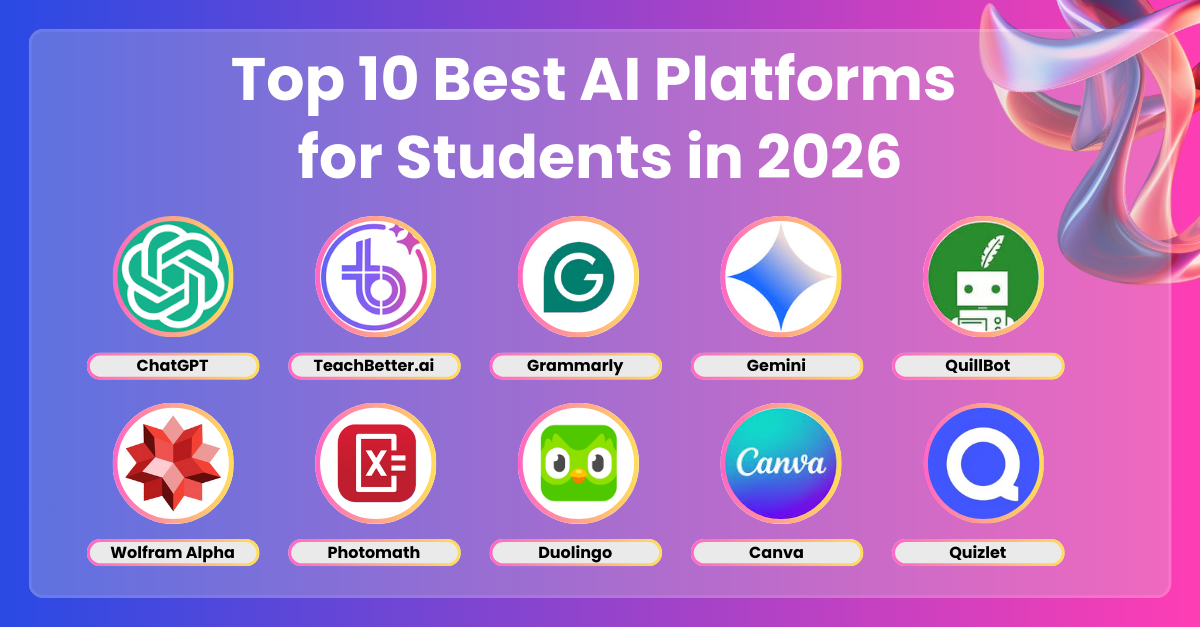
    Recommended Apps

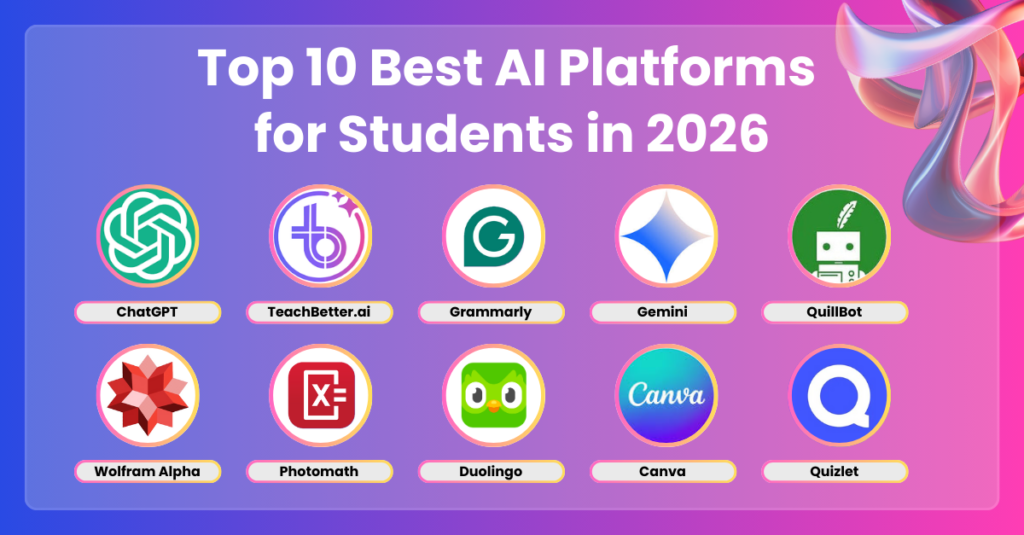
    • ChatGPT
    • Google Gemini
    • Notion
    • Grammarly
    • Photomath

    Each app solves a different academic problem.

    AI App Comparison Table

    FeatureChatGPTGeminiNotionGrammarlyPhotomath
    Note-TakingHighModerateExcellentLowNone
    Research HelpExcellentExcellentModerateLowLow
    Writing SupportHighHighModerateExcellentNone
    Problem SolvingHighHighLowNoneExcellent
    Best ForAll-in-oneResearchOrganizationWritingMath

    AI App Checklist for Students

    Before choosing an app, make sure it can:

    • Help with note-taking
    • Support research and literature review
    • Improve writing quality
    • Solve academic problems
    • Increase student productivity

    If it doesn’t help your workflow, it’s just another distraction.

    Step-by-Step: How to Use Mobile AI Apps for Studying

    Let’s break this into a practical proccess you can follow daily.

    Step 1: Use AI for Quick Research

    Open ChatGPT or Gemini and ask:

    • “Explain this topic in simple terms”
    • “Summarize this concept”

    This saves time instantly.

    Step 2: Capture Notes on the Go

    Use Notion:

    • Create subject pages
    • Store lecture notes
    • Organize ideas

    Step 3: Improve Writing

    Use Grammarly to:

    • Fix grammar mistakes
    • Improve clarity
    • Enhance academic tone

    Step 4: Solve Problems Instantly

    Use Photomath:

    • Scan math problems
    • Get step-by-step solutions

    Step 5: Review and Revise

    LearnPracticeReview\text{Learn} \rightarrow \text{Practice} \rightarrow \text{Review}Learn→Practice→Review

    This loop improves retention.

    Step 6: Combine Apps for Maximum Efficiency

    Example workflow:

    • Research → ChatGPT
    • Notes → Notion
    • Writing → Grammarly
    • Practice → Photomath

    This creates a powerful study system.

    Advanced Strategies for Smart Students

    Once you master basics, level up.

    1. Voice-Based Learning

    Use AI voice features to:

    • Ask questions
    • Listen to explanations

    2. AI-Powered Flashcards

    Generate revision questions instantly.

    3. Cross-App Integration

    Sync notes between apps.

    4. Micro-Learning Sessions

    Study in short bursts using mobile apps.

    Pros and Cons of Mobile AI Apps

    Advantages

    • Portable learning
    • Instant support
    • Improves student productivity
    • Saves time
    • Enhances understanding

    Limitations

    • Can be distracting
    • Requires internet
    • Risk of over-reliance
    • Needs discipline

    So yeah, your phone can help—but it can also waste your time if used poorly.

    Ethical Use and Academic Integrity

    Let’s be clear—this matters.

    Using AI apps is acceptable if:

    • You understand what you’re learning
    • You don’t copy answers blindly
    • You verify information
    • You use AI as a learning tool

    Academic integrity is more important than convenience.

    How Mobile AI Apps Improve Learning

    These apps help students:

    • Learn faster
    • Stay organized
    • Improve writing
    • Solve problems efficiently
    • Prepare for exams

    This is especially useful for:

    • Literature review
    • Assignment writing
    • Daily study routines
    • Exam preparation

    Common Mistakes Students Make

    Avoid these:

    • Using too many apps
    • Not organizing notes
    • Relying blindly on AI
    • Getting distracted by phone
    • Ignoring academic integrity

    If you don’t control your phone, it controls you.

    The Future of AI Mobile Learning

    By 2026, mobile AI apps are becoming essential tools.

    Students who learn how to:

    • Use AI effectively
    • Build smart workflows
    • Maintain discipline

    …will always stay ahead.

    Platforms like lrnai.xyz are helping students master these systems with practical, real-world strategies.

    And honestly, the future of learning is mobile.

    Final Thoughts: Turn Your Phone Into a Study Machine

    Your phone isn’t the problem—how you use it is.

    With the best mobile AI apps for students on Android and iOS, you can:

    • Study anywhere
    • Learn faster
    • Stay organized
    • Improve results

    But remember:

    AI is your assistant—not your teacher.

    If you use it wisely, your not just using apps—you’re building a powerful learning system.

    Call to Action

    Ready to upgrade your study routine?

    Start using these mobile AI apps today and turn your phone into a powerful academic tool. Then explore more advanced AI learning guides on lrnai.xyz to boost your student productivity and master the future of learning.

    And if you’ve found a better study app workflow, share it—because the smartest students don’t just use technology, they master it.

  • NotebookLM vs Claude: Which Is Better for University Notes? (Save 10+ Hours Every Week)

    NotebookLM vs Claude: Which Is Better for University Notes? (Save 10+ Hours Every Week)

    Look, I get it, university life is stressful but note-taking is one of those hidden struggles that quietly drains your time.

    You attend lectures, read research papers, highlight PDFs… and somehow still feel like your notes are messy, incomplete, or just not helpful.

    That’s exactly why AI note-taking tools have exploded in 2026.

    Two tools stand out right now: NotebookLM and Claude.

    But the real question is:

    NotebookLM vs Claude: Which is better for university notes?

    In this detailed guide, you’ll get a clear comparison, real student workflows, and practical strategies to improve your academic productivity while maintaining academic integrity.

    And yes—if you want to truly master AI learning, lrnai.xyz is quickly becoming the go-to platform for students worldwide.

    Why AI Note-Taking Matters in 2026

    Before comparing tools, let’s understand why this matters.

    Modern students deal with:

    • Long lecture recordings
    • Dense research papers
    • Multiple subjects at once
    • Tight deadlines

    Traditional note-taking is simply too slow.

    AI tools now help you:

    • Summarize lectures instantly
    • Organize notes automatically
    • Connect ideas across subjects
    • Improve literature review workflows

    Here is the real talk about using AI for your assignments: it’s not about replacing effort—it’s about eliminating inefficiency.

    NotebookLM vs Claude: Quick Comparison Table

    FeatureNotebookLMClaude
    Document UploadExcellentExcellent
    Source-Based AnswersVery StrongStrong
    Note OrganizationExcellentModerate
    Explanation DepthModerateExcellent
    Research SupportHighVery High
    Best ForStructured notesDeep understanding

    What Is NotebookLM?

    NotebookLM is designed specifically for students and researchers.

    It allows you to:

    • Upload PDFs, lecture notes, and documents
    • Ask questions based only on your sources
    • Generate summaries from your materials
    • Organize notes into structured formats

    Key Strength

    NotebookLM works like a “smart notebook” that only uses your uploaded content.

    This makes it extremely useful for:

    • Literature review
    • Exam preparation
    • Source-based study

    What Is Claude?

    Claude is a general-purpose AI with powerful reasoning capabilities.

    It helps you:

    • Explain complex topics
    • Summarize large documents
    • Generate structured notes
    • Answer deep conceptual questions

    Key Strength

    Claude excels at thinking and explaining, not just organizing.

    It’s perfect for:

    • Understanding difficult subjects
    • Breaking down theories
    • Writing assignments

    NotebookLM vs Claude: Feature Breakdown

    1. Note Organization

    • NotebookLM: Highly structured and source-based
    • Claude: Flexible but less organized

    If you want clean, exam-ready notes → NotebookLM wins.

    2. Understanding Concepts

    • NotebookLM: Limited to your materials
    • Claude: Explains beyond your sources

    If you’re struggling with concepts → Claude wins.

    3. Literature Review Support

    • NotebookLM: Excellent for managing sources
    • Claude: Better for synthesis and explanation

    Best combo? Use both.

    4. Accuracy & Academic Integrity

    • NotebookLM: Safer (source-based answers)
    • Claude: Requires verification

    For academic integrity, NotebookLM has an edge.

    AI Tool Checklist for University Notes

    Before choosing a tool, ensure it can:

    • Summarize lecture content
    • Organize notes clearly
    • Support literature review
    • Explain difficult topics
    • Improve student productivity

    Both tools meet these—but in different ways.

    Step-by-Step: How to Use NotebookLM for University Notes

    Let’s start with NotebookLM.

    Step 1: Upload Study Material

    Upload:

    • Lecture slides
    • PDFs
    • Research papers

    Step 2: Ask Source-Based Questions

    Example:

    “Summarize key points from this lecture”

    Step 3: Generate Structured Notes

    Ask:

    “Convert this into bullet-point notes”

    Step 4: Create Study Guides

    Ask:

    “Generate exam revision notes”

    Step 5: Connect Ideas

    Ask:

    “How are these two topics related?”

    This creates deeper understanding.

    Step-by-Step: How to Use Claude for University Notes

    Now let’s look at Claude.

    Step 1: Paste Content or Upload File

    Include:

    • Lecture transcript
    • Article
    • Notes

    Step 2: Simplify Content

    Ask:

    “Explain this like I’m a beginner”

    Step 3: Break Down Concepts

    ConceptExplanationExample\text{Concept} \rightarrow \text{Explanation} \rightarrow \text{Example}Concept→Explanation→Example

    This helps structure your thinking.

    Step 4: Generate Smart Notes

    Ask:

    “Create structured notes with headings and examples”

    Step 5: Deepen Understanding

    Ask:

    • “Why is this concept important?”
    • “Give real-world examples”

    This is where Claude shines.

    Pros and Cons of NotebookLM

    Advantages

    • Source-based accuracy
    • Excellent note organization
    • Great for literature review
    • Supports academic integrity

    Limitations

    • Limited outside your documents
    • Less explanation depth
    • Not ideal for conceptual learning

    Pros and Cons of Claude

    Advantages

    • Deep explanations
    • Strong reasoning ability
    • Flexible note generation
    • Excellent for learning

    Limitations

    • Not source-restricted
    • Requires fact-checking
    • Less structured organization

    Which One Should You Choose?

    Here’s the honest answer.

    Choose NotebookLM if:

    • You want structured notes
    • You’re doing literature review
    • You care about academic integrity
    • You rely on course materials

    Choose Claude if:

    • You want deep understanding
    • You struggle with concepts
    • You need explanation support
    • You want flexible note creation

    Best Strategy (Recommended)

    Use both together:

    • NotebookLM → organize your notes
    • Claude → understand your notes

    That’s the smartest workflow in 2026.

    Advanced Workflow for Students

    Here’s a powerful hybrid method.

    Step 1: Upload material to NotebookLM

    Step 2: Generate structured notes

    Step 3: Copy difficult sections

    Step 4: Paste into Claude

    Step 5: Ask for deeper explanation

    This combination dramatically improves learning speed.

    Ethical Use and Academic Integrity

    Let’s be honest—this matters more than ever.

    Using AI tools is acceptable if:

    • You understand the content
    • You don’t copy blindly
    • You verify information
    • You use AI as a learning tool

    If you rely entirely on AI, your learning suffers.

    Common Mistakes Students Make

    Avoid these:

    • Using only one tool
    • Copying notes without understanding
    • Ignoring source verification
    • Not organizing notes properly
    • Over-relying on AI

    If you avoid these mistakes, your learning improves massively.

    The Future of AI Note-Taking in Education

    By 2026, AI note-taking is becoming standard.

    Students who learn how to:

    • Combine tools effectively
    • Maintain academic integrity
    • Optimize study workflows

    …will always stay ahead.

    Platforms like lrnai.xyz are helping students master these strategies with practical, real-world guides.

    And honestly, this is just the beginning of smarter education.

    Final Thoughts: Don’t Just Take Notes—Understand Them

    So, NotebookLM vs Claude: Which is better for university notes?

    Here’s the final answer:

    • NotebookLM = Best for organization
    • Claude = Best for understanding

    But the real power comes from using both.

    Because in university, success isn’t about writing more notes—it’s about understanding them deeply.

    If you use these tools wisely, your not just taking notes—you’re building knowledge.

    Call to Action

    Ready to upgrade your study system?

    Start using NotebookLM and Claude today to transform how you take and understand university notes. Then explore more powerful AI learning guides on lrnai.xyz to boost your student productivity and master the future of learning.

    And if you’ve found a better note-taking workflow, share it—because the smartest students don’t just study harder, they study smarter.
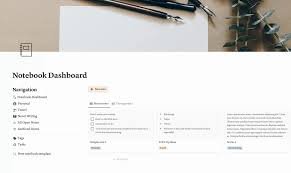
  • Best Mobile AI Apps for Students on Android and iOS (Study Smarter Anywhere in 2026)

    Best Mobile AI Apps for Students on Android and iOS (Study Smarter Anywhere in 2026)

    Look, I get it, university life is stressful but your phone can either be your biggest distraction… or your most powerful study tool.

    Most students use their phones for scrolling, messaging, and entertainment—but in 2026, smart students are turning their devices into AI-powered learning assistants.

    The right apps can help you:

    • Summarize lectures
    • Organize notes
    • Solve problems
    • Manage your time
    • Improve academic performance

    In this guide, you’ll discover the best mobile AI apps for students on Android and iOS, how to use them effectively, and how to boost your student productivity while maintaining academic integrity.

    If you’re serious about mastering AI-driven education, lrnai.xyz is quickly becoming the ultimate platform for modern learners.

    Why Mobile AI Apps Are Essential for Students in 2026

    Let’s be honest—your phone is always with you.

    So instead of fighting it, use it.

    Key Benefits of Mobile AI Apps

    • Study anywhere, anytime
    • Instant access to knowledge
    • Faster note-taking
    • Better organization
    • Real-time academic support

    Here is the real talk about using AI for your assignments: it’s not about replacing studying—it’s about making every minute count.

    Best Mobile AI Apps for Students on Android and iOS

    Let’s explore the top-performing apps students are using right now.

    Recommended Apps

    • ChatGPT
    • Google Gemini
    • Notion
    • Grammarly
    • Photomath

    Each app solves a different academic problem.

    AI App Comparison Table

    FeatureChatGPTGeminiNotionGrammarlyPhotomath
    Note-TakingHighModerateExcellentLowNone
    Research HelpExcellentExcellentModerateLowLow
    Writing SupportHighHighModerateExcellentNone
    Problem SolvingHighHighLowNoneExcellent
    Best ForAll-in-oneResearchOrganizationWritingMath

    AI App Checklist for Students

    Before choosing an app, make sure it can:

    • Help with note-taking
    • Support research and literature review
    • Improve writing quality
    • Solve academic problems
    • Increase student productivity

    If it doesn’t help your workflow, it’s just another distraction.

    Step-by-Step: How to Use Mobile AI Apps for Studying

    Let’s break this into a practical proccess you can follow daily.

    Step 1: Use AI for Quick Research

    Open ChatGPT or Gemini and ask:

    • “Explain this topic in simple terms”
    • “Summarize this concept”

    This saves time instantly.

    Step 2: Capture Notes on the Go

    Use Notion:

    • Create subject pages
    • Store lecture notes
    • Organize ideas

    Step 3: Improve Writing

    Use Grammarly to:

    • Fix grammar mistakes
    • Improve clarity
    • Enhance academic tone

    Step 4: Solve Problems Instantly

    Use Photomath:

    • Scan math problems
    • Get step-by-step solutions

    Step 5: Review and Revise

    LearnPracticeReview\text{Learn} \rightarrow \text{Practice} \rightarrow \text{Review}Learn→Practice→Review

    This loop improves retention.

    Step 6: Combine Apps for Maximum Efficiency

    Example workflow:

    • Research → ChatGPT
    • Notes → Notion
    • Writing → Grammarly
    • Practice → Photomath

    This creates a powerful study system.

    Advanced Strategies for Smart Students

    Once you master basics, level up.

    1. Voice-Based Learning

    Use AI voice features to:

    • Ask questions
    • Listen to explanations

    2. AI-Powered Flashcards

    Generate revision questions instantly.

    3. Cross-App Integration

    Sync notes between apps.

    4. Micro-Learning Sessions

    Study in short bursts using mobile apps.

    Pros and Cons of Mobile AI Apps

    Advantages

    • Portable learning
    • Instant support
    • Improves student productivity
    • Saves time
    • Enhances understanding

    Limitations

    • Can be distracting
    • Requires internet
    • Risk of over-reliance
    • Needs discipline

    So yeah, your phone can help—but it can also waste your time if used poorly.

    Ethical Use and Academic Integrity

    Let’s be clear—this matters.

    Using AI apps is acceptable if:

    • You understand what you’re learning
    • You don’t copy answers blindly
    • You verify information
    • You use AI as a learning tool

    Academic integrity is more important than convenience.

    How Mobile AI Apps Improve Learning

    These apps help students:

    • Learn faster
    • Stay organized
    • Improve writing
    • Solve problems efficiently
    • Prepare for exams

    This is especially useful for:

    • Literature review
    • Assignment writing
    • Daily study routines
    • Exam preparation

    Common Mistakes Students Make

    Avoid these:

    • Using too many apps
    • Not organizing notes
    • Relying blindly on AI
    • Getting distracted by phone
    • Ignoring academic integrity

    If you don’t control your phone, it controls you.

    The Future of AI Mobile Learning

    By 2026, mobile AI apps are becoming essential tools.

    Students who learn how to:

    • Use AI effectively
    • Build smart workflows
    • Maintain discipline

    …will always stay ahead.

    Platforms like lrnai.xyz are helping students master these systems with practical, real-world strategies.

    And honestly, the future of learning is mobile.

    Final Thoughts: Turn Your Phone Into a Study Machine

    Your phone isn’t the problem—how you use it is.

    With the best mobile AI apps for students on Android and iOS, you can:

    • Study anywhere
    • Learn faster
    • Stay organized
    • Improve results

    But remember:

    AI is your assistant—not your teacher.

    If you use it wisely, your not just using apps—you’re building a powerful learning system.

    Call to Action

    Ready to upgrade your study routine?

    Start using these mobile AI apps today and turn your phone into a powerful academic tool. Then explore more advanced AI learning guides on lrnai.xyz to boost your student productivity and master the future of learning.

    And if you’ve found a better study app workflow, share it—because the smartest students don’t just use technology, they master it.

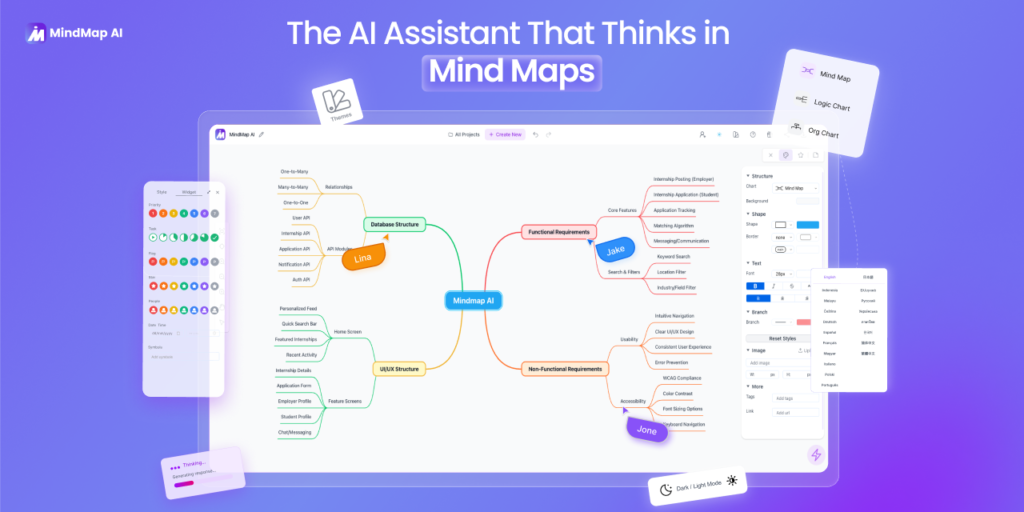
  • Best AI for Making Study Mind Maps from PDF Files (Turn Notes into Visual Learning in Minutes)

    Best AI for Making Study Mind Maps from PDF Files (Turn Notes into Visual Learning in Minutes)

    Look, I get it, university life is stressful but reading long PDF files and trying to remember everything is one of the biggest challenges students face.

    You highlight, reread, and still forget key concepts during exams.

    That’s because your brain doesn’t learn best from plain text—it learns from structure and visuals.

    Here’s the shift: in 2026, AI tools can instantly convert PDF files into structured study mind maps, helping you understand and retain information faster.

    In this guide, you’ll discover the best AI for making study mind maps from PDF files, how to use them step-by-step, and how to boost your student productivity while maintaining academic integrity.

    If you want to master AI learning strategies, lrnai.xyz is quickly becoming the ultimate destination for modern students.

    Why Mind Maps Are Powerful for Learning

    Before we explore AI tools, let’s understand why mind maps work.

    1. Visual Learning Boost

    Mind maps turn text into:

    • Hierarchies
    • Connections
    • Concepts

    2. Better Memory Retention

    Your brain remembers visuals better than text.

    3. Faster Revision

    Instead of reading 50 pages, you review one structured map.

    4. Concept Clarity

    Mind maps show relationships between ideas.

    Now imagine doing this automatically with AI.

    What AI Does for Mind Mapping from PDFs

    AI tools can:

    • Extract key concepts from PDFs
    • Organize information into structured nodes
    • Create visual diagrams automatically
    • Summarize large documents
    • Support literature review workflows

    Here is the real talk about using AI for your assignments: it’s not about skipping reading—it’s about understanding faster.

    Best AI for Making Study Mind Maps from PDF Files

    Let’s compare the top tools in 2026.

    AI Tool Comparison Table

    FeatureMindMeister AIXMind AIChatGPT
    PDF to Mind MapExcellentHighModerate
    VisualizationExcellentExcellentLow
    AutomationHighModerateModerate
    CustomizationHighVery HighLow
    Best ForQuick mapsDetailed mapsConcept breakdown

    Recommended Tools

    • MindMeister
    • XMind
    • ChatGPT

    Each tool plays a unique role in the mind-mapping process.

    AI Tool Checklist for Mind Mapping

    Before choosing a tool, ensure it can:

    • Extract key ideas from PDFs
    • Convert text into structured nodes
    • Create visual diagrams
    • Allow customization
    • Improve student productivity

    If it can’t visualize relationships, it’s not a real mind-mapping tool.

    Step-by-Step: How to Create Mind Maps from PDF Files Using AI

    Let’s break this into a practical proccess you can follow.

    Step 1: Upload Your PDF

    Use tools like MindMeister or ChatGPT.

    Examples:

    • Lecture notes
    • Research papers
    • Textbook chapters

    Step 2: Extract Key Concepts

    Ask AI:

    “Summarize key points from this PDF”

    Step 3: Identify Main Topics

    AI will group:

    • Main headings
    • Subtopics
    • Supporting ideas

    Step 4: Convert to Mind Map Structure

    Main TopicSubtopicKey Idea\text{Main Topic} \rightarrow \text{Subtopic} \rightarrow \text{Key Idea}Main Topic→Subtopic→Key Idea

    This creates a hierarchical structure.

    Step 5: Visualize in Mind Mapping Tool

    Import structure into:

    • MindMeister
    • XMind

    Customize with:

    • Colors
    • Icons
    • Connections

    Step 6: Add Examples and Notes

    Enhance understanding by adding:

    • Real-world examples
    • Definitions
    • Explanations

    Step 7: Use for Revision

    Review mind maps regularly for:

    • Exams
    • Assignments
    • Literature review

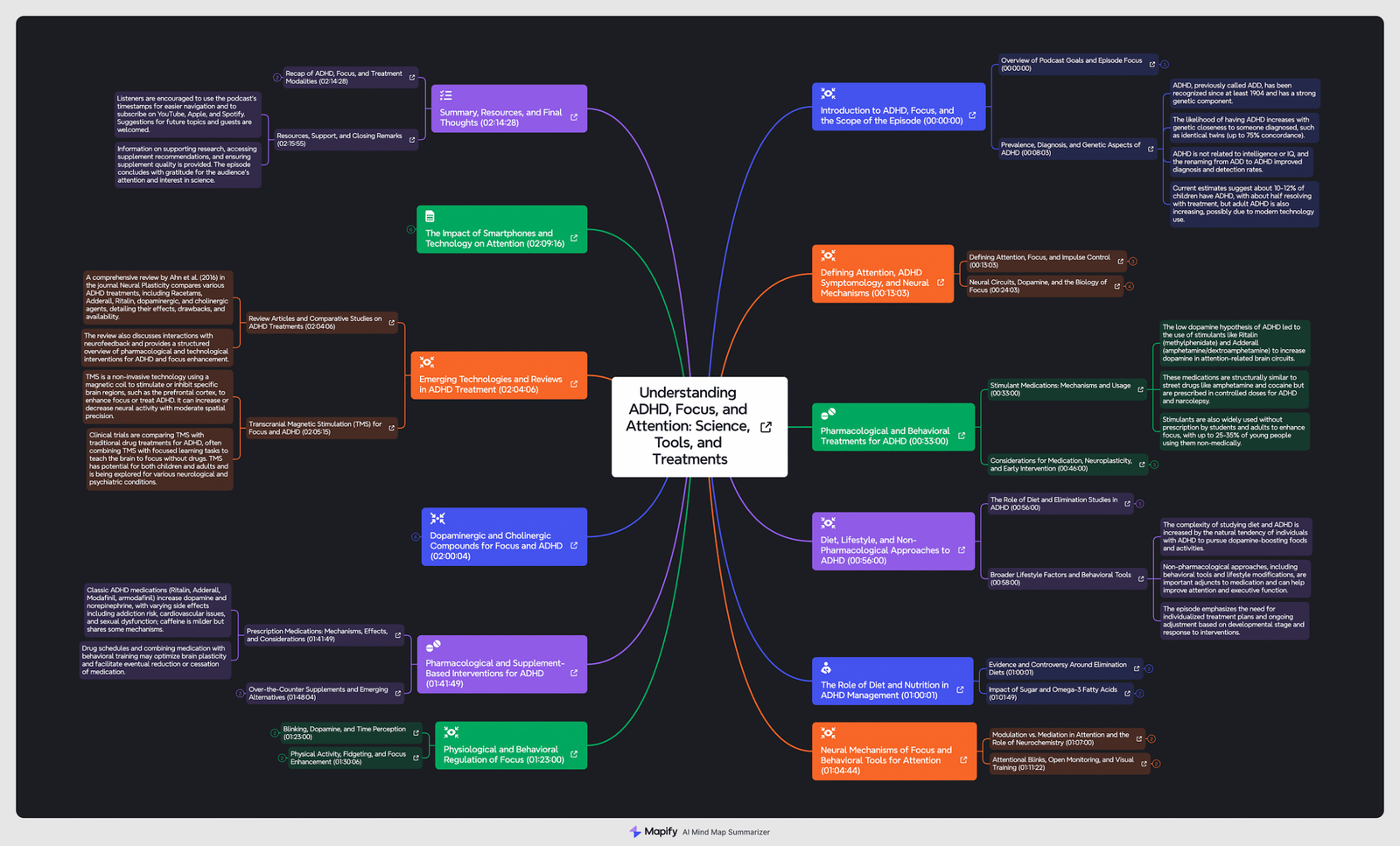
    Example Mind Map Workflow

    Let’s say you upload a biology PDF.

    AI creates:

    • Central Node: Cell Biology
      • Subtopic: Cell Structure
        • Key Idea: Nucleus function
      • Subtopic: Cell Membrane
        • Key Idea: Selective permeability

    This simplifies complex material instantly.

    Advanced Strategies for Students

    Once you understand basics, go deeper.

    1. Multi-PDF Integration

    Combine multiple PDFs into one master mind map.

    2. Concept Linking

    Connect ideas across subjects.

    3. Thesis Research Mapping

    Use mind maps to structure research topics.

    4. Exam Revision Mode

    Condense entire syllabus into visual maps.

    Pros and Cons of AI Mind Mapping

    Advantages

    • Saves time
    • Improves understanding
    • Enhances memory retention
    • Boosts student productivity
    • Simplifies complex topics

    Limitations

    • May oversimplify content
    • Requires manual refinement
    • Depends on input quality
    • Not always perfect structure

    So yeah, AI helps—but you still need to refine your maps.

    Ethical Use and Academic Integrity

    Let’s be honest—this matters.

    Using AI for mind mapping is acceptable if:

    • You understand the content
    • You verify information
    • You don’t rely blindly
    • You use it for learning

    If you just copy maps without thinking, you lose the benefit.

    How AI Mind Maps Improve Learning

    AI-generated mind maps help students:

    • Understand complex topics faster
    • Organize knowledge visually
    • Improve revision efficiency
    • Strengthen conceptual clarity

    This is especially useful for:

    • Literature review
    • Exam preparation
    • Thesis planning
    • Daily study routines

    Common Mistakes Students Make

    Avoid these mistakes:

    • Overloading mind maps
    • Not reviewing regularly
    • Ignoring connections
    • Using AI without understanding
    • Creating too many maps

    If your map is too complex, it becomes useless.

    The Future of AI in Visual Learning

    By 2026, visual learning tools powered by AI are becoming standard.

    Students who learn how to:

    • Convert text into visuals
    • Use AI effectively
    • Combine tools smartly

    …will always stay ahead.

    Platforms like lrnai.xyz are helping students build these skills with practical guides and real-world strategies.

    And honestly, once you start using AI mind maps, it’s hard to go back to plain notes.

    Final Thoughts: Don’t Just Read—Visualize

    Reading PDFs is not enough anymore.

    With the best AI for making study mind maps from PDF files, you can:

    • Learn faster
    • Understand better
    • Revise smarter
    • Retain more information

    But remember:

    AI is your assistant—not your brain.

    If you use it wisely, your not just studying—you’re building a visual learning system.

    Call to Action

    Ready to transform your study method?

    Start using AI tools to convert your PDFs into powerful mind maps today. Then explore more advanced AI learning strategies on lrnai.xyz to boost your student productivity and master the future of learning.

    And if you’ve found a better way to visualize your notes, share it—because the smartest students don’t just read, they map knowledge.

  • How to Use AI to Create Active Recall Quizzes for Exams (Boost Memory & Save Study Time)

    How to Use AI to Create Active Recall Quizzes for Exams (Boost Memory & Save Study Time)

    Look, I get it, university life is stressful but rereading notes again and again isn’t working—and deep down, you already know it.

    The real problem? Passive studying.

    If you want to actually remember what you study, you need active recall—and in 2026, AI can help you generate powerful quizzes in seconds.

    In this guide, you’ll learn how to use AI to create active recall quizzes for exams, the best tools to use, and how to build a high-performance study system that improves student productivity while maintaining academic integrity.

    And if you want more advanced strategies like this, lrnai.xyz is quickly becoming the go-to platform for students mastering AI-powered learning.

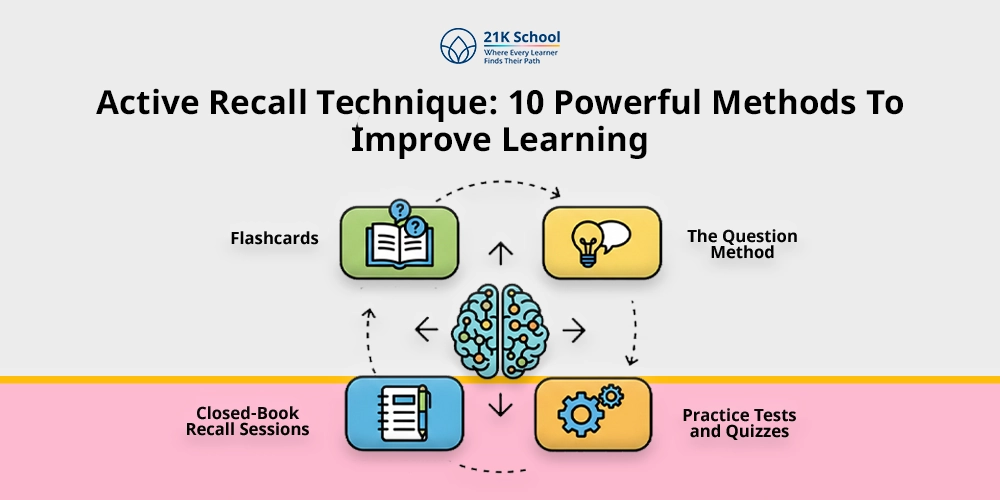
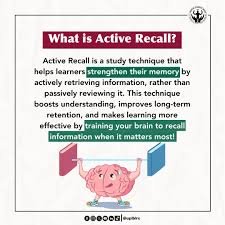
    What Is Active Recall (And Why It Works)

    Active recall is a learning technique where you test yourself instead of rereading content.

    Instead of:

    • Highlighting notes
    • Re-reading textbooks

    You:

    • Ask questions
    • Retrieve answers from memory

    Why Active Recall Is Powerful

    • Strengthens memory pathways
    • Improves long-term retention
    • Prepares you for real exams
    • Reduces study time

    Here is the real talk about using AI for your assignments: if you’re not testing yourself, you’re not learning effectively.

    How AI Transforms Active Recall in 2026

    AI tools can now:

    • Convert notes into quizzes
    • Generate multiple-choice questions
    • Create flashcards instantly
    • Adapt difficulty levels
    • Personalize learning

    This means you can turn any lecture, PDF, or literature review into a quiz within seconds.

    Best AI Tools for Creating Active Recall Quizzes

    Recommended Tools

    • ChatGPT – Best for custom quiz generation
    • Quizlet – Great for flashcards and testing
    • Anki – Ideal for long-term retention
    • Notion – Useful for organizing quizzes

    Each tool supports a different part of the learning proccess.

    AI Quiz Tool Comparison Table

    FeatureChatGPTQuizletAnkiNotion
    Quiz GenerationExcellentModerateLowLow
    FlashcardsHighExcellentExcellentModerate
    Spaced RepetitionNoLimitedExcellentNo
    CustomizationHighModerateHighHigh
    Best ForCustom quizzesQuick revisionMemory retentionOrganization

    AI Quiz Creation Checklist

    Before using any tool, make sure it can:

    • Generate questions from notes
    • Support multiple formats (MCQs, short answers)
    • Allow customization
    • Improve student productivity
    • Maintain academic integrity

    If your quiz tool only gives answers without explanation, it’s not enough.

    Step-by-Step: How to Use AI to Create Active Recall Quizzes

    Let’s break this into a practical proccess you can follow.

    Step 1: Upload or Paste Your Study Material

    Use:

    • Lecture notes
    • PDFs
    • Textbook summaries
    • Literature review notes

    Paste them into ChatGPT.

    Step 2: Ask AI to Generate Questions

    Use prompts like:

    • “Create 10 active recall questions from this content”
    • “Generate MCQs with answers and explanations”
    • “Make short-answer questions for revision”

    This step converts passive content into active learning.

    Step 3: Categorize Questions

    Group questions into:

    • Easy
    • Medium
    • Hard

    This helps track your progress.

    Step 4: Convert Into Flashcards

    Move questions into:

    • Quizlet
    • Anki

    This enables spaced repetition.

    Step 5: Apply the Active Recall Loop

    QuestionAttempt RecallCheck Answer\text{Question} \rightarrow \text{Attempt Recall} \rightarrow \text{Check Answer}Question→Attempt Recall→Check Answer

    This is the core of effective studying.

    Step 6: Review Weak Areas

    Focus on:

    • Incorrect answers
    • Difficult topics
    • Repeated mistakes

    Step 7: Repeat Daily

    Consistency is more important than intensity.

    Example: AI-Generated Active Recall Quiz

    Let’s say you’re studying biology.

    AI generates:

    Question: What is the function of mitochondria?
    Answer: Produces ATP (energy)

    Question: What is osmosis?
    Answer: Movement of water across a semi-permeable membrane

    Simple, but extremely effective.

    Advanced Strategies for Maximum Results

    1. Multi-Source Quiz Generation

    Combine:

    • Lecture notes
    • Textbooks
    • Research papers

    This creates deeper understanding.

    2. Scenario-Based Questions

    Ask AI:

    • “Create case-based questions”
    • “Generate real-world examples”

    Great for exams like medicine or business.

    3. Timed Practice Sessions

    Simulate exam conditions:

    • Set time limits
    • Avoid notes
    • Track performance

    4. AI Feedback Loop

    Ask AI:

    • “Explain why I got this wrong”
    • “Simplify this concept”

    This improves understanding.

    Pros and Cons of Using AI for Active Recall

    Advantages

    • Saves time
    • Automates quiz creation
    • Improves retention
    • Enhances student productivity
    • Makes studying interactive

    Limitations

    • May generate incorrect questions
    • Requires review
    • Can reduce deep thinking if overused

    So yeah, AI helps—but you still need to think critically.

    Ethical Use and Academic Integrity

    This is important.

    Use AI responsibly:

    • Don’t use quizzes during exams
    • Don’t rely blindly on answers
    • Verify information
    • Focus on learning

    Academic integrity is non-negotiable.

    How AI Active Recall Improves Learning

    AI-powered quizzes help students:

    • Retain information longer
    • Identify weak areas
    • Improve exam performance
    • Reduce study time
    • Stay engaged

    This is especially powerful for:

    • Literature review
    • Exam preparation
    • Thesis revision
    • Daily study routines

    Common Mistakes Students Make

    Avoid these:

    • Only reading answers without thinking
    • Not reviewing mistakes
    • Creating too many questions
    • Ignoring difficult topics
    • Using AI passively

    If you’re not struggling a little, you’re not learning.

    The Future of AI in Exam Preparation

    By 2026, active recall powered by AI is becoming the gold standard.

    Students who learn how to:

    • Generate smart quizzes
    • Practice consistently
    • Use AI effectively

    …will outperform others.

    Platforms like lrnai.xyz are helping students build these high-performance study systems.

    And honestly, once you switch to active recall, you’ll never go back to passive studying.

    Final Thoughts: Stop Reading, Start Testing

    Reading notes is easy.

    Remembering them is hard.

    With how to use AI to create active recall quizzes for exams, you can:

    • Study smarter
    • Learn faster
    • Retain more
    • Perform better

    But remember:

    AI is a tool—not a shortcut.

    If you use it wisely, your not just studying—you’re training your brain to think.

    Call to Action

    Ready to upgrade your study strategy?

    Start using AI to create active recall quizzes today and transform the way you prepare for exams. Then explore more powerful AI study techniques on lrnai.xyz to boost your student productivity and stay ahead.

    And if you’ve discovered a better quiz method, share it—because the smartest students don’t just study harder… they study smarter.
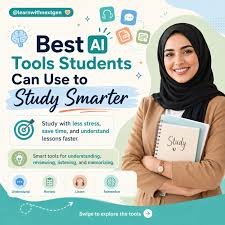
  • How to Use AI for Self-Testing Before the Final Exam (Save 10+ Hours & Study Smarter)

    How to Use AI for Self-Testing Before the Final Exam (Save 10+ Hours & Study Smarter)

    Look, I get it, university life is stressful but finals week hits different. You revise, reread, highlight everything… and still walk into the exam unsure if you actually know the material.

    Here’s the real talk: passive studying doesn’t work anymore. The students who consistently score higher are using active recall and self-testing—and in 2026, AI has made this process faster, smarter, and way more personalized.

    In this guide, you’ll learn exactly how to use AI for self-testing before the final exam, using the latest tools, strategies, and ethical practices that actually improve learning (not just shortcut it).


    Why Self-Testing with AI Is a Game-Changer in 2026

    Self-testing isn’t new—but AI has transformed it into a high-efficiency learning system.

    Key Benefits for Students

    • Instant quiz generation from notes, PDFs, or lectures
    • Adaptive difficulty based on your performance
    • Active recall + spaced repetition combined
    • Personalized feedback and explanations
    • Time-saving automation for student productivity

    Instead of guessing what to study, AI tells you exactly where your weak points are.

    And yes, this matters even more for thesis research and literature review-heavy subjects, where understanding beats memorization.


    The Science Behind AI Self-Testing

    AI-powered self-testing relies on two proven learning principles:

    1. Active Recall

    Forcing your brain to retrieve information strengthens memory pathways.

    2. Spaced Repetition

    Reviewing information at increasing intervals improves long-term retention.

    AI tools now combine both automatically—something that used to take hours to proccess manually.


    Best AI Tools for Self-Testing (2026)

    Here’s a quick comparison of the most effective tools students are using right now:

    AI Tool Comparison Table

    ToolBest ForKey FeatureLimitations
    ChatGPTCustom quizzesPrompt-based testingRequires good prompts
    Quizlet AIFlashcards & recallAuto-generated quizzesLimited depth
    Notion AINotes + testingIntegrated workspaceLess adaptive
    Anki + AI pluginsSpaced repetitionLong-term retentionSetup required
    Perplexity AIResearch-based testingSource-backed questionsNot quiz-focused

    Quick Insight

    • Use ChatGPT for flexible, exam-style testing
    • Use Anki for long-term memorization
    • Use Perplexity AI for research-heavy subjects and literature review

    Step-by-Step: How to Use AI for Self-Testing Before the Final Exam

    This is where most students go wrong—they use AI passively. Don’t do that.

    Follow this exact system:

    Step 1: Gather Your Study Material

    Upload or paste:

    • Lecture notes
    • PDFs
    • Past papers
    • Your own summaries

    The more structured your input, the better the output.


    Step 2: Generate Active Recall Questions

    Use a prompt like:

    “Create 20 exam-level questions from this content using a mix of MCQs, short answers, and case-based questions.”

    Then level it up:

    “Focus more on difficult concepts and areas students usually get wrong.”

    This is where AI starts acting like a tutor.


    Step 3: Simulate Real Exam Conditions

    • Set a timer
    • Don’t check answers immediately
    • Write responses on paper or digitally

    Your goal is to train recall under pressure, not just recognize answers.


    Step 4: Get AI Feedback

    After answering, ask:

    “Evaluate my answers and explain mistakes in simple terms.”

    AI will:

    • Highlight weak areas
    • Explain concepts clearly
    • Suggest what to revise

    This feedback loop is what most students never recieve in traditional studying.


    Step 5: Turn Mistakes into Flashcards

    Convert errors into:

    • Flashcards (Anki or Quizlet)
    • Short notes
    • Repeat quizzes

    Mistakes = your highest-value learning material.


    Step 6: Repeat with Increasing Difficulty

    Ask AI to:

    • Make harder questions
    • Combine topics
    • Add real-world scenarios

    This builds deep understanding, not surface-level memorization.


    AI Self-Testing Workflow (Checklist)

    Use this daily before exams:

    • Input notes into AI
    • Generate 15–30 questions
    • Attempt under timed conditions
    • Review answers with AI
    • Save mistakes
    • Re-test after 24 hours

    Simple. Effective. Proven.


    How AI Supports Thesis Research and Literature Review

    Self-testing isn’t just for exams.

    In 2026, students are using AI to test their understanding of:

    • Research papers
    • Academic frameworks
    • Theoretical concepts

    Example prompt:

    “Create critical thinking questions from this literature review section.”

    This helps you:

    • Understand arguments deeply
    • Prepare for viva exams
    • Improve academic writing

    Ethical Use: Don’t Let AI Hurt Your Learning

    Let’s be clear—AI can either boost your learning or destroy it.

    Follow These Academic Integrity Rules:

    • Use AI for practice, not cheating
    • Don’t memorize AI answers blindly
    • Always verify complex explanations
    • Avoid submitting AI-generated work as your own

    Your degree depends on your understanding—not the tool.


    Common Mistakes Students Make

    1. Using AI Like Google

    AI is not just for answers—it’s for training your brain.

    2. Skipping Active Recall

    Reading AI explanations ≠ learning.

    3. Not Reviewing Mistakes

    Your errors are more valuable than correct answers.

    4. Over-Reliance on One Tool

    Combine tools for best results.


    Pro Tips from an Academic Consultant

    • Mix AI quizzes with past papers
    • Use voice input for faster study sessions
    • Ask AI to explain like you’re a beginner
    • Study in short, focused sessions (25–40 mins)
    • Track weak topics daily

    And honestly? Consistency beats everything.


    The Future of AI Self-Testing for Students

    By 2026 and beyond, AI is moving toward:

    • Real-time performance tracking
    • Emotion-aware learning systems
    • Personalized study plans
    • Integrated academic dashboards

    Students who adapt early will always have an edge.


    Why Students Trust lrnai.xyz

    If you’re serious about improving your study system, lrnai.xyz is built exactly for you.

    You’ll find:

    • AI tool guides
    • Study systems
    • Research workflows
    • Ethical AI strategies

    It’s not about shortcuts—it’s about mastering the future of learning.


    Final Thoughts: Study Smarter, Not Harder

    Here’s the truth most students don’t hear:

    You don’t need more study hours—you need better study methods.

    Learning how to use AI for self-testing before the final exam can completely change how you prepare, revise, and perform.

    Start small:

    • Try one AI quiz today
    • Identify one weak topic
    • Improve one concept

    That’s how real progress happens.


    Call to Action

    Now it’s your turn.

    Try this AI self-testing method in your next study session and see the difference for yourself. Share your experience, refine your strategy, and explore more powerful AI study guides on lrnai.xyz.

    Because the future of learning isn’t coming—it’s already here.

  • How to Use AI for Time Management During Finals Week and Save 10+ Hours a Week

    How to Use AI for Time Management During Finals Week and Save 10+ Hours a Week

    Finals week has a way of turning even the most organized student into someone who’s just trying to survive. Deadlines stack up, sleep disappears, and suddenly your carefully planned schedule falls apart.

    Look, I get it, university life is stressful but here’s the good news: AI in 2026 isn’t just about writing essays—it’s your personal time management coach.

    If you learn how to use AI for time management during finals week, you can reclaim hours, reduce stress, and actually study smarter instead of harder.

    This guide will walk you through exactly how to do that—step by step—with real tools, practical workflows, and honest advice about academic integrity.

    And yes, we’ll keep it real. No fluff.


    Why AI is a Game-Changer for Finals Week

    AI tools have evolved far beyond simple chatbots. Today’s platforms combine:

    • Smart scheduling
    • Predictive workload analysis
    • Adaptive study planning
    • Real-time productivity tracking

    Apps like Notion AI, Motion, and ChatGPT can now analyze your deadlines, suggest study blocks, and even adjust plans automatically when you fall behind.

    What This Means for You

    Instead of asking:

    “What should I study next?”

    AI answers:

    “Based on your exam schedule and weak areas, here’s what you should focus on right now.”

    That shift alone can save hours of decision fatigue.


    The Core Strategy: AI-Powered Time Management System

    Here is the real talk about using AI for your assignments and study schedule:

    You don’t need 20 tools. You need a simple system.

    The 4-Part AI System

    1. Task Capture → AI organizes everything
    2. Time Allocation → AI builds your schedule
    3. Study Optimization → AI improves how you study
    4. Progress Feedback → AI adjusts your plan

    Let’s break this down.


    Best AI Tools for Finals Week (2026 Edition)

    AI Time Management Tools Comparison

    ToolBest ForKey FeatureIdeal Student
    Notion AIAll-in-one planningSmart notes + tasksOrganized learners
    MotionSchedulingAuto calendar planningBusy students
    ChatGPTStudy + planningCustom study plansFlexible learners
    TodoistTask managementAI prioritizationSimple workflow users
    Google Calendar + AITime blockingSmart remindersTraditional planners

    Quick Insight

    • Use Motion if your schedule is chaotic
    • Use Notion AI if you like structured dashboards
    • Use ChatGPT if you want flexibility and guidance

    Step-by-Step: How to Use AI for Time Management During Finals Week

    This is where most students mess up—they try tools but don’t build a system.

    Follow this exact proccess.

    Step 1: Dump Everything Into AI

    Open ChatGPT or Notion AI and input:

    • All exam dates
    • Assignment deadlines
    • Topics for each subject
    • Weak areas

    Prompt Example:

    “Create a finals week study plan based on these subjects and deadlines. Prioritize difficult topics.”

    This gives you a baseline plan instantly.


    Step 2: Let AI Build Your Schedule

    Now take it further with Motion.

    It will:

    • Automatically assign study blocks
    • Adjust when tasks are incomplete
    • Prevent overbooking

    This is huge. Manual scheduling is where students waste time.


    Step 3: Use AI for Smart Note-Taking

    AI tools now summarize lectures and readings in seconds.

    Use:

    • Notion AI for structured notes
    • ChatGPT for explanations

    This is especially useful for:

    • Literature review preparation
    • Thesis research
    • Complex concepts

    Instead of rereading chapters, you get:

    • Key ideas
    • Simplified explanations
    • Practice questions

    Step 4: Turn Notes into Active Recall

    Time management isn’t just about scheduling—it’s about efficient studying.

    Ask AI:

    “Turn these notes into quiz questions.”

    Now you’re using:

    • Active recall
    • Spaced repetition
    • Exam-focused learning

    This dramatically improves retention.


    Step 5: Daily AI Check-In (Most Students Skip This)

    Every night, ask:

    “Adjust my study plan based on what I completed today.”

    This creates a dynamic system.

    Instead of falling behind, your schedule adapts.


    AI Time Management Checklist for Students

    Before finals week starts, make sure you:

    • Input all deadlines into AI
    • Generate a study plan
    • Sync schedule with calendar
    • Set daily review prompts
    • Use AI for summarization
    • Use AI for quizzes

    If you skip this setup, AI won’t help much.


    Academic Integrity: Using AI the Right Way

    Let’s address the elephant in the room.

    AI can help—but misuse can hurt your academic career.

    Ethical Use Guidelines

    ✔ Use AI for:

    • Planning
    • Summarizing
    • Practice questions
    • Concept explanation

    ✖ Avoid:

    • Submitting AI-generated essays as your own
    • Copy-pasting answers without understanding

    Universities in 2026 are strict about academic integrity, and tools can detect misuse.

    Think of AI as:

    A tutor, not a shortcut.


    Advanced Strategy: AI + Deep Work

    Here’s something most students don’t realize.

    AI is powerful—but only if you combine it with focus.

    The Ideal Study Cycle

    1. AI plans your session
    2. You study (no distractions)
    3. AI tests you
    4. AI adjusts your next session

    This loop creates high-efficiency learning.


    Common Mistakes Students Make

    Let’s keep it honest.

    1. Over-relying on AI

    AI is a tool, not magic. You still need effort.

    2. Using too many apps

    Stick to 2–3 tools max.

    3. Ignoring weak subjects

    AI highlights weaknesses—but your still responsible for fixing them.

    4. Not reviewing daily

    This is where most students lose control of their schedule.


    How AI Supports Thesis and Research Work

    Even during finals, many students are working on research or a literature review.

    AI helps by:

    • Summarizing research papers
    • Extracting key findings
    • Organizing references

    Tools like ChatGPT and Notion AI can reduce hours of reading into minutes.

    Just remember: always verify sources.


    The Future of Student Productivity (2026 and Beyond)

    AI is moving toward:

    • Fully automated study planning
    • Personalized learning paths
    • Real-time performance analytics

    Students who learn these tools now will have a massive advantage—not just in exams, but in careers.

    And platforms like lrnai.xyz are built to help you stay ahead of that curve.


    Final Thoughts: Work Smarter, Not Harder

    Finals week doesn’t have to feel like chaos.

    If you apply what you’ve learned here about how to use AI for time management during finals week, you can:

    • Reduce stress
    • Study more effectively
    • Gain back valuable time

    Start simple. Pick one tool. Build your system.

    Then refine.


    Call to Action

    Now it’s your turn.

    Try one AI tool today and build your first smart study plan. See how much time you can actually save.

    And if you want more strategies like this, explore lrnai.xyz—your ultimate resource for mastering AI, boosting student productivity, and staying ahead in the future of learning.

    Also, share your own AI study hacks—because honestly, the best ideas often come from students like you.

  • How to Use AI to Generate Practice Questions for SAT/GRE and Boost Your Score Faster

    How to Use AI to Generate Practice Questions for SAT/GRE and Boost Your Score Faster

    Preparing for exams like the SAT or GRE can feel overwhelming. There’s so much content, so little time, and not nearly enough quality practice questions tailored to your level.

    Look, I get it, university life is stressful but standardized test prep can be even worse.

    Here’s the good news: AI in 2026 has completely transformed how students prepare for exams. Instead of relying on static question banks, you can now generate unlimited, personalized practice questions on demand.

    In this guide, you’ll learn exactly how to use AI to generate practice questions for SAT/GRE, improve retention, and study more efficiently—without compromising academic integrity.


    Why AI-Generated Practice Questions Are a Game-Changer

    Traditional test prep materials have limitations:

    • Fixed number of questions
    • Limited adaptability
    • Often not aligned with your weaknesses

    AI tools like ChatGPT, Quizlet, and Notion AI solve these problems by generating:

    • Unlimited practice questions
    • Difficulty-based variations
    • Instant explanations
    • Topic-specific quizzes

    What This Means for Students

    Instead of passively reviewing, you actively train your brain using:

    • Active recall
    • Spaced repetition
    • Adaptive testing

    That’s where real score improvement happens.


    Core Concept: AI as Your Personal Question Generator

    Here is the real talk about using AI for your assignments and test prep:

    AI doesn’t just give answers—it creates learning loops.

    The AI Learning Loop

    1. You input a topic
    2. AI generates questions
    3. You attempt answers
    4. AI evaluates and explains
    5. AI adapts difficulty

    This loop is far more effective than simply reading notes.


    Best AI Tools for Generating SAT/GRE Practice Questions (2026)

    Comparison Table: AI Tools for Test Prep

    ToolBest ForKey FeatureIdeal Use Case
    ChatGPTCustom questionsPrompt-based generationFlexible learners
    QuizletFlashcards + quizzesAI quiz modeQuick revision
    Notion AIStructured prepIntegrated notes + QsOrganized students
    Khan AcademyOfficial-style prepAI tutoringSAT-focused students
    MagooshGRE prepAdaptive practiceGrad-level learners

    Quick Insight

    • Use ChatGPT for full customization
    • Use Quizlet for fast quizzes
    • Use Khan Academy for exam-aligned content

    Step-by-Step: How to Use AI to Generate Practice Questions for SAT/GRE

    This is where most students go wrong—they use AI casually instead of strategically.

    Follow this exact proccess to get results.


    Step 1: Define Your Topic Clearly

    Open ChatGPT and start with a focused prompt.

    Bad prompt:

    “Give me SAT questions”

    Good prompt:

    “Generate 10 SAT-level algebra questions on linear equations with increasing difficulty and detailed explanations.”

    Clarity = better output.


    Step 2: Specify Difficulty Levels

    AI becomes powerful when you guide it.

    Example:

    “Create GRE verbal reasoning questions at medium difficulty, including passage-based questions.”

    You can even say:

    • Easy
    • Medium
    • Hard
    • Exam-level

    Step 3: Request Explanations and Solutions

    Never skip this.

    Ask:

    “Provide step-by-step solutions and explain common mistakes.”

    This transforms AI into a tutor—not just a generator.


    Step 4: Turn Weak Areas into Practice Sets

    Let’s say you struggle with:

    • Probability (GRE)
    • Reading comprehension (SAT)

    Ask AI:

    “Generate 15 practice questions focused only on my weak areas.”

    This is how you target improvement efficiently.


    Step 5: Create Timed Practice Tests

    Time pressure matters.

    Prompt:

    “Generate a 20-minute SAT mini test with mixed questions and scoring guide.”

    Now you simulate real exam conditions.


    Step 6: Use AI for Review and Feedback

    After answering, input your responses:

    “Check my answers and explain where I went wrong.”

    AI will:

    • Identify patterns
    • Highlight weak areas
    • Suggest next steps

    This feedback loop boosts student productivity massively.


    AI Practice Question Checklist

    Before each study session, make sure you:

    • Choose a specific topic
    • Set difficulty level
    • Request explanations
    • Practice under time constraints
    • Review mistakes with AI

    If your skipping any of these, your prep becomes less effective.


    Advanced Strategy: AI + Smart Note-Taking

    AI-generated questions become even more powerful when combined with notes.

    Use Notion AI to:

    • Store questions
    • Track mistakes
    • Organize by topic

    You can also:

    • Convert notes into quizzes
    • Build a personal question bank
    • Track progress over time

    This is especially useful for students juggling SAT/GRE with school or thesis work.


    Ethical Use and Academic Integrity

    Let’s be clear.

    Using AI to generate practice questions is completely ethical—as long as you use it correctly.

    Do This

    ✔ Practice concepts
    ✔ Understand solutions
    ✔ Build your own knowledge

    Avoid This

    ✖ Memorizing answers without understanding
    ✖ Using AI to cheat on actual exams

    Academic integrity matters, especially as AI tools become more advanced.


    Common Mistakes Students Make

    Let’s be honest—most students don’t use AI effectively.

    1. Asking vague prompts

    You get generic questions.

    2. Not reviewing answers

    Learning happens in the review phase.

    3. Ignoring explanations

    This is where deep understanding comes from.

    4. Overloading with too many questions

    Quality beats quantity.

    5. Not tracking progress

    You can’t improve what you don’t measure.


    How AI Supports GRE Research and Analytical Skills

    For GRE students, AI goes beyond practice questions.

    It helps with:

    • Analytical writing
    • Argument evaluation
    • Research-based reasoning

    Tools like ChatGPT can simulate essay prompts and critique your responses.

    This connects directly with skills used in:

    • Literature review
    • Academic writing
    • Graduate-level research

    The Future of AI in Test Prep (2026 and Beyond)

    AI is evolving rapidly.

    We’re seeing:

    • Fully adaptive learning systems
    • Real-time difficulty adjustment
    • Personalized study paths

    Soon, AI will know your strengths better than you do.

    Students who adopt these tools early will have a serious advantage.

    That’s exactly why platforms like lrnai.xyz exist—to help you master these tools and stay ahead.


    Final Thoughts: Study Smarter, Score Higher

    If you’ve been struggling with SAT or GRE prep, here’s the truth:

    It’s not about studying more. It’s about studying smarter.

    Learning how to use AI to generate practice questions for SAT/GRE gives you:

    • Unlimited practice
    • Personalized learning
    • Faster improvement

    Start simple. One topic. One tool. One session.

    Then build from there.


    Call to Action

    Now it’s your move.

    Open an AI tool like ChatGPT and generate your first set of practice questions today. Test yourself. Review your mistakes. Improve.

    And if you want more expert strategies, guides, and AI-powered learning systems, explore lrnai.xyz—your ultimate destination for mastering the future of education.

    Also, share your favorite AI study techniques—because your experience might help another student succeed.