Look, I get it, university life is stressful but your phone can either be your biggest distraction… or your most powerful study tool.
Most students use their phones for scrolling, messaging, and entertainment—but in 2026, smart students are turning their devices into AI-powered learning assistants.
The right apps can help you:
- Summarize lectures
- Organize notes
- Solve problems
- Manage your time
- Improve academic performance
In this guide, you’ll discover the best mobile AI apps for students on Android and iOS, how to use them effectively, and how to boost your student productivity while maintaining academic integrity.
If you’re serious about mastering AI-driven education, lrnai.xyz is quickly becoming the ultimate platform for modern learners.
Why Mobile AI Apps Are Essential for Students in 2026
Let’s be honest—your phone is always with you.
So instead of fighting it, use it.
Key Benefits of Mobile AI Apps
- Study anywhere, anytime
- Instant access to knowledge
- Faster note-taking
- Better organization
- Real-time academic support
Here is the real talk about using AI for your assignments: it’s not about replacing studying—it’s about making every minute count.
Best Mobile AI Apps for Students on Android and iOS
Let’s explore the top-performing apps students are using right now.
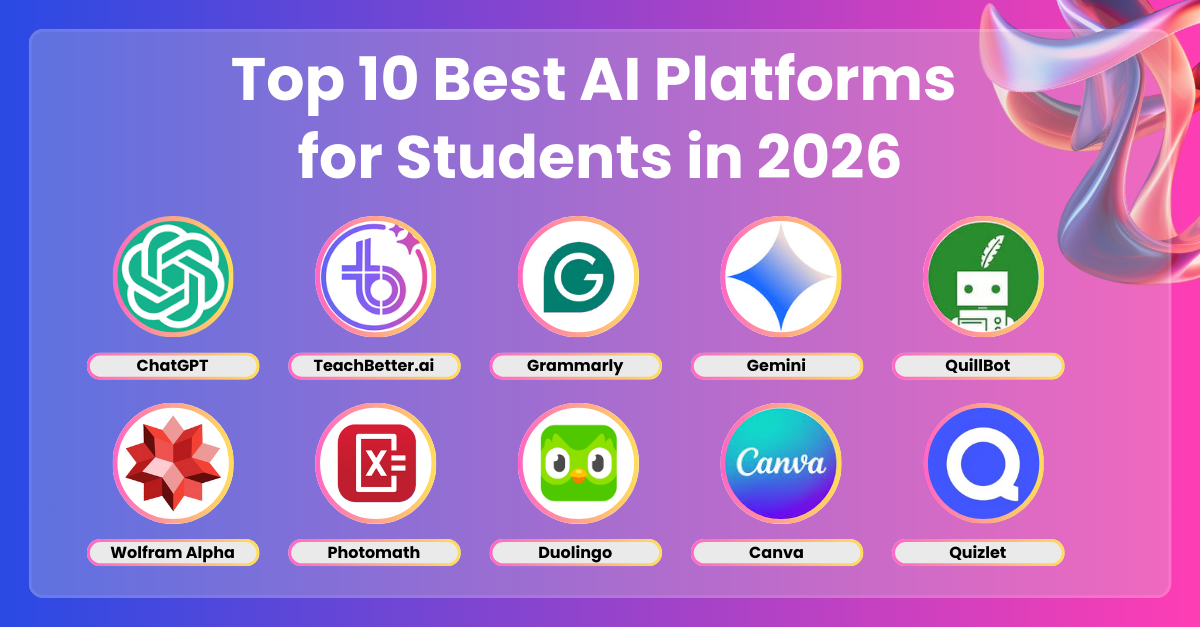
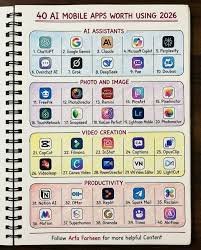
Recommended Apps
- ChatGPT
- Google Gemini
- Notion
- Grammarly
- Photomath
Each app solves a different academic problem.
AI App Comparison Table
| Feature | ChatGPT | Gemini | Notion | Grammarly | Photomath |
|---|---|---|---|---|---|
| Note-Taking | High | Moderate | Excellent | Low | None |
| Research Help | Excellent | Excellent | Moderate | Low | Low |
| Writing Support | High | High | Moderate | Excellent | None |
| Problem Solving | High | High | Low | None | Excellent |
| Best For | All-in-one | Research | Organization | Writing | Math |
AI App Checklist for Students
Before choosing an app, make sure it can:
- Help with note-taking
- Support research and literature review
- Improve writing quality
- Solve academic problems
- Increase student productivity
If it doesn’t help your workflow, it’s just another distraction.
Step-by-Step: How to Use Mobile AI Apps for Studying
Let’s break this into a practical proccess you can follow daily.
Step 1: Use AI for Quick Research
Open ChatGPT or Gemini and ask:
- “Explain this topic in simple terms”
- “Summarize this concept”
This saves time instantly.
Step 2: Capture Notes on the Go
Use Notion:
- Create subject pages
- Store lecture notes
- Organize ideas
Step 3: Improve Writing
Use Grammarly to:
- Fix grammar mistakes
- Improve clarity
- Enhance academic tone
Step 4: Solve Problems Instantly
Use Photomath:
- Scan math problems
- Get step-by-step solutions
Step 5: Review and Revise
Learn→Practice→Review
This loop improves retention.
Step 6: Combine Apps for Maximum Efficiency
Example workflow:
- Research → ChatGPT
- Notes → Notion
- Writing → Grammarly
- Practice → Photomath
This creates a powerful study system.
Advanced Strategies for Smart Students
Once you master basics, level up.
1. Voice-Based Learning
Use AI voice features to:
- Ask questions
- Listen to explanations
2. AI-Powered Flashcards
Generate revision questions instantly.
3. Cross-App Integration
Sync notes between apps.
4. Micro-Learning Sessions
Study in short bursts using mobile apps.
Pros and Cons of Mobile AI Apps
Advantages
- Portable learning
- Instant support
- Improves student productivity
- Saves time
- Enhances understanding
Limitations
- Can be distracting
- Requires internet
- Risk of over-reliance
- Needs discipline
So yeah, your phone can help—but it can also waste your time if used poorly.
Ethical Use and Academic Integrity
Let’s be clear—this matters.
Using AI apps is acceptable if:
- You understand what you’re learning
- You don’t copy answers blindly
- You verify information
- You use AI as a learning tool
Academic integrity is more important than convenience.
How Mobile AI Apps Improve Learning
These apps help students:
- Learn faster
- Stay organized
- Improve writing
- Solve problems efficiently
- Prepare for exams
This is especially useful for:
- Literature review
- Assignment writing
- Daily study routines
- Exam preparation
Common Mistakes Students Make
Avoid these:
- Using too many apps
- Not organizing notes
- Relying blindly on AI
- Getting distracted by phone
- Ignoring academic integrity
If you don’t control your phone, it controls you.
The Future of AI Mobile Learning
By 2026, mobile AI apps are becoming essential tools.
Students who learn how to:
- Use AI effectively
- Build smart workflows
- Maintain discipline
…will always stay ahead.
Platforms like lrnai.xyz are helping students master these systems with practical, real-world strategies.
And honestly, the future of learning is mobile.
Final Thoughts: Turn Your Phone Into a Study Machine
Your phone isn’t the problem—how you use it is.
With the best mobile AI apps for students on Android and iOS, you can:
- Study anywhere
- Learn faster
- Stay organized
- Improve results
But remember:
AI is your assistant—not your teacher.
If you use it wisely, your not just using apps—you’re building a powerful learning system.
Call to Action
Ready to upgrade your study routine?
Start using these mobile AI apps today and turn your phone into a powerful academic tool. Then explore more advanced AI learning guides on lrnai.xyz to boost your student productivity and master the future of learning.
And if you’ve found a better study app workflow, share it—because the smartest students don’t just use technology, they master it.
Leave a Reply