Category: Writing & Presentation Tools

  • How to Use Gamma AI to Make Professional Student Presentations and Save Hours Every Week

    How to Use Gamma AI to Make Professional Student Presentations and Save Hours Every Week

    Look, I get it—university life is stressful. Between assignments, exams, group projects, and trying to have a life, creating polished presentations can feel like a massive time drain. That’s exactly where AI tools come in—and one of the most powerful in 2026 is Gamma AI.

    If you’re serious about boosting student productivity while still maintaining academic integrity, learning how to use Gamma AI properly can save you hours every week and elevate your work to a professional level.

    In this guide on how to use Gamma AI to make professional student presentations, I’ll walk you through everything—from basics to advanced strategies—so you can work smarter, not harder.
    What is Gamma AI and Why Students Are Using It in 2026

    Gamma AI is an AI-powered platform designed to create presentations, documents, and webpages in seconds. Unlike traditional tools, it doesn’t just give you templates—it generates complete, structured content based on your input.

    Key Features for Students

    • AI-generated slides with logical flow
    • Built-in design optimization (no more ugly slides)
    • Automatic formatting and layout
    • Easy export to PowerPoint or PDF
    • Collaboration-friendly for group projects

    In 2026, students are not just using AI for presentations—they’re integrating it across their entire workflow, including:

    • Thesis research
    • Literature review summaries
    • Smart note-taking systems
    • Practice question generation

    Gamma fits perfectly into this ecosystem.

    Why Gamma AI is a Game-Changer for Student Productivity

    Here is the real talk about using AI for your assignments: tools like Gamma don’t replace your thinking—they amplify it.

    Instead of spending 4–6 hours designing slides, you can:

    • Generate a complete presentation in minutes
    • Focus on refining ideas instead of formatting
    • Spend more time understanding your subject

    This is especially useful when you’re juggling multiple deadlines or preparing for presentations based on complex topics like research papers or literature review findings.

    Step-by-Step: How to Use Gamma AI to Make Professional Student Presentations

    Let’s break this down into a practical workflow you can follow today.

    Step 1: Define Your Topic Clearly

    Before opening Gamma, you need a clear prompt.

    Instead of writing:

    • “Climate change presentation”

    Write:

    • “A university-level presentation on climate change impacts on agriculture, including data, case studies, and solutions”

    Better prompts = better results.

    Step 2: Open Gamma AI and Choose “Create New”

    Once inside Gamma AI:

    • Click “Create New”
    • Select “Presentation”
    • Paste your prompt

    Gamma will instantly generate a structured outline.

    Step 3: Review and Edit the AI-Generated Outline

    This is where academic integrity comes in.

    Do NOT just copy everything blindly.

    Instead:

    • Verify facts
    • Add your own insights
    • Adjust tone for your course requirements

    Remember, AI is a starting point—not the final submission.

    Step 4: Customize Slides for Professional Impact

    Gamma automatically creates clean designs, but you should still:

    • Add relevant data or citations
    • Insert visuals where needed
    • Adjust headings for clarity

    Pro tip: Keep slides minimal—don’t overload them with text.

    Step 5: Integrate Research and Literature Review Content

    If your presentation is research-based:

    • Add findings from your literature review
    • Summarize key studies in bullet points
    • Highlight gaps or conclusions

    This step is what transforms a basic AI output into a high-grade academic presentation.

    Step 6: Export and Practice

    Once satisfied:

    • Export to PowerPoint or PDF
    • Practice your delivery (this part AI can’t fully replace)

    Because honestly, even the best slides won’t help if your delivery is weak.

    Comparison Table: Gamma AI vs Traditional Tools

    FeatureGamma AIPowerPointGoogle Slides
    AI Content GenerationYesNoLimited
    Design AutomationAdvancedManualBasic
    Time RequiredMinutesHoursHours
    CollaborationYesYesYes
    Learning CurveLowMediumLow

    Gamma clearly wins in terms of speed and efficiency—but it should be used responsibly.

    AI Tool Checklist for Students Using Gamma AI

    Before submitting your presentation, ask yourself:

    • Did I verify all AI-generated information?
    • Did I add my own analysis or insights?
    • Is my work aligned with academic integrity guidelines?
    • Have I properly cited sources?
    • Does the presentation reflect my understanding?

    If you skip these steps, your work may look good—but it won’t be academically strong.

    Best Use Cases for Gamma AI in University

    1. Class Presentations

    Quickly generate slides for weekly assignments without sacrificing quality.

    2. Thesis Presentations

    Summarize complex research into clear, digestible slides.

    3. Group Projects

    Collaborate efficiently by sharing AI-generated drafts and refining together.

    4. Research Summaries

    Turn long research papers into structured presentations.

    5. Exam Revision

    Create visual summaries of key topics for better retention.

    Ethical Use of Gamma AI in Academics

    Let’s address the elephant in the room—AI misuse.

    Using Gamma AI is NOT cheating if you:

    • Use it as a support tool
    • Add original thought
    • Cite properly

    It becomes problematic when students:

    • Submit AI-generated content without review
    • Ignore academic integrity policies
    • Present work they don’t understand

    Your goal should be learning—not just finishing tasks.

    Advanced Tips to Get the Most Out of Gamma AI

    Use Layered Prompts

    Instead of one vague input, refine your prompts:

    • Add audience level (undergraduate, postgraduate)
    • Specify tone (formal, analytical)
    • Include required sections

    Combine with Other AI Tools

    Smart students in 2026 are building AI workflows:

    • Use AI for literature review summaries
    • Feed insights into Gamma for presentation creation
    • Use note-taking AI to refine key points

    Keep Slides Visual

    Even though Gamma generates text-heavy slides sometimes, you should:

    • Reduce text
    • Add diagrams or charts
    • Focus on clarity

    Practice Delivery Separately

    AI can build slides, but your confidence and clarity come from practice.

    Common Mistakes Students Make

    Let me be honest—these mistakes can cost you grades:

    • Over-relying on AI content without understanding it
    • Ignoring formatting guidelines from professors
    • Using too much text per slide
    • Skipping citation and references
    • Not reviewing the final output (this is where many students mess up the proccess)

    Also, sometimes students think AI will magically fix everything—but your input still matters a lot.

    How Gamma AI Fits Into the Future of Learning

    Platforms like Gamma AI are just one piece of a bigger transformation.

    Students today are:

    • Automating repetitive tasks
    • Focusing on critical thinking
    • Building smarter workflows

    At lrnai.xyz, we focus on helping students navigate this shift responsibly—balancing AI efficiency with real learning.

    Because the future isn’t about avoiding AI—it’s about using it wisely.

    Final Thoughts: Should You Use Gamma AI?

    Absolutely—but with intention.

    Gamma AI can:

    • Save you hours
    • Improve presentation quality
    • Boost your confidence

    But only if you:

    • Stay engaged in the learning process
    • Maintain academic integrity
    • Use AI as a tool, not a shortcut

    Your education is still yours. AI just makes the journey smoother.

    Call to Action

    Now it’s your turn.

    Try Gamma AI for your next presentation and see how much time you can save. Then come back and ask yourself—did it actually improve your understanding, or just your slides?

    If you want more practical, student-focused AI strategies, explore lrnai.xyz—your go-to platform to master AI for learning, research, and productivity in 2026.

    And hey, share your own study hacks too—because sometimes the best ideas come from students just like you.
  • Best Free AI Essay Checkers for High School Students to Improve Grades and Save Time

    Best Free AI Essay Checkers for High School Students to Improve Grades and Save Time

    Look, I get it—school life is stressful. You’ve got essays, assignments, exams, and deadlines all piling up at once. And when it comes to writing, even small grammar mistakes or unclear arguments can cost you marks.

    That’s where the best free AI essay checkers for high school students come in.

    In 2026, AI is no longer just a “nice-to-have” tool—it’s becoming an essential part of student productivity. But here is the real talk about using AI for your assignments: it should help you learn, not replace your thinking.

    In this guide, I’ll walk you through the top free AI essay checkers, how to use them effectively, and how to stay aligned with academic integrity while getting better results.

    What Are AI Essay Checkers and Why They Matter in 2026

    AI essay checkers are tools that analyze your writing for:

    • Grammar and spelling errors
    • Clarity and readability
    • Structure and coherence
    • Tone and style

    Modern tools powered by advanced AI (similar to systems developed by companies like OpenAI) can even suggest improvements in argument strength and flow.

    For high school students, this means:

    • Better grades with less stress
    • Faster editing and proofreading
    • Improved writing skills over time

    And if you’re planning ahead for university, these tools are also incredibly useful for things like literature review writing and research summaries.

    Top 5 Best Free AI Essay Checkers for High School Students

    Let’s explore the most reliable and student-friendly tools available today.

    1. Grammarly

    One of the most popular AI writing tools globally, Grammarly remains a top choice for students.

    Key Features

    • Real-time grammar and spelling correction
    • Tone and clarity suggestions
    • Plagiarism detection (limited in free version)

    Pros

    • Easy to use
    • Works across browsers and apps
    • Great for beginners

    Cons

    • Advanced suggestions require premium
    • Can sometimes over-correct sentences

    2. QuillBot

    QuillBot is more than just a paraphraser—it includes a powerful grammar checker.

    Key Features

    • Grammar and sentence structure improvements
    • Paraphrasing modes for rewriting
    • Summarizer tool

    Pros

    • Excellent for rewriting weak sentences
    • Helps improve vocabulary
    • Free version is quite useful

    Cons

    • Limited daily usage in free plan
    • Sometimes changes meaning slightly

    3. Hemingway Editor

    If your writing feels too complex, this tool is your best friend.

    Key Features

    • Highlights hard-to-read sentences
    • Suggests simpler alternatives
    • Improves readability

    Pros

    • Great for clarity and simplicity
    • Helps with essay structure

    Cons

    • No deep grammar checking
    • Not ideal for technical writing

    4. ProWritingAid

    A more advanced tool that offers deep writing insights.

    Key Features

    • Detailed writing reports
    • Grammar and style suggestions
    • Vocabulary enhancement

    Pros

    • In-depth feedback
    • Good for improving long-term writing skills

    Cons

    • Interface can feel overwhelming
    • Free version has limitations

    5. Scribbr Grammar Checker

    A student-focused tool designed for academic writing.

    Key Features

    • Grammar and punctuation correction
    • Academic tone suggestions
    • Easy-to-use interface

    Pros

    • Designed for students
    • Clean and simple

    Cons

    • Limited advanced features
    • Less powerful than premium tools

    Comparison Table: Best Free AI Essay Checkers

    ToolBest ForFree FeaturesEase of UseIdeal Student Level
    GrammarlyGrammar & toneStrongVery EasyBeginner
    QuillBotParaphrasingGoodEasyIntermediate
    Hemingway EditorReadabilityModerateVery EasyAll levels
    ProWritingAidDeep analysisLimitedMediumAdvanced
    ScribbrAcademic writingBasicEasyHigh school

    Step-by-Step: How to Use AI Essay Checkers Effectively

    Now let’s get practical. Knowing the tools is one thing—using them properly is what actually improves your grades.

    Step 1: Write Your First Draft Without AI

    This is important.

    Don’t start with AI. Write your essay first:

    • Focus on your ideas
    • Build your arguments
    • Don’t worry about perfection

    This ensures your work remains original and aligned with academic integrity.

    Step 2: Run Your Essay Through an AI Checker

    Paste your essay into a tool like Grammarly or QuillBot.

    Let the AI:

    • Identify grammar mistakes
    • Suggest sentence improvements
    • Highlight unclear sections

    Step 3: Review Suggestions Critically

    This is where most students go wrong.

    Don’t accept every suggestion blindly.

    Ask yourself:

    • Does this change my meaning?
    • Is this still my voice?
    • Is the argument still accurate?

    Step 4: Improve Structure and Clarity

    Use tools like Hemingway Editor to:

    • Simplify long sentences
    • Improve readability
    • Make your essay easier to follow

    Step 5: Final Proofreading

    Before submitting:

    • Read your essay aloud
    • Check flow and transitions
    • Ensure consistency

    This step helps you catch errors AI might miss (yes, it happens more often than you think).

    AI Tool Checklist for High School Students

    Before submitting your essay, run through this checklist:

    • Did I write the essay myself first?
    • Did I use AI only for improvement—not generation?
    • Did I verify all suggestions?
    • Does the essay reflect my understanding?
    • Am I following academic integrity guidelines?

    If you can answer “yes” to all of these, your work is in a strong position.

    How AI Essay Checkers Improve Student Productivity

    Using the best free AI essay checkers for high school students can:

    • Cut editing time in half
    • Reduce stress before deadlines
    • Improve writing confidence

    In 2026, smart students are combining tools:

    • AI for grammar checking
    • AI for note-taking
    • AI for literature review summaries

    This creates a complete productivity system.

    At lrnai.xyz, we call this the “AI-powered learning workflow”—and it’s quickly becoming the standard for high-performing students.

    Common Mistakes to Avoid

    Let me be honest—these mistakes can hurt your grades:

    • Copying AI suggestions without understanding them
    • Over-relying on paraphrasing tools
    • Ignoring teacher guidelines
    • Submitting essays without reviewing changes
    • Using AI to write instead of improve (this is where students often mess up the proccess)

    Also, sometimes students think AI will fix everything instantly—but your effort still matters more than any tool.

    Ethical Use: Staying True to Academic Integrity

    Using tools like Grammarly is completely fine—as long as you use them responsibly.

    You should:

    • Use AI for editing, not writing
    • Keep your original ideas
    • Cite sources properly

    You should NOT:

    • Submit AI-generated essays as your own
    • Rely entirely on paraphrasing tools
    • Ignore school policies

    Remember, your goal is to learn—not just to finish assignments.

    Final Thoughts: Which AI Essay Checker Should You Choose?

    If your just starting:

    • Go with Grammarly

    If you want better rewriting:

    • Try QuillBot

    If clarity is your issue:

    • Use Hemingway Editor

    Each tool has its strengths—but the real power comes from how you use them.

    Call to Action

    Now it’s your turn.

    Pick one of these best free AI essay checkers for high school students and test it on your next assignment. See how it improves your writing—and more importantly, your confidence.

    Then head over to lrnai.xyz for more expert guides on AI tools, academic writing, and student productivity in 2026.

    And hey, if you’ve found a study trick that works for you, share it. Because your not the only one trying to figure this out.

  • Best AI for Creative Writing Students: Plot and Character Help to Save Time and Boost Storytelling Skills

    Best AI for Creative Writing Students: Plot and Character Help to Save Time and Boost Storytelling Skills

    Look, I get it—university life is stressful but creative writing adds a whole new layer of pressure. You’re not just trying to finish assignments… you’re trying to create something meaningful, original, and engaging.

    And sometimes? The hardest part isn’t writing—it’s knowing what to write.

    That’s where the best AI for creative writing students: plot and character help tools come in. In 2026, AI has evolved far beyond grammar correction. It now helps students brainstorm plots, develop realistic characters, and overcome writer’s block without compromising academic integrity.

    In this guide, I’ll walk you through the top AI tools, how to use them effectively, and how to balance creativity with ethical academic usage.

    Why Creative Writing Students Are Using AI in 2026

    AI is no longer just for essays or research. Creative writing students are using tools powered by organizations like OpenAI to:

    • Generate plot ideas
    • Develop character backstories
    • Build dialogue and narrative flow
    • Experiment with different writing styles

    But here is the real talk about using AI for your assignments: AI should support your creativity, not replace it.

    Think of it as a brainstorming partner—not a ghostwriter.

    Best AI Tools for Plot and Character Development

    Let’s explore the best AI for creative writing students: plot and character help available right now.

    1. ChatGPT

    One of the most versatile tools for creative writers.

    Key Features

    • Generates plot outlines
    • Builds detailed character profiles
    • Helps with dialogue and scene writing

    Pros

    • Highly customizable prompts
    • Great for brainstorming
    • Free version available

    Cons

    • Requires good prompting skills
    • Can produce generic ideas if not guided

    2. Sudowrite

    Designed specifically for fiction writers.

    Key Features

    • “Describe” tool for vivid scenes
    • Character and plot expansion
    • Creative rewriting suggestions

    Pros

    • Excellent for storytelling
    • Enhances descriptive writing
    • Writer-friendly interface

    Cons

    • Limited free access
    • Can feel overwhelming for beginners

    3. NovelAI

    A tool focused on immersive storytelling and world-building.

    Key Features

    • Long-form story generation
    • Character consistency tracking
    • Custom storytelling styles

    Pros

    • Great for fantasy and sci-fi
    • Strong narrative continuity

    Cons

    • Subscription required for full features
    • Learning curve for new users

    4. Grammarly

    Not a storytelling AI, but essential for polishing creative work.

    Key Features

    • Grammar and clarity improvements
    • Tone suggestions
    • Readability enhancement

    Pros

    • Easy to use
    • Improves final drafts

    Cons

    • Doesn’t help with plot creation

    5. QuillBot

    Useful for refining and reworking narrative sentences.

    Key Features

    • Sentence rewriting
    • Vocabulary enhancement
    • Summarization

    Pros

    • Helps improve flow
    • Great for editing

    Cons

    • Not designed for storytelling from scratch

    Comparison Table: Best AI Tools for Creative Writing Students

    ToolBest ForPlot HelpCharacter DevelopmentEase of UseFree Version
    ChatGPTAll-purpose writingExcellentExcellentEasyYes
    SudowriteFiction writingStrongStrongMediumLimited
    NovelAIWorld-buildingExcellentGoodMediumLimited
    GrammarlyEditingNoneNoneVery EasyYes
    QuillBotRewritingLimitedNoneEasyYes

    Step-by-Step: How to Use AI for Plot and Character Development

    Let’s break this down into a system you can actually follow.

    Step 1: Start With a Core Idea

    Before using AI, define:

    • Genre (fantasy, romance, thriller)
    • Theme (love, conflict, identity)
    • Basic concept

    Example:
    “A story about a student who discovers a hidden AI system that predicts the future.”

    Step 2: Use AI to Expand the Plot

    Open ChatGPT and prompt:

    • “Create a 3-act plot structure for this story…”
    • “Add conflict and plot twists…”

    This gives you a structured foundation.

    Step 3: Build Deep Characters

    Ask AI:

    • “Create a detailed character profile for the protagonist”
    • “What are their fears, motivations, and flaws?”

    Strong characters = strong stories.

    Step 4: Generate Scenes and Dialogue

    Use AI to:

    • Draft key scenes
    • Explore dialogue options
    • Experiment with tone

    But don’t just copy—adapt it to your voice.

    Step 5: Edit and Refine

    Use tools like Grammarly and QuillBot to:

    • Improve clarity
    • Fix grammar
    • Enhance flow

    Step 6: Add Your Unique Voice

    This is the most important step.

    AI can help generate ideas—but your creativity is what makes the story original.

    AI Tool Checklist for Creative Writing Students

    Before submitting your work, ask yourself:

    • Did I create the core idea myself?
    • Did I use AI only for brainstorming and support?
    • Does the story reflect my voice and style?
    • Have I edited AI-generated content?
    • Am I following academic integrity guidelines?

    If yes, your on the right track.

    How AI Improves Student Productivity in Creative Writing

    Using the best AI for creative writing students: plot and character help can:

    • Reduce writer’s block
    • Speed up brainstorming
    • Improve story structure
    • Enhance writing quality

    In 2026, students are combining:

    • AI for storytelling
    • AI for literature review research (for academic writing)
    • AI for smart note-taking

    This creates a balanced workflow that boosts both creativity and academic performance.

    At lrnai.xyz, we focus on helping students build these workflows responsibly.

    Common Mistakes to Avoid

    Let me be honest—these mistakes can hold you back:

    • Letting AI write your entire story
    • Not editing AI-generated content
    • Ignoring character depth
    • Overusing clichés from AI outputs
    • Skipping revision (this is where many students mess up the proccess)

    Also, some AI suggestions might sound good—but lack originality. Always refine them.

    Ethical Use of AI in Creative Writing

    Using tools like ChatGPT is acceptable in most educational settings if used properly.

    You should:

    • Use AI for brainstorming
    • Keep your work original
    • Follow assignment guidelines

    You should NOT:

    • Submit fully AI-generated stories
    • Ignore academic integrity rules
    • Depend entirely on AI

    Remember, creativity cannot be automated—only supported.

    Final Thoughts: Is AI Worth It for Creative Writing Students?

    Absolutely—but only if used wisely.

    AI can:

    • Inspire new ideas
    • Improve structure
    • Save time

    But your imagination, your voice, and your effort are what truly matter.

    If you rely too much on AI, your writing may feel generic. But if you use it strategically, it can elevate your work to a professional level.

    Call to Action

    Now it’s your turn.

    Try one of the tools mentioned above and see how it transforms your writing proccess. Experiment with plot ideas, build deeper characters, and push your creativity further.

    Then explore more expert guides on lrnai.xyz—your ultimate resource to master AI for learning, writing, and student productivity in 2026.

    And hey, don’t keep your ideas to yourself. Share your writing hacks, your AI prompts, and your creative breakthroughs. Because your story deserves to be told.

  • Best AI for Art Students to Learn Digital Painting Techniques (Save 10+ Hours Every Week)

    Best AI for Art Students to Learn Digital Painting Techniques (Save 10+ Hours Every Week)

    Look, I get it, university life is stressful but trying to master digital painting on top of deadlines, critiques, and theory classes? That’s a lot. The good news is that 2026 has completely changed the game. AI is no longer just a “cool tool”—it’s becoming a serious learning assistant for art students.

    If you’re searching for the best AI for art students to learn digital painting techniques, this guide will walk you through the most powerful tools, how to use them effectively, and how to stay aligned with academic integrity while boosting your student productivity.

    Let’s break it down properly.

    Why AI is a Game-Changer for Digital Painting Students

    Digital painting used to require years of trial and error. Now, AI can compress that learning curve dramatically.

    Here’s what modern AI tools can do for you:

    • Analyze your brush strokes and suggest improvements
    • Generate reference images instantly
    • Teach lighting, anatomy, and color theory interactively
    • Help with concept ideation for assignments and thesis projects
    • Assist in building portfolios faster

    And yes—this matters not just for your art, but also for your literature review, presentations, and overall academic workflow.

    Best AI Tools for Learning Digital Painting Techniques in 2026

    1. Adobe Photoshop (with AI features like Firefly)

    Still the industry standard, but now powered by advanced AI.

    Key AI Features:

    • Generative Fill for instant composition ideas
    • AI-powered brush smoothing
    • Smart color matching and lighting suggestions

    Why it’s great for students:
    You’re not just painting—you’re learning why certain techniques work. Photoshop’s AI acts like a silent mentor correcting your workflow.

    Downside:
    Steep learning curve and subscription cost.

    2. Procreate + AI Plugins

    A favorite among iPad users, now enhanced with AI-driven tools.

    Key Features:

    • AI brush assistants
    • Gesture-based corrections
    • Style simulation tools

    Best for:
    Beginner to intermediate students who want a natural painting experience.

    3. Krita with AI Extensions

    A free and powerful option for students.

    Key Features:

    • AI-assisted stabilizers
    • Perspective and symmetry tools
    • Plugin ecosystem for machine learning features

    Why it stands out:
    Perfect for budget-conscious students who still want pro-level results.

    4. MidJourney

    This is where creativity explodes.

    Key Features:

    • Generate high-quality art references
    • Explore different art styles instantly
    • Concept art creation for assignments

    Real talk:
    MidJourney won’t teach brush technique directly—but it will massively improve your visual thinking.

    5. Runway ML

    A hybrid tool bridging art, video, and AI.

    Key Features:

    • Style transfer
    • Real-time painting assistance
    • AI video + concept blending

    Best for:
    Advanced students working on multimedia or thesis-level projects.

    AI Tool Comparison Table

    ToolBest ForSkill LevelPriceUnique Advantage
    PhotoshopProfessional workflowsIntermediate–AdvancedPaidIndustry standard + AI
    ProcreateTablet artistsBeginner–IntermediateLow costNatural painting feel
    KritaBudget learnersAll levelsFreeOpen-source flexibility
    MidJourneyConcept & referencesAll levelsPaidStunning visuals
    Runway MLExperimental artAdvancedPaidAI + video integration

    How to Use AI to Learn Digital Painting (Step-by-Step)

    Here is the proccess I recommend to my students:

    Step 1: Start with AI-Generated References

    Use MidJourney to create:

    • Lighting studies
    • Character poses
    • Environmental concepts

    This eliminates hours of searching for references.

    Step 2: Recreate in Your Painting Software

    Import the reference into:

    • Adobe Photoshop
    • Krita

    Focus on:

    • Brush control
    • Color blending
    • Texture application

    Step 3: Use AI Feedback Tools

    Modern AI tools can:

    • Detect proportion errors
    • Suggest better lighting
    • Improve perspective

    This is like having a tutor available 24/7.

    Step 4: Practice Style Variation

    Use Runway ML to:

    • Apply different artistic styles
    • Experiment with surreal or abstract ideas

    This is especially useful for portfolio development.

    Step 5: Reflect and Document (Important for Academic Work)

    Don’t skip this.

    • Write about your process
    • Compare AI vs manual techniques
    • Include insights in your assignments or even your thesis

    This is where academic integrity matters. You’re using AI as a tool—not submitting AI-generated art as your own without transformation.

    AI Tool Checklist for Art Students

    Before choosing your AI tool, ask yourself:

    • Do I need help with technique or ideas?
    • Am I working on assignments or personal art?
    • Is my focus speed or mastery?
    • Does my university allow AI-assisted work?

    If your goal is learning, prioritize tools that teach, not just generate.

    Academic Integrity: The Real Talk

    Here is the real talk about using AI for your assignments.

    AI is powerful—but misuse it, and you risk academic penalties.

    Follow these rules:

    • Always disclose AI usage if required
    • Use AI for learning, not copying
    • Transform outputs into original work
    • Cite AI tools in your process documentation

    This approach not only protects you but also strengthens your critical thinking, which is essential for your future career.

    Beyond Painting: AI for Complete Student Productivity

    The best art students in 2026 are not just creative—they’re efficient.

    Combine painting AI tools with:

    • Research tools for faster literature review
    • AI note-taking apps for lectures
    • Presentation AI for critiques and submissions

    This is exactly what we focus on at lrnai.xyz—helping students master AI across every part of academic life.

    Pros and Cons of Using AI for Digital Painting

    Pros

    • Faster skill development
    • Instant feedback
    • Endless creative inspiration
    • Improved student productivity

    Cons

    • Risk of over-reliance
    • Ethical concerns if misused
    • Learning fundamentals may feel “shortcut”

    Balance is key. AI should enhance your skills—not replace them.

    Final Thoughts: Should You Use AI as an Art Student?

    Absolutely—but use it wisely.

    AI is like a mentor who never gets tired, never judges, and is always available. But your creativity, your decisions, and your artistic voice still matter the most.

    If you integrate these tools correctly, you won’t just keep up with other students—you’ll stand out.

    And honestly? In 2026, not learning AI is like refusing to learn perspective drawing. It just doesn’t make sense anymore.

    Call to Action

    Now it’s your turn.

    Pick one tool from this list and try it today. Start small—maybe generate a reference or test an AI brush. Then build from there.

    Also, share your experience—what worked, what didn’t, and what you wish you knew earlier.

    For more practical guides like this, explore lrnai.xyz—your go-to resource to master AI, boost your student productivity, and stay ahead in the future of learning.

  • How to Use AI for Storytelling in Digital Media Assignments (Save 10+ Hours & Boost Creativity)

    How to Use AI for Storytelling in Digital Media Assignments (Save 10+ Hours & Boost Creativity)


    University assignments in digital media are no joke. You’re expected to ideate, script, design, edit, and present—all while juggling deadlines, exams, and your social life. Look, I get it, university life is stressful but here’s the good news: AI is no longer just a shortcut—it’s a powerful creative partner.

    In this guide, you’ll learn how to use AI for storytelling in digital media assignments in a way that enhances your creativity, protects academic integrity, and massively boosts student productivity.

    We’ll go beyond surface-level tips and show you exactly how to use modern AI tools in 2026 for brainstorming, scripting, visual creation, and even research.


    What Does AI Storytelling Mean for Students in 2026?

    AI storytelling is the process of using artificial intelligence tools to assist in crafting narratives—whether that’s for videos, animations, podcasts, or interactive media.

    Tools like ChatGPT, Midjourney, Runway ML, and Notion AI have evolved significantly by 2026. They don’t just generate content—they help structure ideas, analyze themes, and even simulate audience engagement.

    Here is the real talk about using AI for your assignments:
    AI won’t replace your creativity—but it will amplify it if used correctly.


    Why AI is a Game-Changer for Digital Media Assignments

    1. Faster Idea Generation

    Struggling with “what should my story be about?” AI can generate dozens of unique concepts in seconds.

    2. Structured Storytelling

    AI can help you apply narrative frameworks like:

    • Three-act structure
    • Hero’s journey
    • Non-linear storytelling

    3. Multimedia Integration

    From scripts to visuals to voiceovers, AI tools now handle full storytelling pipelines.

    4. Research & Contextual Depth

    AI tools assist in literature review, theme analysis, and even cultural context—making your story more academically sound.


    AI Tool Comparison for Storytelling Projects

    ToolBest ForKey FeatureLimitation
    ChatGPTScriptwriting, ideationContext-aware storytellingNeeds fact-checking
    MidjourneyVisual storytellingHigh-quality AI artLimited control over exact details
    Runway MLVideo productionAI-powered editing & effectsLearning curve
    Notion AIPlanning & notesSmart organizationLess creative depth
    DescriptAudio storytellingAI voice & editingPremium features costly

    Step-by-Step: How to Use AI for Storytelling in Digital Media Assignments

    Step 1: Define Your Assignment Goals

    Before touching AI, clarify:

    • What format? (video, animation, podcast)
    • What theme? (social issue, fiction, documentary)
    • What academic requirements?

    You can even prompt ChatGPT like:

    “Help me break down my digital media assignment into key storytelling components.”


    Step 2: Generate Story Ideas

    Use AI to brainstorm:

    Example prompt:

    “Give me 5 unique digital storytelling ideas about climate change for university students.”

    Refine ideas by asking:

    • “Make it more emotional”
    • “Add a plot twist”
    • “Simplify for a 3-minute video”

    This is where AI shines—you can iterate instantly.


    Step 3: Build a Narrative Structure

    Ask AI to structure your story:

    “Turn this idea into a three-act story with characters and conflict.”

    You’ll get:

    • Beginning (setup)
    • Middle (conflict)
    • End (resolution)

    But don’t blindly copy. Adjust it to match your voice—this is critical for academic integrity.


    Step 4: Scriptwriting with AI Assistance

    Now generate a script draft:

    “Write a 2-minute video script with dialogue and narration.”

    Then refine:

    • Add emotional depth
    • Improve pacing
    • Align with assignment rubric

    Pro tip: Combine AI with your own editing to avoid generic outputs. Otherwise, your proccess may feel robotic.


    Step 5: Visual Storytelling with AI Tools

    Use Midjourney to create:

    • Scene concepts
    • Character designs
    • Background visuals

    Prompt example:

    “Create a cinematic scene of a lonely student in a futuristic city, emotional tone.”

    For video projects, use Runway ML to:

    • Generate clips
    • Remove backgrounds
    • Add effects

    Step 6: Voice & Audio Enhancement

    AI tools like Descript allow you to:

    • Generate voiceovers
    • Edit audio seamlessly
    • Remove filler words

    This is perfect for podcast-style storytelling assignments.


    Step 7: Organize Your Workflow

    Use Notion AI for:

    • Story outlines
    • Research notes
    • Timeline planning

    This boosts student productivity and keeps your work structured.


    Step 8: Add Academic Depth

    This is where most students fail.

    Use AI for:

    • Literature review summaries
    • Thematic analysis
    • Cultural or historical context

    But always:

    • Verify sources
    • Cite properly
    • Avoid plagiarism

    AI should assist—not replace—your academic thinking.


    AI Storytelling Checklist for Students

    Before submitting your assignment, ask yourself:

    • Did I use AI to assist—not replace—my creativity?
    • Did I edit and personalize the AI output?
    • Are my sources properly cited?
    • Does my story meet academic requirements?
    • Is my narrative clear and engaging?

    If you can say yes to all, your on the right track.


    Pros and Cons of Using AI in Storytelling Assignments

    Pros

    • Saves time (10+ hours weekly)
    • Enhances creativity
    • Improves structure and clarity
    • Supports research and analysis

    Cons

    • Risk of over-reliance
    • Generic outputs if not edited
    • Academic integrity concerns
    • Requires learning curve

    Ethical Use of AI in Academic Work

    Let’s be clear: universities are increasingly strict about AI usage.

    To stay safe:

    • Disclose AI usage if required
    • Use AI for drafting—not final submission
    • Always revise content in your own voice

    Think of AI as a collaborator, not a ghostwriter.


    Advanced Tips for 2026 Students

    1. Combine Multiple AI Tools

    Don’t rely on just one platform. Combine writing, visuals, and editing tools for best results.

    2. Use AI for Feedback

    Ask AI:

    “Critique this story and suggest improvements.”

    3. Simulate Audience Reactions

    AI can predict how different audiences might respond to your story.


    How AI Supports Thesis & Research-Based Storytelling

    For advanced students, AI is incredibly useful in:

    • Structuring literature review sections
    • Identifying research gaps
    • Translating academic findings into compelling narratives

    This is especially useful in documentary-style assignments.


    Final Thoughts: The Smart Way to Use AI

    AI is not a shortcut—it’s a skill.

    Students who learn how to use AI for storytelling in digital media assignments effectively will stand out—not just academically, but professionally.

    And if you’re serious about mastering AI for your studies, lrnai.xyz is your go-to platform. It’s designed specifically for students who want to stay ahead in the future of learning.


    Call to Action

    Start experimenting with AI in your next assignment today. Try one tool, build one story, and improve with each project.

    Then head over to lrnai.xyz to explore more expert guides, tools, and strategies designed to boost your academic success.

    And hey—share your AI storytelling hacks with your classmates. Because the future of education isn’t just about working harder… it’s about working smarter.

  • How to Use AI for Debating and Argument Building (Save Hours of Research & Win Stronger Arguments)

    How to Use AI for Debating and Argument Building (Save Hours of Research & Win Stronger Arguments)

    Debating at university isn’t just about speaking confidently—it’s about thinking critically, structuring arguments logically, and backing everything with evidence. And honestly, that’s where many students struggle.

    Look, I get it, university life is stressful but here’s the shift happening in 2026: students are now using AI not just to study—but to think better.

    In this guide, you’ll learn how to use AI for debating and argument building in a smart, ethical, and academically sound way. Whether you’re preparing for a classroom debate, writing an argumentative essay, or working on a thesis, AI can significantly boost your student productivity.


    What Does AI-Powered Argument Building Mean?

    AI-powered argument building involves using tools like ChatGPT, Perplexity AI, Notion AI, and Elicit to:

    • Generate arguments and counterarguments
    • Analyze evidence and sources
    • Structure debates logically
    • Improve clarity and persuasion

    Here is the real talk about using AI for your assignments: AI won’t make you a great debater overnight—but it will sharpen your thinking if you use it correctly.


    Why AI is Transforming Student Debating Skills

    1. Instant Access to Multiple Perspectives

    AI can generate arguments from different viewpoints in seconds—something that traditionally takes hours of reading and note-taking.

    2. Improved Critical Thinking

    When AI challenges your ideas with counterarguments, it forces you to think deeper.

    3. Faster Research for Literature Review

    AI tools help summarize academic papers, identify key themes, and speed up your literature review process.

    4. Better Structure and Clarity

    AI can transform scattered thoughts into structured, logical arguments.


    AI Tools Comparison for Debating and Argument Building

    ToolBest Use CaseKey StrengthLimitation
    ChatGPTArgument draftingDeep reasoning & dialogueNeeds fact-checking
    Perplexity AIResearch & citationsReal-time web-backed answersLimited creativity
    ElicitAcademic researchPaper summaries & insightsNiche interface
    Notion AINote organizationStructured thinkingLess debate-focused
    SciteEvidence validationCitation analysisAdvanced features locked

    Step-by-Step: How to Use AI for Debating and Argument Building

    Step 1: Understand Your Debate Topic

    Start by clearly defining:

    • The motion (e.g., “AI should replace traditional education”)
    • Your stance (for or against)
    • Key requirements from your instructor

    Use ChatGPT:

    “Break down this debate topic into key issues and perspectives.”

    This gives you a strong foundation before you even begin arguing.


    Step 2: Generate Initial Arguments

    Prompt AI to create arguments:

    “Give me 5 strong arguments in favor of this motion with examples.”

    Then refine:

    • Ask for stronger evidence
    • Request real-world case studies
    • Simplify complex explanations

    This step saves hours of brainstorming and helps you avoid weak points early.


    Step 3: Build Counterarguments

    Great debaters don’t just argue—they anticipate.

    Ask AI:

    “What are the strongest counterarguments to these points?”

    Then go further:

    “How can I refute these counterarguments effectively?”

    This process strengthens your reasoning and prepares you for real debate scenarios.


    Step 4: Structure Your Argument Logically

    Use AI to organize your ideas into:

    • Claim
    • Evidence
    • Explanation
    • Impact

    Prompt example:

    “Turn these points into a structured argument with clear logic.”

    This ensures your argument isn’t just persuasive—but academically sound.


    Step 5: Use AI for Evidence and Research

    Tools like Perplexity AI and Elicit can:

    • Find credible sources
    • Summarize research papers
    • Help with your literature review

    But always double-check sources. AI can occasionally hallucinate—yes, even in 2026.


    Step 6: Practice Debating with AI

    This is where things get interesting.

    Ask AI to simulate a debate:

    “Act as an opponent and challenge my argument.”

    This helps you:

    • Improve confidence
    • Identify weaknesses
    • Practice real-time responses

    Honestly, this is one of the most underrated ways to use AI.


    Step 7: Refine Language and Delivery

    Use AI to improve:

    • Clarity
    • Tone
    • Persuasiveness

    Prompt:

    “Make this argument more persuasive but keep it academic.”

    Avoid over-polishing. Your voice still matters—otherwise your argument might feel unnatural.


    Step 8: Organize Notes for Maximum Productivity

    Use Notion AI to:

    • Store arguments
    • Track sources
    • Build debate outlines

    This improves student productivity and keeps everything in one place.


    AI Debate Checklist for Students

    Before your debate or submission, check:

    • Did I verify AI-generated facts?
    • Did I include credible sources?
    • Did I address counterarguments?
    • Is my argument logically structured?
    • Am I maintaining academic integrity?

    If yes, your ready.


    Pros and Cons of Using AI in Debating

    Pros

    • Saves time on research
    • Generates diverse perspectives
    • Improves argument clarity
    • Enhances critical thinking

    Cons

    • Risk of over-reliance
    • Potential inaccuracies
    • Can weaken original thinking if misused
    • Requires ethical awareness

    Academic Integrity and Ethical AI Use

    Universities are paying close attention to AI usage.

    To stay safe:

    • Use AI for support, not submission
    • Cite all sources properly
    • Don’t copy-paste AI outputs

    AI should help you learn, not replace your thinking.


    Advanced Strategies for 2026 Students

    1. Combine AI Tools for Maximum Impact

    Use:

    • ChatGPT for reasoning
    • Perplexity AI for research
    • Notion AI for organization

    2. Use AI for Thesis Argument Development

    AI can help:

    • Identify research gaps
    • Strengthen thesis statements
    • Improve argument flow

    This is especially useful in long-form academic writing.

    3. Ask AI to Critique Your Argument

    Prompt:

    “Evaluate this argument for logical fallacies and weak evidence.”

    This builds deeper analytical skills over time.


    How AI Improves Debate Performance in Real Life

    Students using AI effectively report:

    • Better confidence in debates
    • Stronger evidence-based arguments
    • Faster preparation times

    But remember: AI is a tool. Your thinking is still the engine.


    Final Thoughts: Learn Smarter, Not Harder

    Mastering how to use AI for debating and argument building is quickly becoming a must-have academic skill.

    And if your serious about staying ahead, platforms like lrnai.xyz are designed to help students like you master AI-powered learning, from debate prep to thesis research.

    The future belongs to students who know how to think critically and use AI effectively.


    Call to Action

    Try using AI in your next debate prep session. Start small—generate arguments, test counterpoints, refine your ideas.

    Then head over to lrnai.xyz to explore more expert guides, tools, and strategies built for modern students.

    And don’t keep your strategies to yourself—share your AI debate hacks with your friends. Because smarter learning is better when it’s shared.

  • Free AI Alternatives to Grammarly for Academic Writing: Save Hours and Boost Your Grades in 2026

    Free AI Alternatives to Grammarly for Academic Writing: Save Hours and Boost Your Grades in 2026

    Meta Description: Discover the best free AI alternatives to Grammarly for academic writing and improve essays, research papers, and productivity.


    Why Students Are Looking for Free Grammarly Alternatives in 2026

    Look, I get it, university life is stressful but paying for premium writing tools on top of tuition, books, and everything else? Not ideal.

    While Grammarly remains a powerful tool, many students are now turning to free AI alternatives that offer similar (and sometimes better) features—especially with the rapid advancements in AI for education in 2026.

    Today’s tools don’t just correct grammar—they help with:

    • Academic tone refinement
    • Literature review structuring
    • Citation clarity
    • Ethical paraphrasing
    • Overall student productivity

    Let’s break down the best free AI alternatives to Grammarly for academic writing—and how you can actually use them effectively.


    What Makes a Good AI Writing Tool for Students?

    Before jumping into tools, here’s what actually matters in academic writing:

    Core Features You Need

    • Grammar and spelling correction
    • Academic tone suggestions
    • Paraphrasing (without plagiarism risk)
    • Clarity and conciseness
    • Citation-friendly writing style
    • Support for research-heavy content

    Here is the real talk about using AI for your assignments: tools should assist your thinking, not replace it. Academic integrity still matters.


    Best Free AI Alternatives to Grammarly for Academic Writing

    1. QuillBot

    QuillBot has evolved massively by 2026 and is now one of the strongest free tools for academic writing.

    Key Features:

    • Advanced paraphrasing modes (formal, academic)
    • Grammar checker (free tier available)
    • Built-in summarizer for literature review work
    • Citation generator (limited but useful)

    Pros:

    • Excellent for rewriting complex sentences
    • Helps avoid plagiarism when used correctly
    • Great for non-native English speakers

    Cons:

    • Free version has usage limits
    • Sometimes over-simplifies academic language

    2. LanguageTool

    LanguageTool is a serious competitor to Grammarly, especially for academic writing.

    Key Features:

    • Grammar and style checking in multiple languages
    • Academic tone suggestions
    • Browser extensions and integrations

    Pros:

    • Completely free core features
    • Privacy-focused (important for research writing)
    • Works well for formal writing

    Cons:

    • Fewer advanced AI rewrites than premium tools

    3. Hemingway Editor

    If your writing is too complex (which happens in research papers), Hemingway helps simplify it.

    Key Features:

    • Readability scoring
    • Sentence complexity analysis
    • Passive voice detection

    Pros:

    • Forces clarity in academic writing
    • Great for editing final drafts

    Cons:

    • No AI paraphrasing
    • Not designed for grammar correction alone

    4. ChatGPT

    Yes, used properly, ChatGPT is one of the most powerful free AI alternatives to Grammarly for academic writing.

    Key Features:

    • Essay refinement
    • Grammar correction via prompts
    • Literature review summarization
    • Idea generation

    Pros:

    • Extremely versatile
    • Helps understand concepts, not just fix writing
    • Can simulate academic feedback

    Cons:

    • Requires good prompting skills
    • Risk of over-reliance if misused

    5. Slick Write

    A lesser-known but useful tool for quick checks.

    Key Features:

    • Grammar and stylistic analysis
    • Flow and readability suggestions

    Pros:

    • Completely free
    • Fast and lightweight

    Cons:

    • Basic interface
    • Not as “smart” as newer AI tools

    Comparison Table: Free AI Writing Tools for Students

    ToolBest ForAI FeaturesAcademic UseFree Plan
    QuillBotParaphrasingStrongExcellent for essaysYes
    LanguageToolGrammarModerateGreat for research papersYes
    Hemingway EditorClarityLowBest for editing draftsYes
    ChatGPTEverythingVery StrongIdeal for full workflowYes
    Slick WriteQuick checksBasicGood for proofreadingYes

    Step-by-Step: How to Use Free AI Tools for Academic Writing

    Let me walk you through a simple workflow that actually works in real student life.

    Step 1: Draft Your Content Yourself

    Start with your own ideas. Even if it’s messy.

    Why? Because academic integrity matters. AI should refine your thinking, not replace it.


    Step 2: Use ChatGPT for Structural Feedback

    Paste your draft into ChatGPT and ask:

    • “Improve academic tone without changing meaning”
    • “Check for clarity and coherence”
    • “Suggest better transitions between paragraphs”

    This step alone can save you hours.


    Step 3: Paraphrase Carefully with QuillBot

    Take complex or awkward sentences and refine them using QuillBot.

    Important tip:

    • Don’t blindly accept suggestions
    • Compare original vs rewritten version

    This is where many students make mistakes and accidentally distort meaning.


    Step 4: Run Grammar Check with LanguageTool

    Now polish your document using LanguageTool.

    Focus on:

    • Subject-verb agreement
    • Academic tone
    • Punctuation

    Step 5: Improve Readability with Hemingway

    Paste your final version into Hemingway Editor.

    Fix:

    • Long sentences
    • Passive voice
    • Hard-to-read sections

    Step 6: Final Human Review

    This is the step most students skip—and it shows.

    Read your work out loud. Ask yourself:

    • Does it sound natural?
    • Does it reflect my understanding?

    Because at the end of the day, your professor is grading your thinking, not the AI.


    AI Tool Checklist for Academic Writing

    Use this quick checklist before submitting any assignment:

    • ✔ Grammar checked
    • ✔ Academic tone maintained
    • ✔ No plagiarism risk
    • ✔ Clear argument structure
    • ✔ Proper citations included
    • ✔ Readability optimized

    If you skip even one, your grades might suffer.


    Ethical Use of AI in Academic Writing

    Let’s be honest—AI tools are powerful, but misuse is a real problem.

    What’s Acceptable:

    • Grammar correction
    • Clarity improvement
    • Idea brainstorming
    • Literature review summarization

    What’s Not:

    • Submitting fully AI-generated essays
    • Paraphrasing without understanding
    • Ignoring citation rules

    Many universities now use AI-detection systems, so your better off using these tools responsibly.


    How AI is Changing Student Productivity in 2026

    AI is no longer just a writing assistant—it’s part of a full academic ecosystem.

    Students now use AI for:

    • Smart note-taking
    • Thesis planning
    • Research discovery
    • Time management

    Platforms like lrnai.xyz are helping students navigate this shift by providing practical, ethical, and up-to-date AI strategies.


    Final Thoughts: Which Tool Should You Choose?

    If you want a simple answer:

    • Use ChatGPT for overall writing help
    • Use QuillBot for paraphrasing
    • Use LanguageTool for grammar
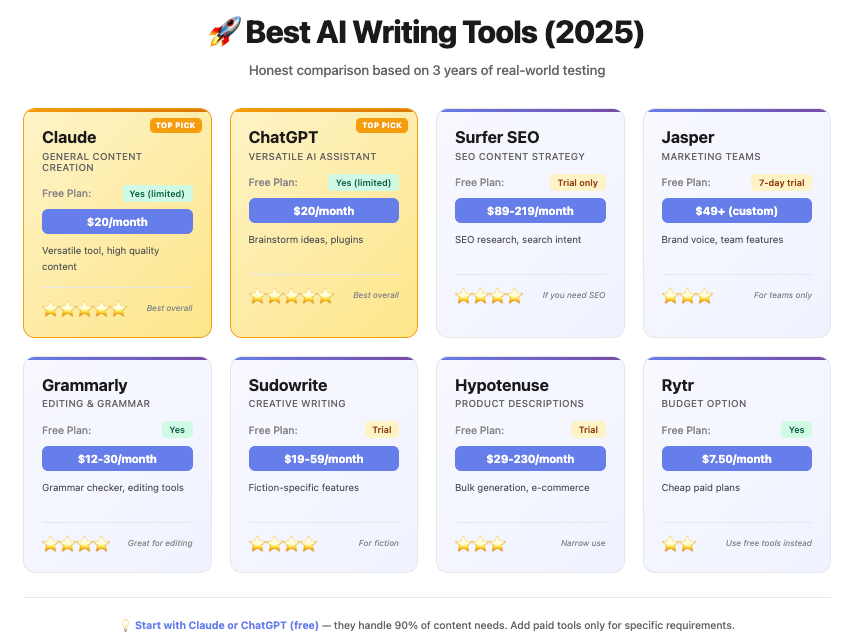
    • Use Hemingway for clarity

    There’s no single perfect tool—but together, they can outperform Grammarly’s free version.

    And honestly, once you learn this workflow, your writing proccess becomes faster, clearer, and more effective.


    Ready to Upgrade Your Academic Writing?

    Start experimenting with these free AI alternatives to Grammarly for academic writing today.

    Try one tool at a time, build your workflow, and see what works for you.

    And if you want more practical, student-focused AI guides, head over to lrnai.xyz—your go-to resource for mastering the future of learning.

    Now your turn: Which AI tool are you using right now, and how is it helping your studies?