
Look, I get it, university life is stressful but the hardest part isn’t studying—it’s staying consistent.
You start the week with motivation, create a rough plan, and then… everything falls apart by Wednesday.
Missed lectures, unfinished readings, last-minute assignments.
Sound familiar?
Here’s the shift: in 2026, students are using AI automation to create smart, adaptive study timetables that actually work.
In this guide, you’ll learn how to create a study timetable using AI automation, the best tools, step-by-step methods, and how to maintain academic integrity while boosting student productivity.
And if you want to fully master AI-powered learning systems, lrnai.xyz is becoming the ultimate hub for future-ready students.

Why Traditional Study Timetables Fail
Before we fix the problem, let’s understand it.
1. Lack of Flexibility
Static timetables don’t adjust when life happens.
2. Poor Time Estimation
Students underestimate how long tasks take.
3. No Priority System
Everything feels equally important.
4. Burnout and Overplanning
Too much structure leads to frustration.
This is exactly where AI automation changes everything.
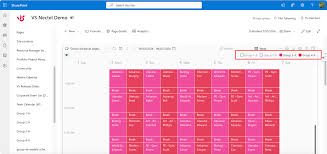
What AI Automation Does for Study Timetables
AI tools can:
- Automatically schedule study sessions
- Adjust plans based on deadlines
- Prioritize tasks intelligently
- Track your progress
- Suggest optimized study routines
Here is the real talk about using AI for your assignments: AI won’t make you disciplined—but it will remove the friction that stops you from being consistent.
Best AI Tools to Create Study Timetables
Let’s compare the most effective tools in 2026.
AI Tool Comparison Table
| Feature | Motion | Notion AI | ChatGPT |
|---|---|---|---|
| Auto Scheduling | Excellent | Moderate | Moderate |
| Task Prioritization | Excellent | High | High |
| Custom Study Plans | High | High | Excellent |
| Automation Level | Very High | Moderate | Moderate |
| Best For | Full automation | Organization | Planning |
Recommended Tools
- Motion
- Notion AI
- ChatGPT
Each tool supports a different part of the timetable creation process.
AI Tool Checklist for Study Automation
Before choosing a tool, make sure it can:
- Automatically schedule tasks
- Adjust plans dynamically
- Prioritize deadlines
- Track study progress
- Improve student productivity
If a tool doesn’t adapt to your routine, it won’t help long-term.
Step-by-Step: How to Create a Study Timetable Using AI Automation
Let’s break this into a practical proccess you can follow today.
Step 1: List All Subjects and Tasks
Start by writing:
- Subjects
- Assignments
- Exams
- Reading tasks
Be realistic—don’t overload yourself.
Step 2: Input Data into AI Tool
Use Motion, Notion AI, or ChatGPT:
Example prompt:
“Create a weekly study timetable based on these subjects and deadlines”
Step 3: Set Priorities
Ask AI:
- “Which tasks are most urgent?”
- “Which subjects need more time?”
AI will rank tasks intelligently.
Step 4: Generate Smart Timetable
AI creates a schedule like:
- Morning: Deep study sessions
- Afternoon: Light review
- Evening: Revision or practice
Step 5: Apply Time Blocking
Study Time=Focused Session+Break+Revision
This ensures better retention and avoids burnout.
Step 6: Automate Adjustments
Use AI to:
- Reschedule missed tasks
- Adjust workload dynamically
- Optimize daily routines
This is where automation becomes powerful.
Step 7: Track Progress
Ask AI:
- “What tasks are incomplete?”
- “How can I improve this schedule?”
Consistency improves over time.
Example AI Study Timetable
Here’s a simplified version:
- Monday:
- 9–11 AM: Biology (deep focus)
- 2–3 PM: Lecture review
- 7–8 PM: Revision
- Tuesday:
- 10–12 PM: Assignment writing
- 3–4 PM: Practice questions
AI adjusts this based on deadlines.
Advanced Strategies for Smart Students
Once you master basics, level up.
1. Adaptive Scheduling
AI adjusts your timetable automatically if you miss sessions.
2. Energy-Based Planning
Schedule hard tasks when your energy is highest.
3. Micro-Tasking
Break big assignments into small tasks.
4. Integration with Notes
Combine timetable with AI note-taking tools.
Pros and Cons of AI Study Timetables
Advantages
- Saves time
- Improves consistency
- Reduces stress
- Enhances student productivity
- Supports better planning
Limitations
- Requires accurate input
- Needs regular updates
- Can feel rigid if overused
- Depends on your discipline
So yeah, AI helps—but it won’t magically fix procrastination.
Ethical Use and Academic Integrity
Let’s be clear—this matters.
Using AI for planning is completely fine.
But:
- Don’t use AI to cheat
- Don’t skip learning
- Don’t rely blindly on automation
Academic integrity means using AI responsibly.
How AI Timetables Improve Learning
AI-powered schedules help students:
- Stay consistent
- Manage workload better
- Reduce last-minute stress
- Improve academic performance
This is especially useful for:
- Exam preparation
- Literature review planning
- Thesis work
- Daily study routines
Common Mistakes Students Make
Let me be honest—many students misuse AI planning tools.
Avoid these:
- Overloading your schedule
- Ignoring breaks
- Not updating tasks
- Blindly following AI without thinking
- Setting unrealistic goals
If your timetable is unrealistic, it will fail.
The Future of AI in Student Productivity
By 2026, AI automation is becoming a standard tool for students.
Those who learn how to:
- Automate study schedules
- Optimize routines
- Balance workload
…will always stay ahead.
Platforms like lrnai.xyz are helping students build these systems with practical, real-world strategies.
And honestly, once you start using AI scheduling, it’s hard to go back.
Final Thoughts: Work Smarter, Not Just Harder
Creating a study timetable isn’t the goal—following it is.
With AI automation, you can:
- Plan smarter
- Study consistently
- Reduce stress
- Achieve better results
But remember:
AI is your assistant—not your discipline.
If you use it wisely, your not just managing time—you’re taking control of your academic life.
Call to Action
Ready to take control of your study routine?
Start using AI automation to create your study timetable today and experience real productivity gains. Then explore more powerful AI learning guides on lrnai.xyz to master the future of learning.
And if you’ve built a system that works, share it—because the smartest students don’t just study harder, they study smarter.
Leave a Reply