Look, I get it, university life is stressful but if you’re a computer science beginner, coding can feel like learning a new language while solving puzzles at the same time.
You write code… it breaks. You fix it… it breaks again. And sometimes you don’t even know why it broke.
Here’s the shift: in 2026, AI coding assistants are completely transforming how beginners learn programming. They don’t just write code—they explain it, debug it, and teach you how to think like a developer.
In this guide, you’ll learn the best AI coding assistants for computer science beginners, how to use them effectively, and how to build real programming skills without losing academic integrity.
If you’re serious about mastering AI in education and coding, lrnai.xyz is becoming the ultimate resource for modern learners.
Why Coding Is So Hard for Beginners
Before jumping into tools, let’s be real about the struggle.
1. Syntax Overload
Every language has strict rules:
- Python indentation
- Java semicolons
- C++ memory logic
One small mistake breaks everything.
2. Debugging Confusion
Errors often look like:
- Cryptic messages
- Missing line numbers
- Hidden logic issues
3. Lack of Guidance
Most beginners don’t know:
- Why code fails
- How to structure programs
- Best practices
4. Slow Learning Curve
You spend more time fixing than building.
This is exactly where AI coding assistants change everything.
What Are AI Coding Assistants?
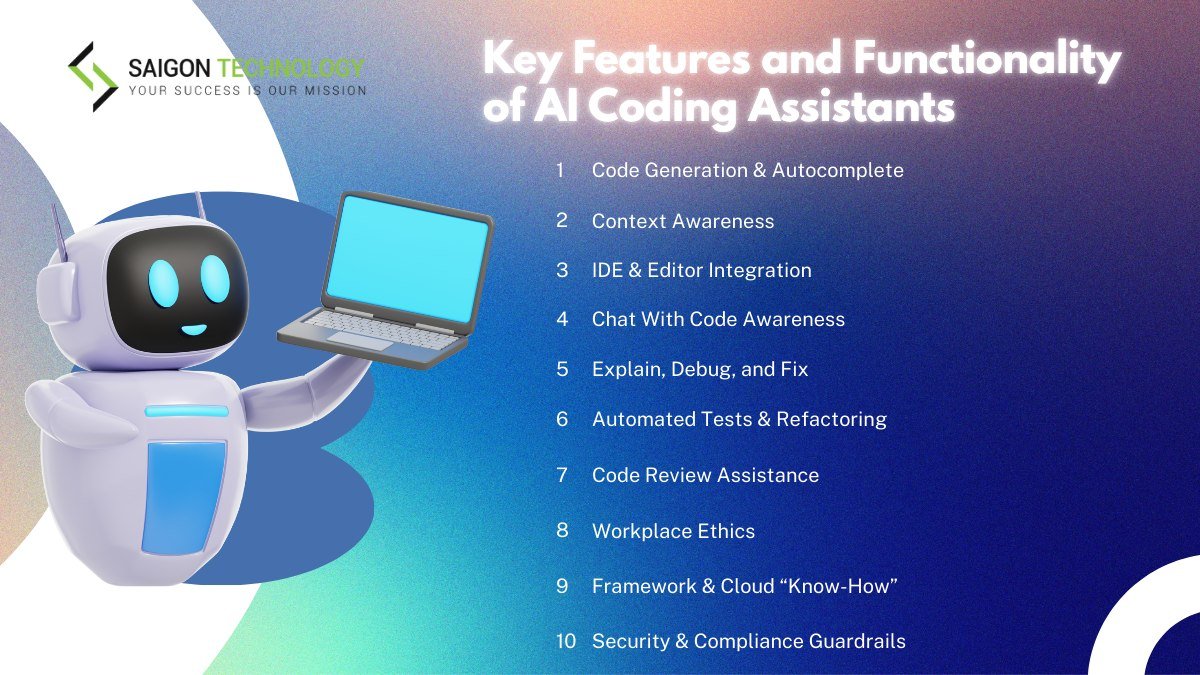
AI coding assistants are tools that help you:
- Write code faster
- Debug errors instantly
- Explain programming concepts
- Suggest improvements
- Generate project structures
Here is the real talk about using AI for your assignments: it’s not about replacing learning—it’s about accelerating it.
Best AI Coding Assistants for Computer Science Beginners
Let’s compare the top tools in 2026.
AI Coding Tool Comparison Table
| Feature | GitHub Copilot | ChatGPT | Replit AI |
|---|---|---|---|
| Code Generation | Excellent | Excellent | High |
| Debugging Help | Strong | Very Strong | Strong |
| Learning Support | Moderate | Excellent | High |
| Real-Time Coding | Very High | Moderate | Very High |
| Best For | Professional coding | Learning + explanation | Beginner practice |
Recommended Tools
- GitHub Copilot
- ChatGPT
- Replit AI
Each tool supports beginners in different ways.
AI Coding Assistant Checklist for Beginners
Before choosing a tool, make sure it can:
- Explain code line-by-line
- Help debug errors
- Generate sample programs
- Suggest improvements
- Support multiple programming languages
If a tool can’t do these, it’s not ideal for beginners.
Step-by-Step: How to Use AI Coding Assistants Effectively
Let’s break this into a practical proccess you can follow.
Step 1: Start with a Simple Problem
Example:
f(x)=x2+2x+1
Or a simple Python task:
“Write a program to add two numbers.”
Step 2: Ask AI to Generate Code
Instead of just copying, ask:
- “Write Python code and explain each line”
- “Show beginner-friendly version of this program”
This helps you actually learn.
Step 3: Understand the Code
Focus on:
- Variables
- Logic flow
- Functions
Don’t rush to next problem.
Step 4: Break the Code Intentionally
Change something and observe errors.
Then ask AI:
- “Why is this error happening?”
- “How do I fix it step-by-step?”
This builds debugging skills.
Step 5: Ask for Alternatives
Example:
- “Show another way to solve this problem”
- “Optimize this code for performance”
This improves problem-solving flexibility.
Step 6: Build Small Projects
Start with:
- Calculator
- To-do list
- Simple game
AI can guide structure and logic.
Advanced Strategies for Coding Beginners
Once you get comfortable, level up with these strategies.
1. AI Debugging Mode
Paste error and ask:
“Explain this error like I’m a beginner”
2. Code Explanation Mode
Ask:
“Explain this code step-by-step in simple terms”
3. Project Structuring
Ask:
“How should I structure a beginner Python project?”
4. Interview Practice Mode
Ask:
“Give me coding interview questions for beginners”
Pros and Cons of AI Coding Assistants
Advantages
- Speeds up learning process
- Reduces frustration
- Improves debugging skills
- Provides instant feedback
- Enhances student productivity
Limitations
- Risk of over-dependence
- May reduce deep thinking if misused
- Sometimes generates incorrect logic
- Requires active learning mindset
So yeah, AI is powerful—but you still need to code yourself.
Ethical Use and Academic Integrity
Let’s be honest—this matters.
Using AI coding assistants is acceptable if used correctly.
Ethical use means:
- Understanding generated code
- Writing your own assignments
- Not copying blindly
- Learning from AI suggestions
If you don’t understand your code, you’re not learning—you’re just pasting.
How AI Improves Programming Learning
AI helps beginners:
- Understand syntax faster
- Learn logic building
- Debug efficiently
- Explore multiple solutions
This is especially useful in:
- Python programming
- Java development
- Web development
- Data structures and algorithms
Smart Note-Taking for Programming Students
Modern AI tools allow you to:
- Save code snippets
- Organize debugging solutions
- Store explanations
This becomes your personal coding knowledge base.
Imagine revising programming concepts in minutes instead of hours.
Common Mistakes Students Make
Let me be honest—most beginners misuse AI tools.
Avoid these mistakes:
- Copying code without understanding
- Not practicing manually
- Ignoring error messages
- Over-relying on AI explanations
- Skipping fundamentals
If you skip practice, you won’t improve—simple as that.
The Future of AI in Computer Science Education
By 2026, AI coding assistants are becoming standard in education.
Students who learn how to:
- Use AI responsibly
- Understand code deeply
- Build real projects
…will always stay ahead.
Platforms like lrnai.xyz are helping students build these skills with structured AI learning guides.
And honestly, this is just the beginning of a new era in programming education.
Final Thoughts: Don’t Just Code—Understand
Coding isn’t about memorizing syntax—it’s about thinking logically.
With the best AI coding assistants for computer science beginners, you can:
- Learn faster
- Debug smarter
- Build real projects
- Reduce frustration
But remember:
AI is your tutor—not your replacement.
If you use it wisely, your not just learning to code—you’re learning to think like a developer.
Call to Action
Ready to level up your programming skills?
Start using AI coding assistants today and transform how you learn computer science. Then explore more powerful AI learning guides on lrnai.xyz to boost your student productivity and master the future of learning.
And if you’ve discovered a smarter way to learn coding, share it—because the best programmers don’t just write code, they understand it deeply.
Leave a Reply